Key Takeaways
- 1. MCP can make selected legacy application capabilities accessible to compatible AI clients.
- 2. Existing APIs, middleware, and integration services can help connect older systems.
- 3. A separate integration layer can reduce the need to modify core legacy software.
- 4. Authentication, permissions, and data validation are essential for secure access.
- 5. Start with one business workflow and expand after validating the integration.
Introduction
MCP for legacy systems provides a way to connect AI agents with older business applications without rebuilding the entire software infrastructure. Many organizations still depend on established ERP platforms, CRM systems, databases, and internal applications that support essential operations but were not originally designed for AI interactions.
Replacing these systems can be disruptive, especially when they contain years of business logic and operational data. Instead, businesses can introduce an MCP integration layer that exposes selected functionality to compatible AI applications while allowing the existing systems to continue operating.
The key is to connect AI capabilities without compromising the stability, security, or reliability of business-critical software.
What Does MCP for Legacy Systems Mean?
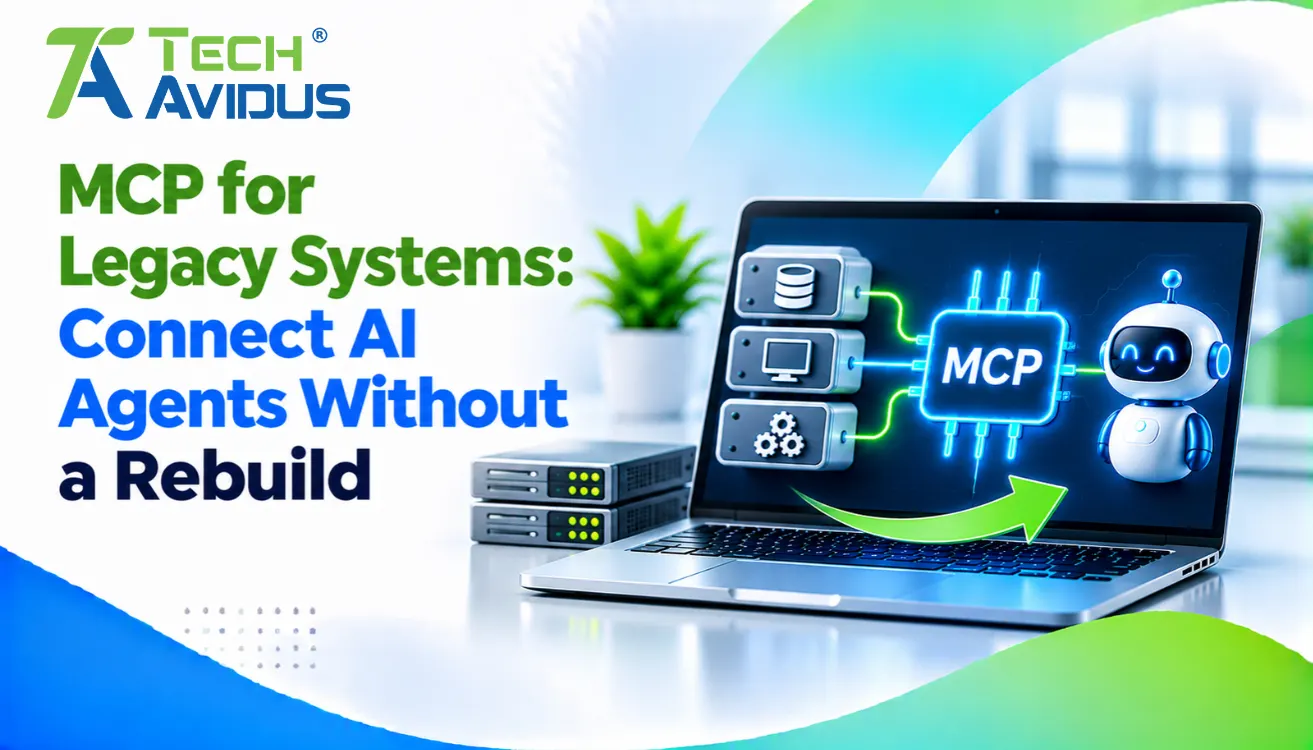
MCP for legacy systems means using the Model Context Protocol to expose selected data and operations from older applications to compatible AI clients.
An MCP server can act as an intermediary between an AI application and existing business systems. It receives requests, validates access, communicates with the relevant backend, and returns structured results.
For example, a manufacturing company may use an older ERP system to manage inventory. An AI assistant could retrieve stock availability or summarize purchase order information through an MCP server without requiring a complete ERP replacement.
This approach can be useful when:
- The existing application still supports important business operations.
- Required information is accessible through APIs, databases, or middleware.
- The business wants to introduce AI-assisted workflows gradually.
- Replacing the current system would involve significant operational disruption.
How Can MCP Connect AI Agents to Legacy Software?
MCP connects AI clients to legacy applications through an integration layer that translates supported AI requests into operations the existing system can handle.
The architecture generally includes three components:
- AI client: The AI application that receives user requests and communicates with the MCP server. It uses available capabilities to retrieve information or perform approved tasks.
- MCP server: The integration component that exposes selected tools and resources. It validates requests and coordinates communication with the backend.
- Legacy application: The existing ERP, CRM, database, or business software that continues to manage the underlying data and business logic.
The MCP server does not automatically make an incompatible legacy application AI-ready. Developers must first identify a reliable way to access the required functionality.
1. Connect Through Existing APIs
Existing REST or SOAP APIs can provide a practical connection point for older applications.
Developers can map available endpoints to MCP tools and expose selected operations to AI clients. This avoids duplicating business logic that already exists in the application.
2. Use Middleware or an Integration Layer
Some legacy applications do not provide suitable APIs for every required operation.
Middleware, message queues, or custom backend services can help bridge the gap. These components can handle data transformation, request validation, and communication with older systems.
3. Connect to Databases Carefully
In some environments, business information is available primarily through databases.
A controlled integration service can retrieve approved information using restricted queries or stored procedures. Direct database access should be carefully evaluated, and AI-driven operations should not bypass existing business rules.
What Should Businesses Consider Before Connecting Legacy Systems?
Before connecting an AI agent to older software, businesses should evaluate system compatibility, data access, security, and the reliability of existing workflows.
1. Review Existing System Architecture
Identify how the legacy application stores information and processes business operations.
Check available APIs, database access, authentication methods, documentation, and dependencies. This helps determine whether the integration can reuse existing functionality or requires an additional adapter.
2. Understand the Difference Between APIs and MCP
Understanding mcp vs api helps teams decide how to structure the integration.
An API provides access to application functionality, while MCP offers a standardized way for compatible AI clients to discover and interact with capabilities exposed by a server. An MCP server can use existing APIs behind the scenes rather than replacing them.
3. Establish Security and Access Controls
Legacy applications may contain sensitive customer, financial, or operational information.
The integration should verify user identity, enforce role-based permissions, validate requests, and restrict access to approved operations. AI clients should never receive unrestricted access to databases or business-critical systems.
4. Plan for Data Compatibility
Older applications may return information in formats that are difficult for AI applications to interpret.
Developers may need to transform inconsistent data, validate responses, and handle missing or outdated records. Consistent structured outputs make the integration easier to test and maintain.
For technical implementation guidance, the official Model Context Protocol documentation explains how MCP clients, servers, and communication layers work together.
What Are the Advantages and Limitations of Connecting Legacy Systems with MCP?
Connecting legacy applications through MCP can extend their usefulness, but it does not remove the limitations of the underlying software.
Advantages
- Preserve existing investments: Businesses can continue using established applications and their existing business logic. This avoids making a complete replacement the first step toward AI adoption.
- Introduce AI gradually: Teams can start with a single workflow, such as retrieving inventory information or summarizing customer records. Additional capabilities can be introduced after the initial integration is validated.
- Improve access to business information: Compatible AI applications can retrieve approved information through a consistent interface. This can make existing data easier to use in everyday workflows.
Limitations
- Legacy compatibility issues: Older applications may lack suitable APIs or modern authentication methods. Additional middleware or custom integration work may be required.
- Existing technical limitations remain: MCP cannot automatically improve outdated databases, slow application performance, or unreliable backend processes. These issues may need to be addressed separately.
- Additional security responsibilities: Connecting AI applications to business-critical systems introduces new access and monitoring requirements. Security controls must be tested across the entire integration.
Practical Example: Connecting an Older ERP System to an AI Assistant
Consider a manufacturing business that uses an older ERP platform to manage inventory, purchase orders, and supplier information.
The company wants an AI assistant that can answer questions such as:
- Which products are currently running low on stock?
- What is the status of a particular purchase order?
- Which suppliers are associated with a specific product?
The development team reviews the ERP system and identifies available database access and existing integration endpoints. It then builds an MCP server that exposes selected inventory and purchase-order operations.
The server validates each request, checks user permissions, retrieves the relevant information, and returns structured results to the AI client.
During testing, the team checks whether the assistant retrieves accurate records, respects user permissions, and handles unavailable information correctly.
This hypothetical example shows how AI functionality can be introduced around an existing ERP system without replacing its core application.

Best Practices for Connecting MCP with Legacy Applications
A reliable integration requires a controlled approach that protects existing business operations while introducing AI capabilities.
- Start with read-only workflows: Begin by allowing the AI agent to retrieve information rather than modify important records. This makes initial validation easier and limits the impact of unexpected behavior.
- Reuse existing business logic: Connect through approved APIs or backend services wherever possible. Avoid bypassing validation rules that already protect the application.
- Build a dedicated integration layer: Use custom mcp server development when the legacy environment requires specialized data mapping, authentication, or communication logic. Keep the integration separate from the core application wherever practical.
- Apply least-privilege access: Expose only the data and operations required for the selected workflow. Review permissions for every user and integration.
- Test failure scenarios: Check what happens when an API becomes unavailable, a database query fails, or a request contains invalid information. Define safe error handling rather than returning misleading responses.
- Monitor the integration: Track errors, response behavior, and access events. Document dependencies so future changes to the legacy application do not silently break AI workflows.
For organizations working across multiple older applications, mcp integration services can help coordinate backend connectivity, data transformation, and secure access through a structured integration approach.
Recap: How Can MCP Connect AI Agents to Legacy Systems?
MCP makes selected legacy application capabilities accessible to compatible AI clients without requiring a complete software rebuild.
- Review: Identify existing APIs, databases, and integrations.
- Build: Create an MCP layer around approved functionality.
- Secure: Apply authentication and access controls.
- Test: Validate a focused business workflow.
- Expand: Add capabilities after successful testing.
The existing application retains its core operations while MCP enables controlled AI access. Explore our MCP Server Development service to connect legacy systems with modern AI workflows.
Conclusion
Legacy software does not necessarily need to be replaced before businesses can explore AI integration. MCP provides a way to connect compatible AI applications with selected existing systems through a controlled integration layer.
The practical starting point is to review your current software architecture, identify accessible business operations, and select one workflow worth improving. From there, build and test the integration before expanding its capabilities.
Want to connect AI agents with your existing business software? Book a free consultation with Techavidus to discuss your legacy integration requirements and implementation approach.
.jpg "Savan Surani")
Savan Surani
Savan Surani is an expert in MCP (Model Context Protocol) Server Development, specializing in building secure, scalable, and efficient solutions that connect AI models with external tools, APIs, and data sources. He focuses on developing custom MCP servers, streamlining AI integrations, and enabling seamless communication between AI applications and business systems. With a strong focus on automation, system interoperability, and reliable architecture, Savan helps businesses build intelligent, connected, and scalable AI-powered solutions.