Key Takeaways
- 1. APIs define interfaces that software uses to request data or operations from other systems.
- 2. MCP standardizes how compatible AI applications discover and use tools and contextual information.
- 3. MCP can sit between an AI application and existing APIs rather than replacing them.
- 4. APIs are essential for direct system integration; MCP is useful when AI applications need a consistent way to access multiple capabilities.
- 5. Security, access control, and testing remain necessary with either approach.
Introduction
Businesses building AI-powered applications need reliable ways to connect models with software, data, and operational workflows. Understanding mcp vs api helps decision-makers choose the right integration approach without treating these technologies as direct replacements for one another.
An application programming interface (API) allows software systems to communicate through defined interfaces. The Model Context Protocol (MCP) provides a standardized way for compatible AI applications to discover and interact with capabilities exposed by MCP servers, which can connect to existing APIs and other systems.
For business leaders, the practical question is not which technology wins. It is how APIs and MCP can work together to make existing systems accessible to AI while preserving security, reliability, and control.
What Is the Difference Between MCP and APIs?
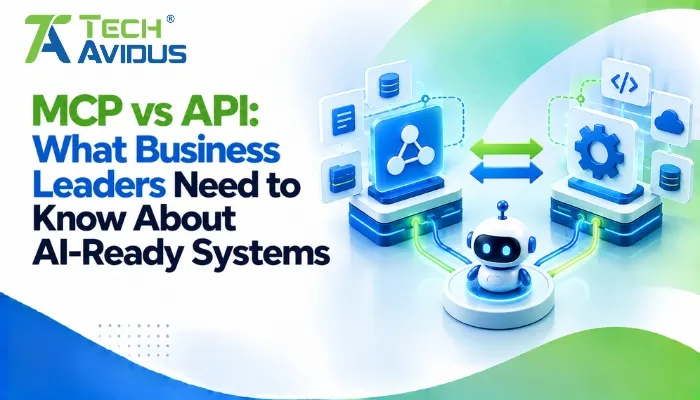
APIs define how software systems expose and consume functionality, while MCP defines a standardized way for AI applications to discover and use available capabilities. The two technologies operate at different levels and can complement each other.
1. Purpose and Architecture
- Traditional APIs: Developers define endpoints, request formats, authentication rules, and response structures for specific operations. An application typically needs integration logic that understands the API's contract.
- MCP: A compatible AI client communicates with an MCP server that exposes tools, resources, or prompts. The server may call existing APIs behind the scenes, allowing the AI application to use a consistent interface.
The official MCP architecture documentation explains how MCP clients and servers work together to exchange context and expose capabilities.
2. How AI Applications Use Them
- API-driven integration: A developer might write application code that calls a CRM endpoint to retrieve a customer record. The application determines when to make the request and how to process the response.
- MCP-enabled integration: An AI assistant can discover an exposed tool such as find_customer and request its use when relevant. The MCP server validates the request and can call the same CRM API, subject to permissions and application controls.
MCP does not remove the need for APIs, business logic, or authentication. It provides another interface through which compatible AI applications can access defined capabilities.
3. Flexibility and Compatibility
- APIs: Work well across websites, mobile applications, backend services, and third-party software. REST APIs, GraphQL, and other API styles can serve different architectural requirements.
- MCP: Helps AI applications interact with supported capabilities through a shared protocol. Actual interoperability depends on client support, server implementation, protocol version, and the authentication methods available.
When Should a Business Use MCP, APIs, or Both?
The right choice depends on the system's purpose, consumers, and integration requirements.
- Use APIs directly when building conventional software integrations, mobile applications, backend services, or deterministic workflows that need explicit control over requests and responses.
- Use MCP when compatible AI applications need a standardized way to discover and invoke capabilities from connected systems.
- Use both together when existing APIs already power business operations and AI assistants need controlled access to selected operations. This approach often lets organizations extend existing infrastructure instead of rebuilding it.
Advantages and Limitations for Business Leaders
Combining APIs with an AI-oriented integration layer can improve architectural flexibility, but it also introduces design and governance considerations.
Advantages
- Reuse existing investments: An MCP server can expose selected functionality from established APIs, allowing an AI assistant to use existing business capabilities. This can reduce the need to rebuild the underlying system, although server development and testing are still required.
- Support AI-ready workflows: Compatible assistants can discover tools and request relevant operations through a common interface. This can simplify some AI integration patterns, particularly when multiple systems need to work together.
- Keep responsibilities separate: APIs continue handling business operations, while MCP provides an interface for AI applications. Clear boundaries make it easier to assign ownership and test each layer independently.
Limitations
- An additional layer to maintain: MCP servers require implementation, monitoring, updates, and compatibility testing. Teams should ensure that the added layer solves a real integration problem rather than adding complexity without a clear benefit.
- Security still matters: A model may request an operation, but the application must enforce identity, permissions, input validation, and approval requirements. Exposing a sensitive API through an MCP tool must not bypass existing controls.
- Not every workflow needs MCP: A stable backend integration may work perfectly well through a direct API call. MCP is most useful when its standardized AI-facing interface addresses a specific need.

Real-World Example: Making a CRM AI-Ready
Consider a business that already uses a CRM to manage leads, customer records, and sales activities. Its CRM exposes APIs that the website, sales dashboard, and internal applications already use.
The business now wants an AI assistant that can answer questions about leads and prepare follow-up tasks.
- Keep the existing API layer: The CRM remains responsible for retrieving records, validating updates, and enforcing business rules. Existing applications continue using the same supported interfaces.
- Add an MCP server: The server exposes selected capabilities, such as searching authorized leads or preparing a follow-up draft. It calls the CRM APIs when the assistant requests an operation.
- Control access and actions: The application verifies the user's permissions and validates the requested operation. Updating a lead or sending a customer message may require confirmation before execution.
- Test the full workflow: The team checks record accuracy, access restrictions, failure handling, and whether the assistant selects the correct tool. Monitoring helps identify problems after deployment.
This approach lets the business introduce an AI-facing interface without replacing its CRM or rebuilding every integration. It is an illustrative scenario; actual benefits depend on system design and implementation quality.
Best Practices for Building AI-Ready Systems
A sound implementation begins with the business workflow, not the protocol.
- Map existing integrations first: Identify the APIs, data sources, authentication mechanisms, and business rules already in place. Reuse reliable components where possible instead of duplicating their logic in an MCP server.
- Expose narrowly defined capabilities: Create tools with clear names, validated inputs, and predictable outputs. Avoid giving an AI assistant broad access to entire systems when only a small set of operations is needed.
- Preserve existing security controls: Enforce authorization at the server and underlying system, protect sensitive information, and require confirmation for high-impact operations. Treat tool descriptions and model-generated arguments as inputs that must be validated.
- Test compatibility and reliability: Verify the MCP client, server, API contracts, and supported protocol versions together. Include tests for expired credentials, unavailable services, malformed inputs, and unexpected responses.
- Measure business outcomes: Track whether the integration improves task completion, reduces manual effort, or makes information easier to access. Use those results to decide whether to expand the implementation.
Recap: How Do MCP and APIs Work Together?
APIs provide defined interfaces for software systems to exchange data and perform operations. MCP provides a standardized interface through which compatible AI applications can discover and use selected capabilities.
Businesses can continue using existing APIs while introducing MCP where AI workflows benefit from tool discovery and a consistent interaction pattern. The best architecture is the one that meets the business need while maintaining security, reliability, and manageable complexity.
Conclusion
APIs remain fundamental to connected software systems, while MCP provides a practical way for AI applications to interact with selected tools and contextual data. For business leaders, the opportunity is to make existing systems more accessible to AI without compromising control or reliability.
Start by identifying one business workflow where an AI assistant could benefit from existing data or operations. Assess the current APIs, define the required capabilities, and validate the security and business value before expanding.
Want to make your application AI-ready? Book a free consultation with Techavidus to discuss your integration requirements.
.jpg "Savan Surani")
Savan Surani
Savan Surani is an expert in MCP (Model Context Protocol) Server Development, specializing in building secure, scalable, and efficient solutions that connect AI models with external tools, APIs, and data sources. He focuses on developing custom MCP servers, streamlining AI integrations, and enabling seamless communication between AI applications and business systems. With a strong focus on automation, system interoperability, and reliable architecture, Savan helps businesses build intelligent, connected, and scalable AI-powered solutions.