Key Takeaways
- 1. MCP integration projects begin with business requirements and technical discovery.
- 2. Architecture, backend connectivity, and security controls shape the implementation.
- 3. Testing should validate functionality, permissions, compatibility, and error handling.
- 4. Deployment requires documentation, operational monitoring, and clear ownership.
- 5. A phased rollout helps businesses validate an integration before expanding its capabilities.
Introduction
MCP integration services help businesses connect compatible AI applications with existing software, data, and workflows through the Model Context Protocol (MCP). A well-planned integration can make approved business capabilities accessible to AI assistants without requiring companies to rebuild their core applications.
However, a successful integration involves more than connecting an AI client to a server. Businesses need requirements discovery, architecture planning, backend integration, security controls, testing, deployment, and ongoing maintenance.
A capable development partner coordinates these stages around a clear business objective, helping teams understand what needs to be built, how it will be validated, and what is required to operate it reliably.
What Do MCP Integration Services Include?
MCP integration services cover the work required to expose selected business capabilities to compatible AI applications. The exact deliverables depend on the systems involved, the intended workflows, and the organization’s security requirements.
1. Discovery and requirements analysis
The first step is identifying the business problem and determining whether MCP is an appropriate solution. The team reviews existing APIs, data sources, target AI clients, user permissions, and the workflows the integration must support.
Typical deliverables: A requirements document, integration inventory, initial architecture recommendations, and acceptance criteria. These help define the project boundaries before implementation begins.
2. Architecture and MCP server development
The team designs the server and determines which capabilities should be available to AI clients. This includes defining tools, resources, prompts, input schemas, error responses, and connections to existing backend services.
The official Model Context Protocol documentation provides a technical reference for understanding the protocol and planning an implementation around its supported capabilities.
Typical deliverables: Architecture documentation, capability definitions, server implementation, and integration components.
3. Backend and API integration
An MCP server can connect to existing APIs, CRMs, databases, analytics platforms, and internal applications. The implementation should reuse established business logic and preserve the validation and permission rules of the connected systems.
For example, a CRM integration might let an authorized AI assistant retrieve account information or prepare a draft follow-up note. The server should verify access before returning data or initiating an action.
Typical deliverables: Configured integrations, validated data flows, error handling, and documented dependencies.
4. Security and quality assurance
Security and testing should be included throughout development, not postponed until launch. The team needs to verify authentication, authorization, input validation, sensitive-data handling, and access boundaries relevant to the application.
Typical deliverables: Functional and security tests, defect reports, compatibility checks, and documented limitations.
5. Deployment and handover
Deployment prepares the integration for its intended environment and ensures the responsible team understands how to operate it. Depending on the scope, this can include configuration, logging, monitoring, rollback procedures, and maintenance documentation.
Typical deliverables: Deployment instructions, setup documentation, operational guidance, and clearly assigned support responsibilities.
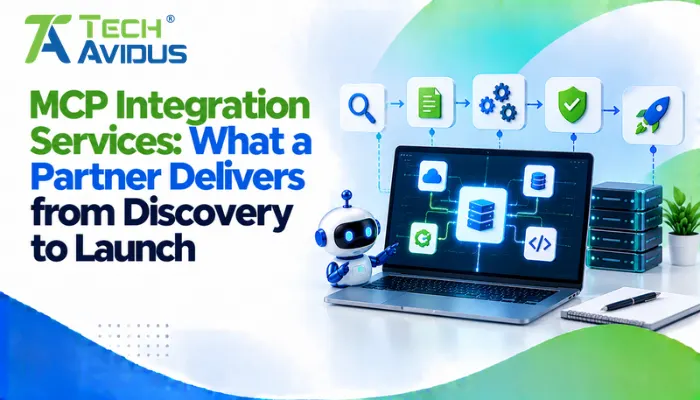
How Does the Integration Process Work from Start to Launch?
A structured delivery process helps businesses validate requirements early, manage technical risks, and prepare the integration for real-world use.
- Step 1: Define the use case. Identify the users, business problem, data required, and actions the AI application should perform. Start with a focused workflow rather than exposing every system capability at once.
- Step 2: Design and build. Define the server architecture, implement the required capabilities, and connect existing systems. When designing MCP tools resources and prompts, give each capability a clear purpose and appropriate access boundaries.
- Step 3: Validate the integration. Test expected behavior, permissions, invalid inputs, and failure scenarios. Confirm compatibility with the AI clients and deployment environment the business intends to support.
- Step 4: Deploy and monitor. Release the integration in a controlled environment, review operational behavior, and document how issues will be investigated. Expand access only when the relevant acceptance criteria have been met.
The timeline depends on API readiness, system complexity, security requirements, and deployment constraints. A realistic schedule should be based on the actual scope rather than a generic estimate.
Advantages and Limitations of MCP Integration
MCP can provide a standardized interface between compatible AI applications and selected business capabilities, but it does not eliminate the need for integration engineering or security controls.
Advantages
- Consistent AI access: A shared protocol can make supported capabilities discoverable to compatible AI clients. This may reduce the need to design a separate AI-facing interface for every workflow.
- Reuse of existing systems: Businesses can often retain their current APIs and backend services while adding an MCP layer. This helps preserve established business logic and existing application investments.
Limitations
- Additional engineering work: Teams must develop, test, secure, and maintain the integration. Compatibility and operational requirements still need to be addressed.
- Not necessary for every use case: In an MCP vs API evaluation, a conventional API may be sufficient for a fixed system-to-system workflow. MCP is more relevant when standardized access from compatible AI applications is a genuine requirement.

Practical Example: Connecting a CRM to an AI Assistant
Consider a B2B company that wants sales representatives to retrieve account summaries and prepare follow-up notes through an AI assistant.
The integration team could begin by reviewing the CRM APIs and defining the permitted operations. It could then build tools for account lookup and draft preparation, ensuring that user permissions are checked before sensitive records are returned.
During testing, the team should verify that users cannot access unauthorized accounts, invalid requests are handled correctly, and unavailable CRM services produce understandable errors. After a controlled rollout, feedback can guide improvements and the addition of further capabilities.
This staged approach helps confirm that the integration works within the company’s existing processes before broader deployment.
Best Practices for Choosing an Integration Partner
The right partner should combine technical expertise with clear communication, security awareness, and a practical delivery process.
- Prioritize business outcomes: Select workflows that solve a defined customer or operational problem. Evaluate the benefits of model context protocol against the actual requirements instead of adopting it simply because it is available.
- Define acceptance criteria: Agree on deliverables, supported clients, expected behavior, and testing requirements. Clear criteria help both parties assess whether the integration is ready for release.
- Build security into the architecture: Apply least-privilege access, input validation, appropriate credential handling, and relevant audit controls. Review the security guidance applicable to the protocol and the connected systems.
- Plan for maintenance: Establish who will handle defects, dependency updates, compatibility changes, and monitoring after launch. Include documentation and handover in the project scope.
- Communicate transparently: Keep stakeholders informed about progress, blockers, technical decisions, and unresolved risks. Regular reviews help prevent assumptions from turning into delivery problems.
Recap: What Should an MCP Integration Partner Deliver?
MCP integration services help businesses plan, build, test, and deploy connections between compatible AI applications and existing business systems.
A complete engagement can include discovery, architecture, server development, backend integration, security validation, deployment, and documentation. The right scope depends on the business objective, technical environment, and operational requirements.
A successful integration begins with a clearly defined use case and continues with structured testing, controlled deployment, and ongoing maintenance. If your business needs reliable AI integrations tailored to its existing systems and workflows, explore our MCP Server Development service to build a solution aligned with your technical and business goals.
Conclusion
A successful MCP integration connects AI capabilities to real business workflows while respecting existing systems, permissions, and operational requirements. Start with a focused use case, define measurable deliverables, and validate the integration before expanding its scope.
Need help planning your AI integration? Techavidus can help assess your requirements and identify a practical implementation approach.
.jpg "Savan Surani")
Savan Surani
Savan Surani is an expert in MCP (Model Context Protocol) Server Development, specializing in building secure, scalable, and efficient solutions that connect AI models with external tools, APIs, and data sources. He focuses on developing custom MCP servers, streamlining AI integrations, and enabling seamless communication between AI applications and business systems. With a strong focus on automation, system interoperability, and reliable architecture, Savan helps businesses build intelligent, connected, and scalable AI-powered solutions.