Key Takeaways
- 1. MCP standardizes AI integrations. It provides a common protocol for connecting AI applications with tools, data sources, and reusable prompts.
- 2. It uses a client-server architecture. Hosts coordinate AI interactions, clients manage connections, and servers expose specific capabilities.
- 3. Tools, resources, and prompts serve different purposes. They let applications perform actions, retrieve contextual information, and reuse structured instructions.
- 4. Security remains essential. Authentication, authorization, permission boundaries, and user approval must be designed into integrations.
- 5. MCP supports composable AI workflows. Teams can connect compatible services without creating a separate integration pattern for every model and system.
AI applications are becoming more capable of interacting with external tools, business systems, and live information. But connecting each AI model to every database, API, and application through a separate custom integration can make development difficult to maintain.
The Model Context Protocol (MCP) addresses this challenge by providing a standardized way for AI applications to connect with external data sources and tools. Instead of building every integration from scratch, developers can use MCP-compatible clients and servers to exchange context and expose capabilities through a common protocol.
Understanding model context protocol explained starts with one key idea: MCP standardizes how AI applications connect to external capabilities; it does not replace the AI model or decide how the model should reason.
What Is the Model Context Protocol?
MCP is an open protocol that standardizes how AI applications exchange context with external systems and discover capabilities they can use. It is often compared to a common connector standard: integrations can follow the same communication rules instead of relying entirely on proprietary interfaces.
The protocol defines communication between a host application, MCP clients, and MCP servers. It uses JSON-RPC-based messages and supports capabilities such as tools, resources, and prompts.
MCP does not make an AI model inherently more intelligent, guarantee correct answers, or automatically make every connected service safe. It provides the integration layer that lets an application supply information and controlled capabilities to an AI system.
How Does MCP Architecture Work?
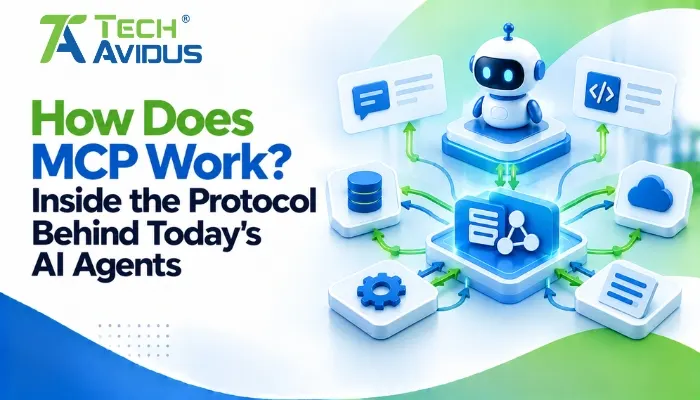
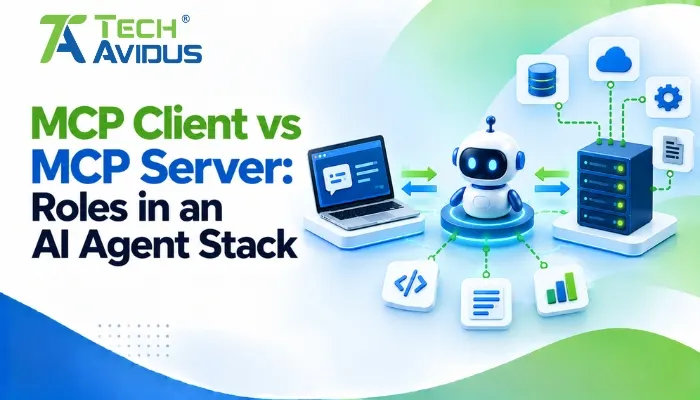
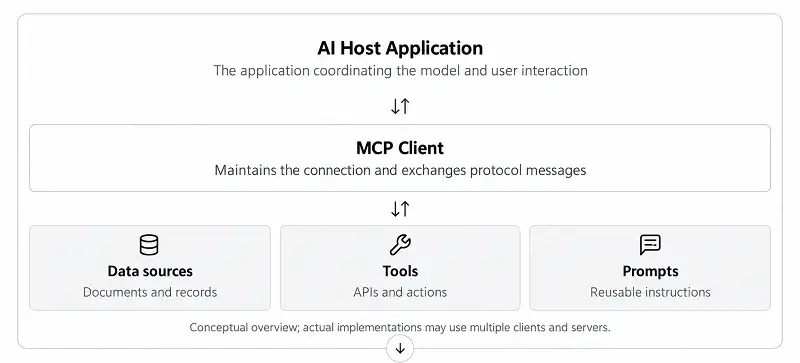
MCP uses a host-client-server architecture to separate AI application orchestration from the services that provide context or perform actions.
1. MCP host
The host is the AI application that coordinates the model, the user interaction, and connections to external capabilities. It controls which integrations are available and how their results are supplied to the model.
For example, an AI assistant inside a development environment could connect to a repository service and a documentation server while keeping each integration within its own connection boundary.
2. MCP client
The client manages communication between the host and an individual MCP server. The host can use multiple clients to connect to different servers, each exposing a distinct set of capabilities.
This separation allows integrations to evolve independently while the host manages their use. It also gives the host a place to enforce connection policies and user consent.
3. MCP server
An MCP server exposes selected capabilities from a service, application, or data source. Depending on its implementation, it might provide access to project files, a database, documentation, or business operations.
A server does not automatically receive unrestricted access to the host's conversation or every connected system. Its actual access depends on its implementation, credentials, and permissions.
What Are MCP Tools, Resources, and Prompts?
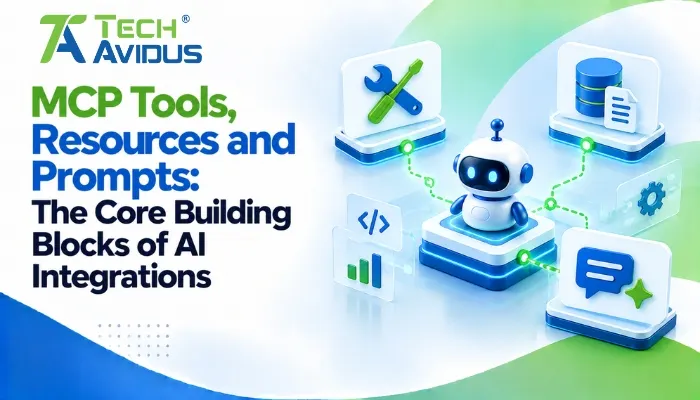
MCP defines three important server-side capabilities: tools for actions, resources for contextual information, and prompts for reusable instructions. They serve different purposes and help AI applications interact with external systems in a structured way.
- Tools: Functions an AI application can discover and invoke, such as searching a support system, creating a task, or querying a database. Because tools may change data or trigger external actions, implementations should validate inputs and enforce permissions.
- Resources: Information that an application can retrieve or make available as context, such as project documentation, files, or database records. Resources help ground model responses in relevant information rather than relying only on information already in the model's context.
- Prompts: Reusable templates or instructions that guide common interactions. A team could provide a standard prompt for reviewing code, summarizing support tickets, or analyzing project documentation.
These capabilities are distinct. A resource can provide information for a decision, while a tool can perform the action that follows from that decision.
How Does MCP Support Agentic AI Workflows?
MCP helps agentic AI systems connect reasoning with external information and actions. An AI agent can use connected tools to gather information, evaluate options, and carry out a workflow, subject to the application's controls.
Consider an AI assistant that helps a support team investigate a customer issue:
- Retrieve context: The assistant accesses relevant documentation or approved customer records through an MCP server.
- Analyze the issue: The model uses the retrieved information to identify possible causes and suggest next steps.
- Call a tool: If authorized, the assistant can create a support ticket or retrieve additional information through an exposed tool.
- Confirm the result: The application checks the tool response and presents the outcome to the user.
MCP provides the connection mechanism, but the model, host application, and connected services determine how the workflow is planned and executed. Not every MCP interaction is autonomous, and sensitive actions should retain appropriate human oversight.
How Do MCP Transports and Connections Work?
MCP supports different ways for clients and servers to communicate, depending on whether an integration runs locally or remotely.
- Standard input/output (stdio): Commonly used when a local MCP server runs as a subprocess of the host. Messages pass through standard input and output, making this useful for local developer tools.
- Streamable HTTP: Supports communication with remote MCP servers over HTTP, with optional server-sent events for streaming. Remote deployments need appropriate authentication, authorization, and transport security.
The official MCP architecture documentation explains the protocol's layers, participants, and transport options. The best choice depends on the deployment environment, operational needs, and security model.
Advantages and Limitations of MCP
MCP can simplify integration design, but it does not remove the engineering work required to build reliable AI systems.
Advantages
- Reusable integrations: A compatible server can expose capabilities to multiple MCP-compatible applications, reducing the need to create a completely separate connector for each one.
- Clearer separation of responsibilities: Hosts coordinate the AI experience, while servers expose focused capabilities. This can make systems easier to maintain and extend.
- More useful AI workflows: Connecting models to current documents, business records, and operational tools can help them handle tasks that require external context.
Limitations
- Security requires deliberate design: An exposed tool can create risks if permissions, input validation, or user approval are weak.
- Compatibility is not automatic: Clients and servers must support compatible protocol versions and capabilities, and integrations may still require implementation-specific configuration.
- Integration quality still matters: An unreliable API, poor data quality, or unclear tool description can lead to weak results even when the protocol connection works correctly.
A Practical Example: Connecting an AI Assistant to Business Data
Imagine a company wants an AI assistant that answers questions about internal project documentation and helps employees create work items.
The team deploys one MCP server to expose approved documentation as resources and another to provide a task-creation tool. The host connects to both, makes the relevant capabilities available to the model, and requires confirmation before creating a task.
During testing, the team verifies that the assistant retrieves the right documents, respects employee permissions, validates task inputs, and reports failures accurately. This is an illustrative implementation scenario, not a reported client case study.
The key lesson is that a working connection is only the first step. Useful MCP integrations also need clear capability definitions, reliable error handling, and security controls.
Best Practices for Building MCP Integrations
- Expose only necessary capabilities. Give each server a narrow, well-defined purpose instead of making broad system access available by default.
- Validate every tool input. Enforce schemas, check permissions, apply rate limits, and handle malformed requests before accessing external systems.
- Protect sensitive operations. Require explicit confirmation where appropriate for actions such as deleting data, sending messages, or changing production settings.
- Treat retrieved content as untrusted. Documents and tool results may contain misleading instructions or malicious content. Do not allow retrieved text to override the application's security policies.
- Test failure scenarios. Check what happens when a server is unavailable, credentials expire, a tool returns invalid data, or a request exceeds its timeout.
- Monitor and review integrations. Record relevant tool usage, investigate errors, and periodically review access rights and exposed capabilities.
For further reading, consult the official MCP specification and the MCP security considerations. These resources provide implementation requirements and guidance that should be checked against the version your project supports.
Recap: Why Does MCP Matter for Agentic AI?
MCP is an open standard for connecting AI applications to external data and tools through a common protocol.
Its host-client-server architecture separates orchestration from integrations, while tools, resources, and prompts support actions, contextual information, and reusable instructions. Successful implementations still depend on compatible components, reliable services, and strong security controls.
For businesses looking to build secure, reliable integrations around the Model Context Protocol, explore our MCP Server Development service.
Conclusion
MCP provides a practical foundation for connecting AI models with the information and tools they need to support more capable workflows. Its value comes from standardized integration, modular architecture, and the ability to combine services without designing every connection from scratch.
If you're planning an AI assistant or an agentic workflow, start with one clearly defined use case, expose only the capabilities it needs, and validate the security and reliability of the complete workflow.
Need help planning an AI integration? Book a free consultation with Techavidus to discuss your use case, integration architecture, and implementation approach.
.jpg "Savan Surani")
Savan Surani
Savan Surani is an expert in MCP (Model Context Protocol) Server Development, specializing in building secure, scalable, and efficient solutions that connect AI models with external tools, APIs, and data sources. He focuses on developing custom MCP servers, streamlining AI integrations, and enabling seamless communication between AI applications and business systems. With a strong focus on automation, system interoperability, and reliable architecture, Savan helps businesses build intelligent, connected, and scalable AI-powered solutions.