Key Takeaways
- 1. MCP helps SaaS products expose selected features and data to compatible AI applications.
- 2. An MCP server can connect existing APIs and backend services with AI clients.
- 3. Authentication, user permissions, and tenant isolation are essential for secure SaaS integrations.
- 4. Start with useful customer workflows before expanding the integration.
- 5. A well-planned implementation can support future AI features without replacing the existing product architecture.
Introduction
An MCP server for SaaS helps software companies make their product features, data, and backend operations accessible to compatible AI applications. Instead of building a separate integration for every AI assistant, SaaS businesses can use the Model Context Protocol (MCP) to provide a structured way for AI clients to interact with selected product capabilities.
As customers increasingly expect software to support intelligent workflows, SaaS companies have an opportunity to make their products more useful through AI-powered interactions. An MCP server can help users retrieve information, perform approved actions, and interact with product functionality through natural-language requests.
The key is to design the integration around real customer needs, existing APIs, and appropriate security controls.
What Is an MCP Server for SaaS?
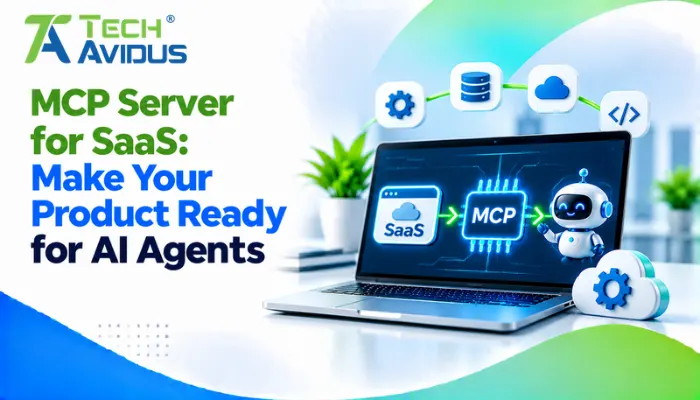
An MCP server for SaaS is a connection layer that allows compatible AI applications to interact with selected features and data from a software product through the Model Context Protocol.
For example, a project management platform could let an AI assistant retrieve task details, summarize project progress, or create tasks using approved operations.
The MCP server sits between the AI client and the SaaS product's backend. It exposes defined capabilities while allowing the application to retain control over business logic, data access, and permissions.
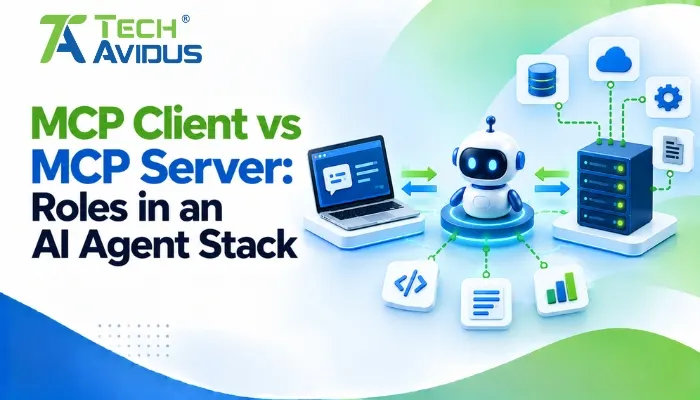
A typical implementation includes:
- AI client: The AI application that connects to the MCP server and uses its exposed capabilities. It interprets user requests and determines when an available tool or resource is relevant.
- MCP server: The component that makes selected SaaS functionality available through the protocol. It validates requests and communicates with the product's backend.
- Existing APIs and services: The backend systems that handle business operations and data. The MCP server can reuse these capabilities rather than duplicating the product's core functionality.
Why Should SaaS Companies Make Their Products AI-Ready?
SaaS companies can make their products more accessible to AI-powered workflows by exposing useful features through a structured integration layer.
Customers may want to interact with software without manually navigating multiple screens or performing repetitive steps. MCP can support these experiences when the underlying product functionality is suitable for AI access.
Key opportunities include:
- Natural-language product interactions: Users can ask an AI assistant to retrieve information or perform supported tasks. This creates another way to interact with existing SaaS features.
- Workflow automation: AI applications can use approved operations to support repetitive activities. Examples include updating tasks, retrieving reports, or preparing customer summaries.
- Better product accessibility: Compatible AI clients can interact with exposed capabilities without requiring users to navigate every application screen. The experience still depends on the client's capabilities and the quality of the integration.
- Extensible product integrations: A structured server can provide a foundation for additional AI workflows. SaaS teams can introduce new capabilities as customer needs become clearer.
How Does an MCP Server Fit into an Existing SaaS Architecture?
An MCP server can extend an existing SaaS architecture without requiring the company to replace its backend or rebuild its core application.
The server typically connects to existing APIs and services, translates supported operations into MCP capabilities, and applies the product's access rules.
Reuse Existing APIs and Backend Services
Most SaaS products already have APIs that support customer accounts, reports, subscriptions, projects, or other business operations.
Rather than duplicating this logic, developers can build the MCP layer around existing endpoints. This keeps business rules within the application backend and gives the AI client a controlled way to access them.
Understanding mcp vs api is important here: an API exposes application functionality, while MCP provides a standardized way for compatible AI clients to discover and interact with capabilities exposed by a server. MCP can use existing APIs behind the scenes.
Design the Right Capabilities
A SaaS server should expose capabilities based on what customers need to accomplish, not simply reproduce every application endpoint.
The design of mcp tools resources and prompts should reflect three different purposes:
- Tools allow the AI application to perform approved operations, such as creating a task or retrieving a report.
- Resources provide contextual information, such as project records, documentation, or account data.
- Prompts provide reusable templates that help structure common interactions.
For example, a CRM product might expose a customer lookup tool, account information as a resource, and a reusable prompt for preparing a sales summary.
Support Remote Access and Authentication
A SaaS integration generally needs remote connectivity because customers and AI clients may connect from different environments.
The MCP architecture should account for supported transport, secure communication, token validation, and authorization. The official MCP architecture documentation explains the client-server model and the roles of its transport and data layers.
What Security Requirements Should SaaS Companies Consider?
Security is essential because an AI client may access customer records or initiate operations through the connected application.
A SaaS implementation should consider:
- Authentication: Verify the identity of the connecting user or client before allowing access. Use an appropriate authentication method for the deployment environment.
- Authorization: Check permissions for each requested operation rather than assuming that an authenticated user can access every capability. Apply least-privilege access.
- Tenant isolation: Ensure that one customer's data cannot be accessed through another customer's session or credentials. Enforce tenant boundaries in the backend, not only in the AI interface.
- Sensitive actions: Require suitable confirmation or approval for operations such as deleting records, changing subscriptions, or modifying important business data.
- Monitoring and audit logs: Record relevant requests, outcomes, and security events. Avoid logging sensitive information unnecessarily.
These safeguards should be part of the architecture from the beginning, not added only after the integration is complete.
Advantages and Limitations of Adding MCP to a SaaS Product
MCP can create new ways for customers to interact with SaaS products, but its value depends on the quality of the use case and implementation.
Advantages
- More accessible product features: Customers can use compatible AI applications to retrieve information and perform supported tasks. This creates an additional interaction option alongside the existing user interface.
- Reusable integration architecture: A well-designed server can expose selected backend capabilities to compatible AI clients. This can support multiple workflows without duplicating core business logic.
- New product opportunities: SaaS companies can explore AI-powered reporting, intelligent search, and workflow automation. These features may help address customer needs that are difficult to serve through traditional interfaces alone.
Limitations
- Implementation complexity: Existing APIs may need adjustments before they can support reliable AI interactions. Complex workflows and permission requirements can increase development effort.
- Client compatibility: Not every AI application supports every MCP capability in the same way. Compatibility testing is necessary for the clients your customers intend to use.
- Ongoing maintenance: Changes to backend APIs, authentication, or protocol versions may require updates. Monitoring and support should be included in the product roadmap.

Practical Example: Making a SaaS CRM Ready for AI Agents
Consider a SaaS company that provides customer relationship management software. Its customers want to use AI assistants to retrieve customer information, summarize sales activity, and create follow-up tasks.
The development team starts by reviewing the CRM's existing APIs and identifying the operations required for these workflows.
It then builds an MCP server that exposes selected capabilities, connects a compatible AI client, and applies user-level permissions. During testing, the team checks whether the assistant retrieves the correct customer records and whether users can access only the accounts assigned to them.
After validating the initial workflows, the company can consider adding features such as sales reporting or lead qualification.
This hypothetical scenario demonstrates how a SaaS product can introduce AI interactions while retaining its existing application architecture.
Best Practices for Building an MCP Server for SaaS
A reliable SaaS implementation requires clear capability design, secure data access, and a maintainable integration architecture.
- Start with customer workflows: Identify the tasks customers genuinely want to complete through AI applications. Prioritize useful workflows rather than exposing every product feature.
- Reuse backend business logic: Keep existing validation and business rules within the SaaS application. The MCP layer should provide controlled access rather than become a duplicate backend.
- Design for multiple tenants: Apply tenant-aware authorization to every relevant data request. Test cross-tenant access scenarios before making the integration available to customers.
- Keep capabilities focused: Use clear descriptions, structured inputs, and predictable outputs. This helps AI clients understand which operations are available and when they should be used.
- Test before production: Validate authentication, permissions, error handling, compatibility, and performance. Include realistic customer scenarios in the testing process.
- Plan for ongoing support: Monitor failures, review integration changes, and maintain technical documentation. Assign responsibility for updates as the product evolves.
Recap: How Can SaaS Products Become Ready for AI Agents?
An MCP server makes selected SaaS product capabilities accessible to compatible AI applications.
- Review: Identify suitable APIs and product functionality.
- Design: Map tools, resources, and prompts to customer workflows.
- Secure: Implement authentication and tenant-level access controls.
- Connect: Integrate an AI client and test workflows.
- Monitor: Track performance and expand capabilities.
A focused approach helps SaaS companies introduce AI integrations while protecting existing architecture and data. Explore our MCP Server Development service to make your SaaS product ready for AI agents.
Conclusion
Making a SaaS product ready for AI agents does not require replacing its existing architecture. MCP provides a structured way to expose selected product capabilities to compatible AI applications while retaining control over backend operations and customer permissions.
Start with a useful customer workflow, review your existing APIs, and design the integration around security and maintainability. Expand the implementation as customer requirements and product strategy evolve.
Planning to make your SaaS product AI-ready? Book a free consultation with Techavidus to discuss your integration requirements and development approach.
.jpg "Savan Surani")
Savan Surani
Savan Surani is an expert in MCP (Model Context Protocol) Server Development, specializing in building secure, scalable, and efficient solutions that connect AI models with external tools, APIs, and data sources. He focuses on developing custom MCP servers, streamlining AI integrations, and enabling seamless communication between AI applications and business systems. With a strong focus on automation, system interoperability, and reliable architecture, Savan helps businesses build intelligent, connected, and scalable AI-powered solutions.