Key Takeaways
- 1. MCP can extend existing API integrations without requiring a complete backend rebuild.
- 2. A phased migration helps businesses validate workflows before expanding AI access.
- 3. API mapping, authentication, authorization, and data handling need careful planning.
- 4. Parallel testing helps teams compare existing API behavior with the new integration.
- 5. Monitoring, documentation, and maintenance are essential after deployment.
Introduction
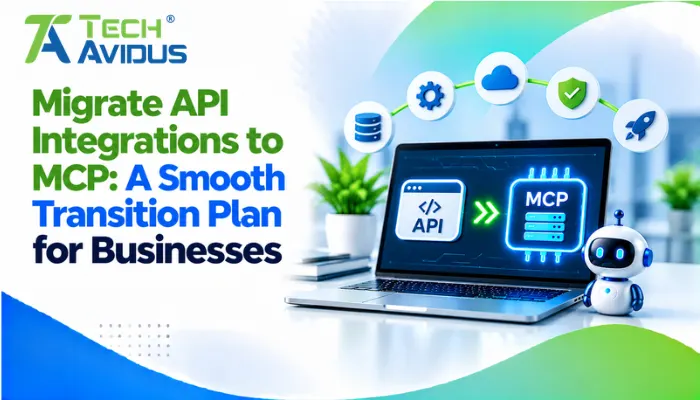
Businesses that already rely on APIs do not need to rebuild their applications to make them accessible to AI assistants. They can migrate API integrations to MCP by introducing a Model Context Protocol layer that exposes selected application capabilities to compatible AI clients.
For SaaS companies and growing businesses, the transition can make existing systems easier for AI applications to discover and interact with. However, a successful migration requires more than connecting an MCP server. Teams must evaluate existing integrations, select suitable workflows, preserve business logic, and introduce appropriate security controls.
Why Should Businesses Migrate API Integrations to MCP?
Migrating API integrations to MCP allows compatible AI applications to discover and interact with selected business capabilities through a standardized protocol.
Traditional API integrations are generally built for applications that already know which endpoints to call and how to structure requests. MCP introduces a common interface through which AI clients can discover available tools and use them with defined input schemas.
For businesses, this can support:
- AI-enabled customer experiences: Customers may be able to retrieve information or perform approved tasks through conversational interfaces. This makes existing product functionality accessible in new ways.
- Reuse of existing infrastructure: Current APIs, databases, authentication systems, and business logic can remain in place. An MCP server can act as an additional integration layer.
- More flexible workflows: Compatible AI clients can combine multiple exposed capabilities to support tasks such as retrieving customer information and preparing reports. Each operation remains subject to defined permissions.
- A consistent integration approach: MCP can provide a common interface for selected capabilities rather than requiring every AI integration to be designed independently.
How to Migrate API Integrations to MCP: A Step-by-Step Plan
A structured migration starts with existing API behavior and gradually introduces MCP capabilities without disrupting established workflows.
1. Audit Existing API Integrations
Begin by documenting the APIs currently used across your applications. Review endpoints, authentication methods, request formats, response structures, dependencies, and business-critical operations.
Classify integrations according to their purpose, reliability, data sensitivity, and potential value in AI-assisted workflows. This helps identify which operations are suitable for migration and which should remain available only to traditional applications.
2. Select Workflows for MCP Integration
Not every API endpoint needs to become an MCP tool. Choose workflows where AI access provides a clear benefit.
For example, a CRM platform might prioritize customer search and sales-report retrieval before introducing actions such as updating lead status. Starting with read-only workflows can simplify early testing and permission design.
3. Design the MCP Architecture
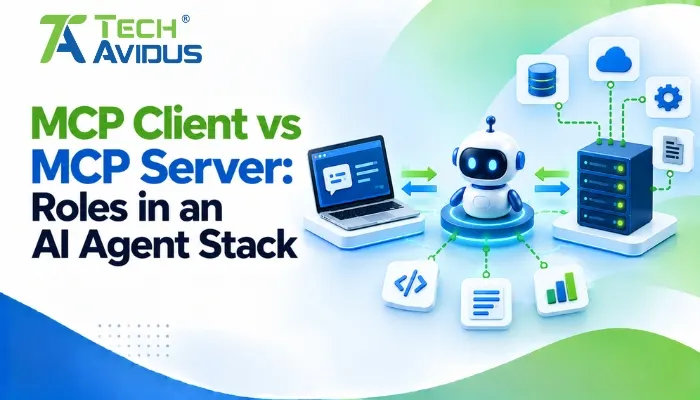
Define how the MCP client, MCP server, backend APIs, and data sources will communicate.
Map selected API operations to clearly described tools, and expose contextual information through resources where appropriate. Consider whether one server can manage the required capabilities or whether separate servers are better suited to different systems.
4. Implement Authentication and Permissions
Security should be addressed before exposing business operations to AI applications.
Choose authentication methods supported by the intended client environment. Apply user-level authorization where appropriate, validate every request, protect credentials, and introduce confirmation requirements for sensitive actions.
5. Build and Test the Integration
Develop the MCP server layer to validate requests, invoke existing backend services, and return structured results.
Test tool discovery, input validation, API responses, permission boundaries, error handling, and connection behavior. Compare results with the existing API implementation to confirm that business rules and expected outputs are preserved.
6. Deploy in Phases
Deploy the integration through a controlled release rather than switching every workflow at once.
Start with a limited user group or selected capabilities. Monitor failures, response times, access patterns, and user feedback before expanding availability.
What Are the Benefits and Challenges of Migrating to MCP?
A phased migration can make existing integrations more accessible to AI applications while allowing businesses to retain their established systems.
Benefits
- Preserve existing investments: Businesses can continue using established APIs, databases, and backend services. The new integration layer adds AI access without requiring a complete application rebuild.
- Support AI-driven workflows: Compatible AI clients can discover and use approved capabilities through a consistent interface. This can create new ways for customers and employees to interact with business applications.
- Improve integration governance: A dedicated MCP layer can centralize tool definitions, validation, and access controls. This gives teams a clearer place to manage AI-facing functionality.
Challenges
- Legacy API limitations: Older endpoints may have inconsistent documentation, response formats, or authentication. Some backend improvements may be necessary before migration.
- Security and data exposure: New AI-facing tools create additional access paths to business systems. Permissions, sensitive data handling, and action approval must be carefully designed.
- Compatibility and maintenance: Client implementations, protocol versions, and backend APIs can evolve. Teams need a plan for testing, monitoring, and updating the integration.
Practical Example: Migrating a CRM Integration to MCP
Consider a business that uses a CRM API to retrieve customer details, search leads, and update sales records.
The company wants employees to access these capabilities through a compatible AI assistant. Rather than replacing the CRM integration, its technical team introduces an MCP server alongside the existing API.
The migration could happen in stages:
- Initial assessment: The team reviews CRM endpoints and selects customer search as the first workflow.
- Tool implementation: The search endpoint is exposed as an MCP tool with defined inputs and access permissions.
- Parallel validation: Developers compare results from the existing API and the new MCP workflow using the same test cases.
- Controlled rollout: A small group of employees tests the integration while the team monitors errors and access behavior.
- Capability expansion: Once the search workflow is stable, the team considers additional tools such as sales summaries or approved record updates.
This approach allows the business to validate the new integration without immediately replacing its existing API-based workflows.

Best Practices for a Smooth MCP Migration
A successful migration depends on careful planning, controlled rollout, and clear technical ownership.
- Avoid migrating everything at once. Start with one business-critical but manageable workflow. Validate its usefulness and reliability before extending the integration to other systems.
- Keep existing APIs operational. Maintain traditional API access for applications that still depend on it. MCP should complement existing integrations unless there is a specific reason to retire an endpoint.
- Design tools around business tasks. Give every tool a clear purpose, descriptive name, and well-defined input and output schema. Avoid exposing broad operations that give AI clients unnecessary access.
- Review authentication and permissions. Apply least-privilege access and use appropriate user authorization. Separate read-only tools from operations that modify or delete business data.
- Test different connection environments. Evaluate supported mcp transport protocols and verify that connection behavior, authentication, and error handling work in the intended deployment environment.
- Document the migration. Maintain API mappings, architecture diagrams, configuration details, test cases, and rollback instructions. This makes troubleshooting and future development easier.
- Plan ongoing support. Monitor server health, review security requirements, and test compatibility after backend or protocol changes. Assign clear responsibility for maintenance and incident handling.
For technical reference, the official MCP architecture documentation explains how clients and servers communicate and how tools, resources, and prompts fit into the protocol.
Recap: How Can Businesses Transition from APIs to MCP?
Migrating existing API integrations to MCP involves identifying suitable workflows, mapping API operations to MCP capabilities, implementing secure access, and testing the new integration.
Businesses can retain their existing backend systems while introducing an additional interface for compatible AI applications.
A phased rollout, parallel testing, clear permissions, and ongoing monitoring help make the transition more controlled and maintainable. If your business plans to make existing APIs accessible to AI applications, explore our MCP Server Development service for secure and scalable integration support.
Conclusion
Migrating existing API integrations to MCP gives businesses a practical way to make their products and systems accessible to AI-powered workflows without rebuilding their entire infrastructure.
The best approach is to assess existing integrations, select valuable use cases, introduce a secure MCP layer, and expand gradually based on testing and real user feedback.
Techavidus helps businesses plan and develop MCP integrations that connect existing applications with compatible AI systems.
Ready to modernize your existing integrations?
.jpg "Savan Surani")
Savan Surani
Savan Surani is an expert in MCP (Model Context Protocol) Server Development, specializing in building secure, scalable, and efficient solutions that connect AI models with external tools, APIs, and data sources. He focuses on developing custom MCP servers, streamlining AI integrations, and enabling seamless communication between AI applications and business systems. With a strong focus on automation, system interoperability, and reliable architecture, Savan helps businesses build intelligent, connected, and scalable AI-powered solutions.