Key Takeaways
- 1. MCP can expose existing API functionality to compatible AI applications through a standardized interface.
- 2. Most conversion projects can reuse existing backend services and business logic.
- 3. API endpoints need to be mapped into clearly defined tools and, where appropriate, resources.
- 4. Authentication, authorization, validation, and error handling are essential for secure integration.
- 5. A focused pilot helps validate the architecture before expanding AI access across the product.
Introduction
Your software product may already have powerful APIs, but AI assistants need a structured way to discover and use those capabilities. Businesses can convert API to MCP server to make selected application features accessible to compatible AI clients without rebuilding the entire backend.
For SaaS companies, this creates an opportunity to extend existing products into AI-powered workflows. Instead of developing a separate integration for every AI application, teams can expose approved capabilities through the Model Context Protocol (MCP), while retaining their existing APIs and business logic.
Why Convert an Existing API to an MCP Server?
Converting an existing API into an MCP server helps AI applications discover and interact with selected product capabilities through a standardized protocol.
Traditional APIs are designed around predefined endpoints and request formats. MCP provides a structured interaction model that allows compatible AI clients to discover available capabilities and invoke tools with defined inputs.
For SaaS products, this can support:
- AI-powered product experiences: Users can ask an AI assistant to retrieve information or perform supported actions instead of navigating multiple screens. This can make existing product functionality more accessible.
- Backend reuse: Existing APIs, databases, authentication systems, and business rules can remain in place. The MCP layer provides an additional interface rather than replacing the application.
- New integration opportunities: Products can expose selected capabilities to compatible AI clients without creating an entirely separate backend for each integration.
- Workflow automation: Multiple approved operations can support workflows such as retrieving customer information, preparing reports, and updating records. Access should remain limited to authorized users and actions.
How Do You Convert an API to an MCP Server?
The conversion process involves evaluating existing endpoints, selecting useful operations, building the MCP server layer, and testing the complete integration.
1. Audit Your Existing API
Start by reviewing API documentation, available endpoints, authentication methods, request formats, and response structures.
Identify operations that solve meaningful user problems. Avoid exposing every endpoint automatically, particularly internal operations or actions that could create security risks.
2. Map API Endpoints to MCP Tools and Resources
An MCP server can expose selected API operations as tools that compatible AI clients can discover and invoke. Resources can provide contextual information where appropriate.
For example, a CRM API may support contact searches, customer-record retrieval, and lead updates. These operations can become clearly defined tools with structured input schemas and appropriate permission requirements.
3. Build the MCP Server Layer
The MCP server acts as an intermediary between the AI client and your existing application.
It receives requests, validates inputs, calls the relevant API or backend service, and returns structured results. Existing business rules should remain enforced by the backend rather than being bypassed by the integration.
4. Implement Authentication and Authorization
Security must be part of the architecture from the beginning.
Depending on the deployment environment, the integration may use OAuth-based authorization or another supported authentication method. Every operation should respect the user's permissions, and sensitive actions should include appropriate confirmation safeguards.
5. Test and Deploy the Integration
Test tool discovery, input validation, API responses, authentication, error handling, and connection reliability.
Use realistic requests and failure scenarios to verify that the AI client receives accurate information and cannot access unauthorized operations. Deploy through a controlled release process with monitoring and rollback procedures.
How Is an MCP Server Different from a Traditional API?
An API enables software systems to exchange data and functionality, while an MCP server makes selected capabilities discoverable and usable by compatible AI applications.
Understanding mcp vs api helps businesses see why an MCP layer can complement their existing infrastructure.
- Traditional API endpoints: Define specific operations using request methods, parameters, and response formats. Applications generally need to know how those endpoints work before using them.
- MCP tools: Describe actions that compatible AI clients can discover and invoke with structured inputs. Examples include searching records, retrieving reports, or creating tasks.
- MCP resources: Provide contextual information that clients can retrieve when needed. They can help an AI application work with relevant business data.
- Integration layer: Connects MCP requests to existing APIs and backend services. It provides a controlled place to manage validation, permissions, and responses.
MCP does not automatically replace an existing API. It can sit on top of it, exposing selected functionality through a standardized AI integration interface.
For implementation details, consult the official Model Context Protocol documentation, which explains the protocol architecture, server capabilities, and communication patterns.
What Are the Advantages and Limitations of API-to-MCP Conversion?
Converting an API into an MCP server can make existing product capabilities more accessible to AI applications, but it also introduces new engineering and operational responsibilities.
Advantages
- Reuse existing backend functionality: Teams can build on established APIs and business logic instead of recreating product features. This can simplify the integration architecture and reduce duplicated implementation.
- AI-friendly capability discovery: Compatible clients can discover available tools and understand their input requirements. This gives AI applications a structured way to interact with product functionality.
- New product experiences: Businesses can introduce AI-assisted search, reporting, customer support, and workflow execution. These experiences can extend the usefulness of existing products.
- Centralized integration control: A dedicated server layer provides a place to manage tool definitions, validation, permissions, and responses. This makes the integration easier to review and maintain.
Limitations
- Additional development work: Existing endpoints may need new schemas, validation, and response handling before they are suitable for AI interaction. Complex workflows may require more extensive engineering.
- Security responsibilities: Exposing application capabilities creates risks if authentication, authorization, and sensitive operations are not handled correctly. Each tool needs an appropriate access boundary.
- Ongoing compatibility requirements: Changes to backend APIs, dependencies, or supported protocol versions may require updates and regression testing. The integration needs ongoing technical ownership.
Practical Example: Converting a SaaS CRM API into an MCP Server
Consider a SaaS CRM platform that already offers APIs for contacts, leads, and sales activities.
The company wants customers to interact with CRM data through a compatible AI assistant. Instead of rebuilding the CRM, the development team creates an MCP server that exposes selected API operations.
A typical workflow could look like this:
- A sales representative asks the assistant to find leads from a particular industry.
- The MCP server receives the request through a search tool and validates the supplied filters.
- The server calls the existing CRM API using the appropriate user authorization.
- The CRM returns matching records, which the server formats into a structured response.
- The AI assistant summarizes the results for the sales representative.
The team could later introduce a separate tool for updating lead status. That action should have stricter authorization and confirmation safeguards than read-only search.
Starting with a limited workflow makes it easier to validate data accuracy, permissions, and tool behavior before exposing more sensitive capabilities.

Best Practices for Converting an API to an MCP Server
A successful conversion should preserve existing application reliability while making selected capabilities accessible to AI clients.
- Prioritize useful endpoints. Select API operations that solve clear customer problems. Avoid exposing every endpoint simply because it is available.
- Create clear tool definitions. Use descriptive names, meaningful descriptions, structured input schemas, and predictable outputs. This helps AI clients understand when and how to use each capability.
- Preserve existing business logic. Route requests through established backend services wherever possible. Maintain existing validation, data-processing, and authorization rules.
- Apply least-privilege access. Give users and tools only the permissions they require. Protect credentials, validate incoming requests, and introduce safeguards for sensitive actions.
- Handle errors consistently. Account for invalid inputs, unavailable APIs, expired tokens, and rate limits. Return useful error messages without exposing internal secrets.
- Test real-world workflows. Use representative user requests to evaluate tool discovery, response accuracy, permission enforcement, and execution behavior.
- Plan for ongoing maintenance. Document the architecture, monitor server activity, and retest integrations after API or dependency changes.
When an existing API needs additional functionality or a more tailored integration architecture, custom mcp server development can provide greater control over tool design, workflow orchestration, and security requirements.
Recap: How Do You Make an Existing API AI Agent-Ready?
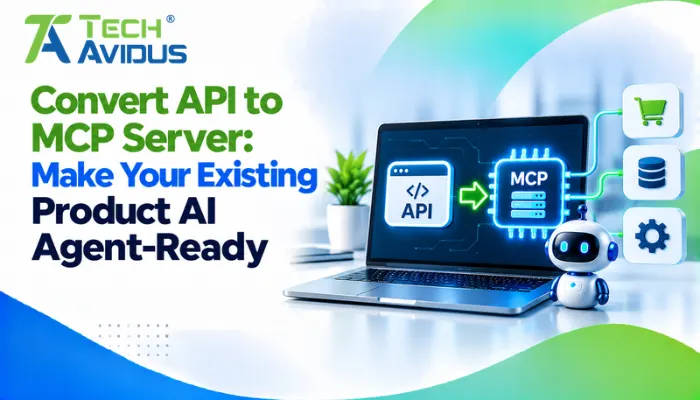
Converting an API to an MCP server makes selected application capabilities accessible to compatible AI clients through a standardized interface.
The process involves auditing existing endpoints, mapping suitable operations to MCP capabilities, building the server layer, implementing security controls, and testing real-world workflows.
Businesses can reuse existing backend functionality while introducing an AI-friendly integration layer. The right approach depends on product architecture, customer requirements, and security considerations. If you want to make your existing APIs accessible to AI agents, explore our MCP Server Development service for a secure and reliable integration solution.
Conclusion
Converting an existing API into an MCP server can help SaaS businesses make their products accessible to AI-powered workflows without rebuilding their entire application.
The strongest implementations start with valuable use cases, reuse established backend functionality, and introduce clear security and testing practices.
Techavidus helps businesses plan and build MCP integrations that connect existing applications with compatible AI systems.
.jpg "Savan Surani")
Savan Surani
Savan Surani is an expert in MCP (Model Context Protocol) Server Development, specializing in building secure, scalable, and efficient solutions that connect AI models with external tools, APIs, and data sources. He focuses on developing custom MCP servers, streamlining AI integrations, and enabling seamless communication between AI applications and business systems. With a strong focus on automation, system interoperability, and reliable architecture, Savan helps businesses build intelligent, connected, and scalable AI-powered solutions.