Key Takeaways
- 1. Tools let AI applications request operations through connected MCP servers, subject to available permissions and execution rules.
- 2. Resources expose contextual information, such as documents, records, or application data, for AI workflows to use.
- 3. Prompts provide reusable templates that guide interactions and help users complete common tasks consistently.
- 4. MCP defines a common protocol for discovering and using capabilities, while each server determines what it actually supports.
- 5. Security, permissions, validation, and clear capability descriptions are essential for reliable integrations.
Introduction
AI applications become more useful when they can do more than generate text. They need ways to interact with external systems, retrieve relevant information, and follow structured instructions. The Model Context Protocol (MCP) provides a standardized way for AI applications to connect with external data sources and tools.
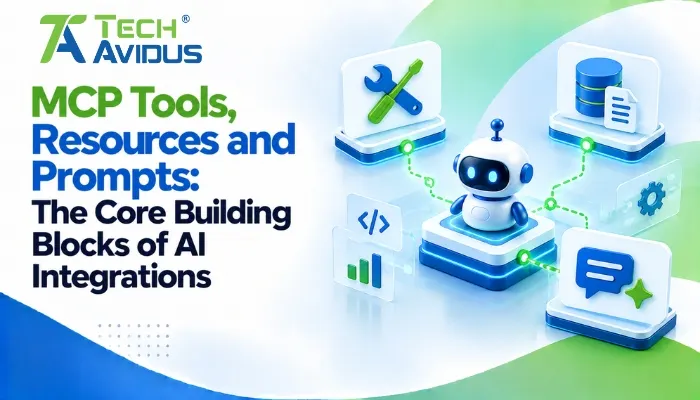
Understanding mcp tools resources and prompts helps developers design AI integrations that are more structured, reusable, and easier to maintain. These three MCP capabilities serve different purposes: tools let an AI application request actions, resources provide contextual information, and prompts offer reusable interaction templates.
Together, they help developers build AI assistants that can work with business data, development environments, documentation, and other connected systems without treating every integration as a one-off implementation.
What Are the Three Core MCP Capabilities?
The three capabilities serve different roles in an AI integration: tools perform operations, resources supply information, and prompts provide reusable instructions. An MCP server can expose one or more of these capabilities depending on the application’s needs.
1. MCP Tools: How Can AI Applications Take Action?
MCP tools are callable functions that let an AI application request specific operations from an external system. Depending on the implementation, they can retrieve information, query a database, create a support ticket, or trigger a workflow.
For example, a customer support assistant might use a search_orders tool to find an order or a create_ticket tool to open a support request.
- Tool discovery and descriptions: An MCP client can discover the tools a server exposes, including their names, descriptions, and input requirements. Clear descriptions help the model choose appropriate operations and provide valid arguments.
- Execution and results: When a tool is selected, the client sends a request to the server, which executes the operation and returns a result. Actions that change data should have suitable authorization, validation, and confirmation controls.
Tools can have side effects. A tool that reads order details has a different risk profile from one that issues a refund or deletes a record, so developers should design safeguards around the operation itself.
2. MCP Resources: How Does AI Access Relevant Context?
MCP resources expose information that an AI application can use as context. They may represent documentation, files, database records, reports, or other content made available by a connected system.
For instance, an internal knowledge assistant could read product documentation through a resource rather than relying only on information included in its original model training.
- Structured information access: Resources can provide content through identifiable URIs, making it easier for clients to request specific information. Resource templates can represent dynamic content, such as a report for a selected customer or a document for a particular project.
- Context management: The host application or client generally determines when resources are selected and supplied to the model. This allows developers to control which information enters a conversation and helps avoid loading unnecessary context.
Resources are not automatically guaranteed to be current or accurate. Developers should consider access permissions, data freshness, content size, and whether the source information is appropriate to share with the model.
3. MCP Prompts: How Do Reusable AI Instructions Work?
MCP prompts are reusable message templates that help users start consistent, task-specific interactions with an AI application. A server can define a prompt with a name, description, and optional arguments.
For example, a development assistant might offer a review_code prompt that asks the model to examine supplied code for readability, maintainability, and potential bugs.
- Reusable workflows: A prompt can define the steps or criteria for a recurring task, reducing the need for users to write the same instructions repeatedly. Teams can provide templates for code reviews, incident summaries, customer-response drafts, or document analysis.
- Parameterized instructions: Prompts can accept inputs such as a programming language, document, or task type. This lets users adapt a consistent workflow without rewriting the entire instruction each time.
Prompts guide model behavior; they do not independently execute external operations. If a workflow needs live information or must change a system, it may also need resources or tools.
How Do Tools, Resources, and Prompts Work Together?
These capabilities become more useful when combined in a workflow. A prompt can structure the task, a resource can supply the relevant context, and a tool can perform an authorized operation.
Consider an AI assistant that helps a team investigate a software issue:
- A user selects a reusable incident-analysis prompt and supplies the issue details.
- The application retrieves relevant troubleshooting documentation and recent incident records through available resources.
- The model analyzes the context and, if needed, requests a diagnostic tool to retrieve current system information.
- The assistant summarizes the findings and recommends next steps. Any consequential action, such as restarting a service, should follow the appropriate approval and access controls.
The important distinction is that MCP standardizes how capabilities are exposed and accessed; it does not guarantee that a particular client will support every capability or automatically perform the entire workflow.
For the protocol’s definitions and implementation details, consult the official Model Context Protocol documentation.
Advantages and Limitations
Using these capabilities together can make AI integrations more modular, but the protocol does not remove the need for careful application design.
Advantages
- Clear separation of responsibilities: Tools, resources, and prompts have distinct purposes, making an integration easier to understand and maintain. Developers can update an operation or prompt without necessarily redesigning the entire AI application.
- Reusable integrations: A compatible client can discover supported server capabilities through a common protocol. This can reduce the need for custom integration logic for every individual host, although compatibility still depends on implementation.
- More relevant AI responses: Resources can provide application-specific context, while prompts structure recurring tasks. Together, they can help an assistant produce responses grounded in the information and instructions available to it.
Limitations
- Security and permissions: Exposed tools may access sensitive data or perform consequential actions. Authentication, authorization, input validation, and least-privilege access remain essential.
- Context and reliability challenges: Poor resource descriptions, outdated data, ambiguous tool definitions, or weak prompts can lead to irrelevant results. Testing and monitoring are necessary to identify these issues.
- Client compatibility: MCP clients differ in the capabilities they support and how they present them to users. Developers should verify the target client’s behavior instead of assuming every feature will work identically everywhere.
.webp)
Real-World Example: An AI E-Commerce Support Assistant
An e-commerce business could use MCP to connect an AI assistant with its order system and internal support documentation.
The assistant might expose a find_order tool to retrieve order status, provide a resource containing shipping and return policies, and offer a reusable prompt for drafting customer-support responses.
When a customer asks about a delayed delivery, the assistant can use the prompt to structure its response, consult the policy resource, and request the order lookup tool to obtain relevant information. It can then explain the available options using the retrieved data.
In practice, this design requires more than connecting the three components. The order lookup must enforce customer-level access, the policy content must remain current, and any refund or cancellation operation should have suitable permission checks and approval rules.
This is an illustrative implementation scenario, not a claim about a measured client outcome. Its value lies in showing how each capability contributes a distinct part of a useful workflow.
Best Practices for Implementing MCP Capabilities
A reliable implementation starts with narrowly defined capabilities and clear boundaries around data access and execution.
- Define tools around specific operations: Give each tool a descriptive name, clear purpose, explicit input schema, and predictable output. Avoid broad tools that can perform many unrelated or risky actions without clear restrictions.
- Keep resources relevant and access-controlled: Expose only the information the application needs, and make resource descriptions meaningful. Apply permissions at the data source or server rather than relying on the model to protect confidential information.
- Design prompts for repeatable tasks: Use concise instructions, well-defined inputs, and explicit output expectations. Test prompts against normal requests, incomplete inputs, ambiguous instructions, and unexpected content.
- Test the complete client-server workflow: Check capability discovery, argument validation, error handling, authentication, timeouts, and the behavior of unsupported features. Test read-only operations separately from actions that change external systems.
- Monitor and improve over time: Log relevant tool activity without unnecessarily storing sensitive content, monitor failures, and review whether resources remain accurate. Update descriptions and prompts as workflows and business requirements change.
For teams building custom integrations, Techavidus can help plan and implement MCP-enabled workflows around their application requirements. Explore the MCP Server Development service for a starting point; confirm the appropriate service page URL before publishing.
Recap: What Should Developers Remember?
MCP tools, resources, and prompts are complementary capabilities for building AI integrations.
- Tools allow an AI application to request operations from connected systems.
- Resources provide contextual information that helps the application respond with relevant data.
- Prompts give users reusable templates for recurring tasks and structured interactions.
- A complete integration combines these capabilities where appropriate and applies security, validation, and testing at every stage.
The best implementation is not necessarily the one with the most capabilities. It is the one that exposes the right operations, provides trustworthy context, and guides users through clearly defined workflows. For businesses looking to build secure and reliable MCP integrations, explore our MCP Server Development service.
Conclusion
MCP gives developers a standardized approach to connecting AI applications with external systems, information, and reusable workflows. Understanding how its core capabilities differ makes it easier to build integrations that are modular, maintainable, and aligned with real business needs.
Start by identifying one workflow where an AI assistant needs external information or a specific operation. Then define the smallest useful set of capabilities, implement the necessary safeguards, and test the complete experience before expanding it.
Need help planning an MCP integration for your application? Discuss your project with Techavidus and explore an approach suited to your technical requirements.
.jpg "Savan Surani")
Savan Surani
Savan Surani is an expert in MCP (Model Context Protocol) Server Development, specializing in building secure, scalable, and efficient solutions that connect AI models with external tools, APIs, and data sources. He focuses on developing custom MCP servers, streamlining AI integrations, and enabling seamless communication between AI applications and business systems. With a strong focus on automation, system interoperability, and reliable architecture, Savan helps businesses build intelligent, connected, and scalable AI-powered solutions.