Key Takeaways
- 1. A successful MCP implementation starts with a clear business use case and technical assessment.
- 2. A phased 90-day approach helps organize discovery, development, testing, and deployment.
- 3. Existing APIs and backend services can often be reused to build MCP integrations.
- 4. Security, authentication, authorization, and monitoring must be considered from the beginning.
- 5. Production readiness requires validation, documentation, and ongoing maintenance.
Introduction
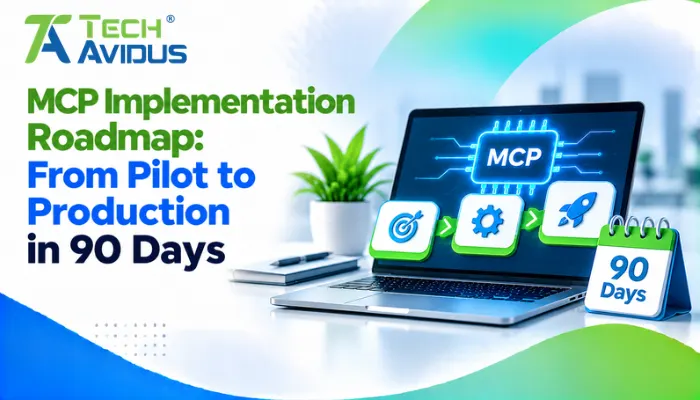
Adopting the Model Context Protocol (MCP) requires more than building a server and connecting it to an AI application. Businesses need a structured approach to evaluate use cases, prepare existing systems, implement security, and validate real-world performance. An MCP implementation roadmap helps teams move from an initial pilot to a production-ready integration through clearly defined stages.
A 90-day plan can provide a practical planning framework, although the actual timeline depends on system complexity, API readiness, security requirements, and team capacity. The objective is to deliver a useful, secure integration without rushing critical development and testing activities.
What Does an MCP Implementation Roadmap Include?
An MCP implementation roadmap is a phased plan for introducing MCP-based integrations into business applications, from initial discovery through production deployment and ongoing support.
It typically covers:
- Business requirements and use-case selection.
- Existing API and infrastructure assessment.
- MCP architecture and capability design.
- Server development and integration.
- Security, testing, and deployment.
- Monitoring and post-launch improvements.
The roadmap should define milestones, owners, dependencies, and measurable acceptance criteria. This makes progress easier to evaluate and helps teams identify blockers early.
How to Implement MCP in 90 Days: A Three-Phase Roadmap
A 90-day implementation can be organized into three practical phases. These are planning stages, not guaranteed delivery deadlines; complex integrations may require additional time.
Phase 1: Discovery and Planning (Days 1–30)
The first phase establishes what the business needs and whether its systems are ready for MCP integration.
1. Identify business use cases
Choose a workflow where AI access can solve a clear problem, such as searching customer records, retrieving project information, or accessing internal knowledge.
Prioritize use cases based on business value, technical feasibility, data sensitivity, and user demand. Avoid starting with multiple complex workflows before validating the first one.
2. Assess existing systems and APIs
Review the applications, databases, APIs, authentication methods, and backend services involved in the selected workflow.
Identify missing endpoints, inconsistent data formats, legacy dependencies, and permission gaps that could affect implementation.
3. Define the MCP architecture
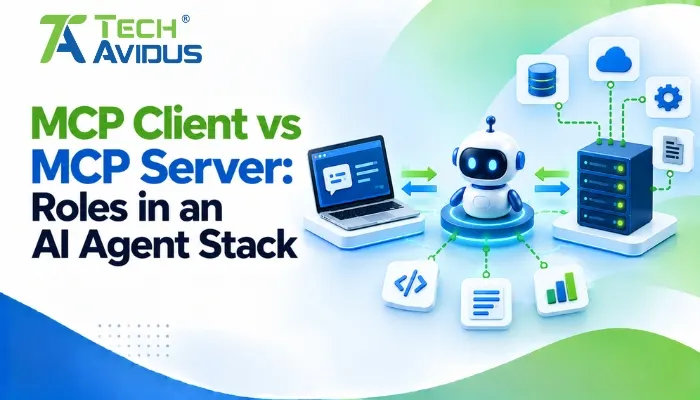
Plan how the AI application, MCP client, MCP server, and existing backend systems will communicate.
Decide which capabilities should be exposed as tools or resources, how requests will be validated, and where authorization will be enforced.
Phase 1 deliverables: Use-case definition, technical assessment, architecture plan, security requirements, and an approved pilot scope.
Phase 2: Development and Pilot Testing (Days 31–60)
The second phase focuses on building the integration and validating it in a controlled environment.
1. Develop the MCP server
Build the server layer to expose the selected application capabilities. Reuse existing APIs and business logic wherever possible rather than duplicating backend functionality.
Define clear tool names, input schemas, response formats, and error-handling behavior.
2. Implement authentication and security
Introduce suitable authentication, user-level authorization, secure credential handling, and input validation.
Sensitive operations should have appropriate approval or confirmation safeguards. Access should be limited to the data and actions required by each workflow.
3. Test the pilot integration
Validate tool discovery, request handling, response accuracy, API connectivity, and permission boundaries.
Use realistic test scenarios, including invalid inputs, expired credentials, unavailable services, and unauthorized requests.
4. Collect pilot feedback
Invite a small group of representative users to test the workflow. Review usability, reliability, response quality, and whether the integration actually solves the intended problem.
Phase 2 deliverables: Working MCP server, connected backend services, security controls, test results, and pilot feedback.
Phase 3: Production Deployment and Optimization (Days 61–90)
The final phase prepares the validated integration for production use and establishes ongoing operational responsibilities.
1. Complete production readiness checks
Review server configuration, authentication, access permissions, logging, error handling, and deployment requirements. Confirm that the integration meets the agreed acceptance criteria.
2. Deploy with controlled access
Release the integration to the intended users or customer groups. Monitor server availability, request failures, response times, and unusual access patterns during rollout.
3. Establish monitoring and maintenance
Set up operational monitoring, incident reporting, dependency reviews, and a process for handling API or protocol changes. Assign responsibility for ongoing support and updates.
4. Plan the next implementation stage
Use pilot and production feedback to identify additional workflows. Prioritize improvements based on user needs, reliability, and business value rather than expanding capabilities without validation.
Phase 3 deliverables: Production deployment, monitoring setup, technical documentation, support procedures, and a future enhancement plan.
What Technical Components Should Be Planned?
A production-ready implementation needs a clear architecture that connects AI applications with business systems while preserving security and reliability.
- MCP server and client architecture: Define how clients discover and communicate with the server, and how requests reach the appropriate backend service. Keep responsibilities between the AI application, server, and business systems clearly separated.
- Tools, resources, and prompts: Plan which operations should be available as executable tools and which information should be exposed as resources. Prompts can provide reusable interaction templates where the use case requires them.
- Transport and connection management: Select supported mcp transport protocols based on the client environment and deployment architecture. Validate connection behaviour, authentication, and recovery from interruptions.
- Security and governance: Define user permissions, data access boundaries, credential handling, logging, and approval requirements. Review these controls throughout development rather than waiting until deployment.
- Monitoring and observability: Track server health, request failures, latency, and tool execution results. Logs should support troubleshooting without unnecessarily exposing sensitive information.
The official MCP architecture documentation explains the protocol's host-client-server model and the roles of its core components. The MCP security best practices provide additional guidance for protecting integrations.
What Are the Benefits and Challenges of a Phased MCP Implementation?
A phased approach makes implementation easier to manage, but teams still need to account for technical dependencies and operational risks.
Benefits
- Controlled implementation: Teams can validate one workflow before introducing more capabilities. This helps uncover problems early and keeps the initial scope manageable.
- Better resource planning: Clear milestones help developers, product owners, and security teams coordinate responsibilities. Dependencies and approval requirements become easier to track.
- Reduced deployment uncertainty: Pilot testing provides evidence about reliability, permissions, and usability before wider release. This supports more informed production decisions.
Challenges
- Legacy system dependencies: Existing applications may lack suitable APIs or consistent data structures. Additional backend work can affect the implementation schedule.
- Security complexity: Connecting AI applications to business data introduces new access paths. Authentication, authorization, and sensitive-action safeguards need careful review.
- Changing requirements: Pilot feedback may reveal that users need different tools or workflows. Teams should allow room for adjustments without losing control of scope.
Practical Example: A SaaS Company Moving from Pilot to Production
Consider a project management SaaS company that wants users to retrieve project updates through a compatible AI assistant.
During discovery, the team identifies an existing API for project and task information. It selects read-only project search as the initial use case and plans an MCP server around that capability.
During development, the team maps the API operation to a tool, adds user-level permissions, and tests the results against the existing application. A small group of users then evaluates the integration.
After validating the workflow, the company deploys it to a wider user group, monitors usage and errors, and considers additional capabilities such as task creation.
This example illustrates why a pilot should validate both technical behavior and actual user value before production expansion.
What Are the Benefits and Challenges of an MCP Implementation Roadmap?
A phased implementation provides a structured way to move from experimentation to production, but teams still need to account for technical dependencies and operational risks.
Benefits
- Controlled implementation: Teams can validate one workflow before introducing more capabilities. This helps uncover problems early and keeps the initial scope manageable.
- Better resource planning: Clear milestones help developers, product owners, and security teams coordinate responsibilities. Dependencies and approval requirements become easier to track.
- Reduced deployment uncertainty: Pilot testing provides evidence about reliability, permissions, and usability before wider release. This supports more informed production decisions.
Challenges
- Legacy system dependencies: Existing applications may lack suitable APIs or consistent data structures. Additional backend work can affect the implementation schedule.
- Security complexity: Connecting AI applications to business data introduces new access paths. Authentication, authorization, and sensitive-action safeguards need careful review.
- Changing requirements: Pilot feedback may reveal that users need different tools or workflows. Teams should allow room for adjustments without losing control of scope.
Practical Example: A SaaS Company Moving from Pilot to Production
Consider a project management SaaS company that wants users to retrieve project updates through a compatible AI assistant.
During discovery, the team identifies an existing API for project and task information. It selects read-only project search as the initial use case and plans an MCP server around that capability.
During development, the team maps the API operation to a tool, adds user-level permissions, and tests the results against the existing application. A small group of users then evaluates the integration.
After validating the workflow, the company deploys it to a wider user group, monitors usage and errors, and considers additional capabilities such as task creation.
This example illustrates why a pilot should validate both technical behaviour and actual user value before production expansion.

Best Practices for a Successful MCP Implementation
A successful implementation depends on clear scope, realistic milestones, and technical decisions that support long-term operation.
- Start with one valuable use case. Select a workflow with clear business benefits and manageable technical requirements. Expand only after the pilot demonstrates reliable results.
- Reuse existing infrastructure. Connect to established APIs and backend services wherever practical. Consider custom mcp server development when existing integrations cannot support the required workflows or security controls.
- Prioritize security from day one. Apply least-privilege permissions, secure authentication, input validation, and appropriate approval steps. Review access boundaries before exposing capabilities to users.
- Define measurable acceptance criteria. Track tool execution success, response quality, errors, latency, and user feedback. These measures help determine whether the integration is ready for broader deployment.
- Document architecture and decisions. Record API mappings, tool definitions, configuration, deployment steps, and rollback procedures. This supports troubleshooting and future development.
- Plan for ongoing maintenance. Assign ownership for monitoring, dependency updates, incident handling, and compatibility testing. Production readiness is an ongoing responsibility, not a one-time milestone.
Recap: How Can Businesses Move from an MCP Pilot to Production?
An MCP implementation roadmap organizes the transition from initial discovery to production deployment through defined phases.
The first phase identifies business use cases and evaluates technical readiness. The second develops the integration and validates it through pilot testing. The third prepares the server for production, establishes monitoring, and plans ongoing support.
A 90-day framework can help organize this work, but the actual timeline should reflect system complexity, security requirements, and available resources. If your business needs expert support to move from an MCP pilot to a production-ready integration, explore our MCP Server Development service for reliable implementation and deployment support.
Conclusion
Moving an MCP integration from pilot to production requires a clear plan, careful engineering, and ongoing operational support. A phased approach helps businesses validate use cases, protect existing systems, and introduce AI capabilities in a controlled way.
Techavidus helps businesses plan, develop, and deploy MCP integrations aligned with their technical requirements and business goals.
Ready to take your MCP project from pilot to production?
.jpg "Savan Surani")
Savan Surani
Savan Surani is an expert in MCP (Model Context Protocol) Server Development, specializing in building secure, scalable, and efficient solutions that connect AI models with external tools, APIs, and data sources. He focuses on developing custom MCP servers, streamlining AI integrations, and enabling seamless communication between AI applications and business systems. With a strong focus on automation, system interoperability, and reliable architecture, Savan helps businesses build intelligent, connected, and scalable AI-powered solutions.