Key Takeaways
- 1. Claude connectors can help users access supported SaaS capabilities through conversational AI.
- 2. Model Context Protocol (MCP) provides a standardized way to expose tools and contextual information to compatible AI applications.
- 3. Effective integrations require secure authentication, carefully scoped permissions, and reliable error handling.
- 4. The right implementation depends on your product architecture, customer workflows, and security requirements.
- 5. Testing and ongoing maintenance help keep the integration dependable as your SaaS product evolves.
Introduction
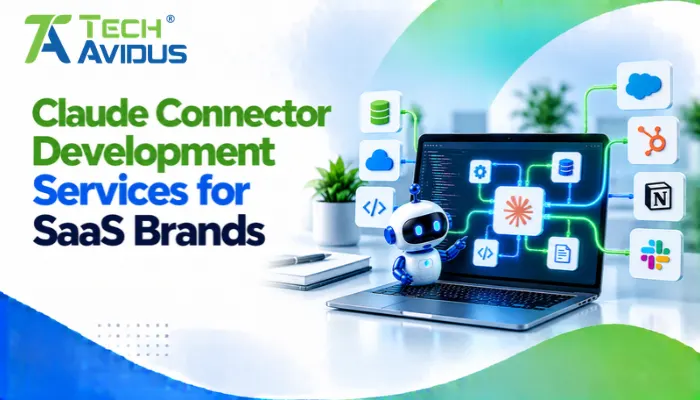
SaaS products are becoming more useful when AI assistants can securely access business data and perform approved actions. Claude connector development services help SaaS brands connect their products with Claude so users can retrieve relevant information, interact with supported features, and complete workflows through natural-language instructions.
A well-designed connector can make a SaaS product easier to use without requiring customers to switch constantly between applications. The key is to build a reliable integration with clear permissions, predictable behavior, and appropriate security controls.
What Are Claude Connector Development Services?
Claude connector development services involve designing, building, testing, and maintaining integrations that allow Claude to interact with an external application or business system.
For SaaS companies, this may mean enabling Claude to retrieve customer records, search project documentation, summarize support tickets, or perform approved actions within the product.
A connector can use the Model Context Protocol (MCP), an open protocol that standardizes how compatible AI applications communicate with external tools and data sources. The appropriate implementation depends on the Claude environment, supported integration methods, and the SaaS product's technical requirements.

How Do Claude Connectors Work With SaaS Products?
A Claude connector acts as a controlled bridge between an AI assistant and a SaaS application's capabilities. It receives an authorized request, interacts with the relevant service, and returns structured information or an action result.
A typical integration involves the following components:
1. Connector architecture and MCP server
The connector exposes specific capabilities through a compatible integration interface. An MCP server can make approved tools and contextual resources available to an MCP-compatible client.
For example, a project management SaaS product could expose tools for searching tasks, retrieving project status, and creating a task when the user has the required permission.
2. API and backend integration
The connector typically communicates with existing application APIs or backend services rather than duplicating business logic.
This allows the SaaS product to retain its established validation rules, access controls, and data-processing workflows. Teams should confirm which API operations are safe to expose and how the integration handles failed or incomplete requests.
3. Authentication and permission management
Authentication establishes which user or application is connecting, while authorization determines which data and actions are permitted.
A production-ready connector should enforce appropriate access scopes, protect credentials, validate requests, and require confirmation for sensitive operations where necessary.
4. Testing and deployment
Testing should cover successful requests, invalid inputs, expired credentials, unavailable services, and unauthorized access attempts.
Teams should also evaluate response quality, latency, logging, and recovery behavior before making the integration available to customers.
What Can SaaS Brands Do With Claude Connectors?
Claude integrations can support different workflows depending on the product's capabilities and the permissions granted.
- Customer support: Retrieve relevant help documentation or authorized ticket details, helping support teams find context without manually searching several screens.
- Project management: Summarize task status, locate overdue work, or create approved tasks from natural-language instructions.
- Sales and CRM: Retrieve permitted customer information or prepare account summaries using existing CRM data and access rules.
- Analytics and reporting: Retrieve approved metrics and explain trends based on available data, while preserving the distinction between retrieved facts and AI-generated interpretations.
The best starting point is usually one clearly defined workflow. Expanding the connector after validating its usefulness and safety is more manageable than exposing every product feature at once.
What Is Included in a Claude Connector Development Project?
A connector project should cover the technical integration as well as the operational requirements needed to run it reliably.
Requirements and workflow discovery
Start by identifying the customer problem the connector should solve. Document the relevant user roles, data sources, actions, and expected outputs before deciding which capabilities to expose.
This step helps teams prioritize high-value workflows and avoid building tools that are technically possible but not useful to customers.
Custom MCP server development
When existing connectors do not meet your product requirements, custom MCP server development can expose selected SaaS features through a compatible interface.
The server should define each tool clearly, validate incoming arguments, handle errors consistently, and enforce permissions through the application’s existing authorization model wherever possible.
Security, deployment, and monitoring
Security should be built into the architecture rather than added after implementation. Use appropriate authentication, least-privilege access, secure secret handling, and validation of all incoming requests.
For remote connectors, deployment planning should also account for network accessibility, availability, logging, and incident response. Anthropic’s guide to building custom connectors provides implementation guidance for remote MCP servers.
What Are the Advantages and Limitations?
Claude connectors can reduce friction between conversational AI and SaaS workflows, but their value depends on the quality of the integration and the use case.
Advantages
- More accessible product capabilities. Users can request supported information or actions through natural language instead of navigating every screen manually. This can make complex workflows easier to discover and use.
- Better integration with existing systems. A connector can build on established APIs and business logic rather than requiring a separate application for every AI workflow. This may reduce duplication and simplify maintenance.
- New product experiences. SaaS providers can explore AI-assisted reporting, search, support, and task execution. These capabilities may create useful differentiation when they solve a genuine customer problem.
Limitations
- Security and permission complexity. A connector can expose sensitive information or trigger unintended actions if authorization and tool design are weak. Shared credentials require particular care because they may provide broader access than an individual user should have.
- Reliability depends on multiple systems. API changes, service outages, rate limits, and network failures can affect connector behavior. Clear error handling and monitoring are essential for dependable operation.
- AI output needs validation. Natural-language requests can be ambiguous, and models may select an unsuitable tool or misinterpret returned information. High-impact actions should use appropriate confirmation and verification controls.
What Does a Real-World SaaS Connector Look Like?
Consider a hypothetical customer-support platform that wants users to investigate tickets through Claude.
A user might ask, “Find unresolved tickets from enterprise customers and summarize the main issues.” The connector could search authorized ticket records, retrieve relevant fields, and return the results for Claude to summarize.
The team could then add a separate tool for drafting a reply or updating ticket status, with safeguards suited to those actions. Read-only search would be tested first, followed by carefully controlled write operations.
This staged approach helps teams verify data accuracy, permission enforcement, and response quality before expanding the integration. Results should be measured using product-specific indicators, such as task completion, user adoption, error rates, and support workflow efficiency not assumed in advance.
Best Practices for Building Reliable Claude Connectors
A reliable connector should expose only the capabilities customers need, with security and maintainability built into the design.
- Start with a narrow use case. Choose one workflow with a clear user benefit and test it with representative requests. Expand only after validating the connector’s behavior and usefulness.
- Design tools around user intent. Use descriptive tool names, clear input schemas, and explicit descriptions of expected outcomes. Avoid combining unrelated operations into one overly broad tool.
- Respect user-level permissions. Where appropriate, use per-user authentication and enforce access through the SaaS application's existing authorization checks. Avoid granting every connector user access through a broadly privileged shared credential.
- Test failure scenarios. Verify how the connector handles expired tokens, invalid inputs, missing records, API limits, and unavailable services. Return understandable errors without exposing sensitive implementation details.
- Plan for maintenance. Document tool behavior, monitor failures, and retest integrations when APIs or authentication flows change. These practices help keep the connector aligned with the evolving SaaS product.
Anthropic’s official connector guidance also explains how connectors access external services and why permissions should be reviewed carefully.
For SaaS teams planning broader MCP integration services, the same principles apply: define the intended workflow, choose the appropriate integration architecture, and validate security before expanding access.
Recap: What Should SaaS Brands Know About Claude Connectors?
Claude connectors allow compatible Claude experiences to interact with external applications, data sources, and tools through defined integration interfaces.
For SaaS brands, a well-designed connector can support workflows such as information retrieval, reporting, customer support, and approved actions within existing systems.
Successful implementation depends on useful tool design, secure authentication, permission enforcement, thorough testing, and ongoing maintenance. Start with a specific customer need and expand the integration based on evidence from real usage. If your SaaS business needs secure integrations that connect AI applications with existing products and systems, explore our MCP Server Development service.
Conclusion
Claude connectors offer SaaS brands a practical way to make product capabilities accessible through conversational AI. The strongest implementations begin with a well-defined workflow, integrate with existing backend systems, and maintain clear boundaries around data access and actions.
Techavidus can help SaaS teams assess integration requirements, plan the connector architecture, and develop an implementation aligned with their product and security needs.
.jpg "Savan Surani")
Savan Surani
Savan Surani is an expert in MCP (Model Context Protocol) Server Development, specializing in building secure, scalable, and efficient solutions that connect AI models with external tools, APIs, and data sources. He focuses on developing custom MCP servers, streamlining AI integrations, and enabling seamless communication between AI applications and business systems. With a strong focus on automation, system interoperability, and reliable architecture, Savan helps businesses build intelligent, connected, and scalable AI-powered solutions.