Key Takeaways
- 1. Integration complexity and the number of connected systems influence development effort.
- 2. Existing APIs and reusable components may simplify implementation, while legacy systems can require additional work.
- 3. Security, testing, hosting, and maintenance should be included in planning from the beginning.
- 4. A focused pilot helps validate requirements before the project expands.
- 5. The right solution balances technical effort, operational reliability, and measurable business value.
Introduction
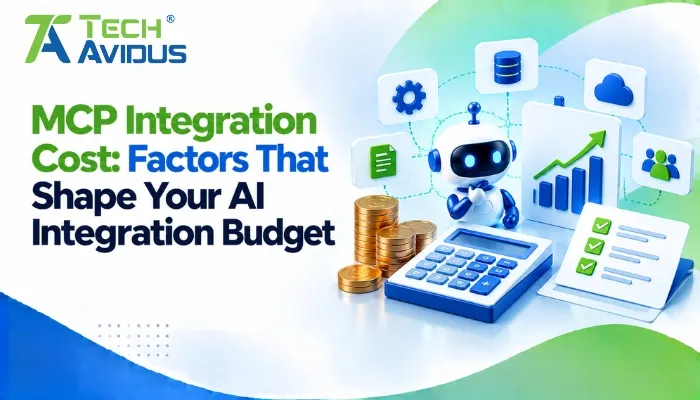
Connecting AI applications to business systems can create useful automation opportunities, but the implementation effort depends on the complexity of the workflow and the technology already in place. Understanding the factors behind MCP integration cost helps businesses plan realistically, compare implementation options, and avoid unnecessary development.
The Model Context Protocol (MCP) provides a standardized way for compatible AI applications to access capabilities exposed by MCP servers. The protocol itself does not determine the overall project budget. Development, existing software integrations, authentication, infrastructure, testing, and ongoing support all contribute to the total effort.
The practical approach is to define what the integration needs to accomplish, identify the systems involved, and estimate the work required before committing to a solution.
What Determines the Budget for an MCP Integration?
An MCP integration budget depends on the scope of the workflow, the condition of existing systems, the required security controls, and the effort needed to operate the solution reliably.
1. Development Scope and Workflow Complexity
A narrowly defined workflow generally requires less implementation work than an AI assistant coordinating several business systems and performing multiple actions.
- Single-purpose integration: Connecting an assistant to one well-documented system for a limited task can keep development relatively straightforward. The team still needs to define tool inputs, handle errors, and test the results.
- Multi-system workflow: An assistant that retrieves customer records, searches documents, and updates project tasks needs more integration logic and coordination. Each additional system introduces its own data formats, permissions, and failure scenarios.
2. Existing APIs and System Compatibility
The condition of your current software can significantly affect implementation effort. Systems with documented APIs and reliable authentication are generally easier to integrate than systems with limited interfaces or inconsistent data.
- Reusable integrations: Existing APIs, supported connectors, and internal libraries may reduce duplicated development work. However, developers must verify compatibility and ensure the exposed operations meet the workflow's requirements.
- Legacy software: Older applications may require custom adapters, data transformation, or changes to authentication and access methods. These dependencies should be identified during discovery rather than treated as unexpected work later.
3. Custom MCP Server Development
The level of customization affects how much work is needed to expose business capabilities through MCP.
- Existing server or connector: A suitable existing implementation may provide much of the required functionality. It still needs compatibility checks, configuration, security review, and testing in the intended environment.
- Custom server: A tailored server may be necessary when business rules, specialized data, or unique workflows are not supported by existing options. Scope should include capability design, input validation, error handling, documentation, and version management.
4. Security, Authentication, and Governance
Security requirements should be included in the initial estimate because they affect architecture, development, and testing.
- Access controls: The implementation may need authentication, authorization, role-based permissions, and restrictions on which data or operations each user can access. Tools that change business records require particular care.
- Governance and auditing: Sensitive workflows may need activity logs, approval steps, data-handling rules, and monitoring. These controls add implementation work but are important for protecting business information and maintaining accountability.
The official MCP security best practices explain important considerations for securing MCP implementations.
5. Hosting, Infrastructure, and AI Usage
The way an integration is deployed affects its operational requirements. A local service, a centrally hosted server, and a high-availability production deployment can require different levels of infrastructure and support.
- Deployment and hosting: Consider the hosting environment, network configuration, availability requirements, monitoring, and backup or recovery arrangements. Remote integrations may also need TLS, secure credential management, and additional operational controls.
- AI and service consumption: If the workflow uses a language model or external services, usage patterns can influence ongoing expenditure. Estimate expected request volume, context size, model usage, and downstream API consumption, then monitor actual usage after launch.
Microsoft's Azure Well-Architected cost optimization guidance recommends considering implementation, operations, resource usage, and ongoing optimization when planning a workload.
6. Testing, Deployment, and Maintenance
An integration is not complete when the first successful request works. It must also handle invalid inputs, unavailable systems, permission failures, and changes to connected services.
- Testing and deployment: Include integration tests, security checks, realistic workflow testing, and production validation. The effort increases when the application handles sensitive data or performs consequential operations.
- Ongoing maintenance: Allow for dependency updates, troubleshooting, monitoring, and compatibility changes. Assign clear ownership so the integration remains reliable as the business and its software evolve.
Advantages and Limitations to Consider
A well-scoped implementation can support reusable AI integrations, but the benefits depend on the actual workflow and the quality of the implementation.
Potential advantages
- Reusable capabilities: A well-designed server can expose business functions to multiple compatible AI applications. This can reduce duplicated integration work when those applications genuinely share the same requirements.
- Incremental implementation: Businesses can begin with one workflow and expand after validating the results. This helps keep the initial scope manageable and makes it easier to identify what additional development is justified.
Potential limitations
- Additional architecture: MCP introduces another component that needs configuration, testing, monitoring, and maintenance. If a direct API integration already solves the problem effectively, adding MCP may not provide enough value to justify the extra layer.
- Uncertain operational demand: Usage, system complexity, and support needs can change after launch. Budget planning should therefore include assumptions, contingencies, and a process for reviewing actual usage rather than relying only on an initial estimate.
Real-World Example: Integrating AI with a CRM
Imagine a business wants an AI assistant to retrieve lead information from a CRM and prepare follow-up drafts for sales staff.
The team would first review the CRM's API, access permissions, and data quality. It would then define a limited set of capabilities, implement or configure the MCP server, test record retrieval, and ensure that employees approve messages before sending them.
The main effort would involve connecting the CRM reliably, protecting customer information, testing the workflow, and preparing it for ongoing use—not simply creating the server endpoint.
If the business later adds document retrieval or project reporting, it can assess those requirements separately instead of including every possible feature in the first release. This is an illustrative scenario, not a measured project estimate.

Best Practices for Planning Your Integration Budget
A reliable estimate begins with a clear scope and a realistic understanding of what the business needs.
- Define the minimum viable scope: Identify the first workflow, required tools, data sources, and expected outcomes. Avoid adding features that are not necessary to validate the initial use case.
- Audit existing systems: Review APIs, authentication, documentation, and data quality before estimating development effort. This helps reveal integration constraints early.
- Separate initial and recurring effort: Plan for development, testing, deployment, hosting, monitoring, and maintenance as distinct parts of the overall commitment.
- Compare build and reuse options: Review available MCP Servers and existing connectors before commissioning custom development. In an mcp vs api decision, consider whether a standardized AI-facing interface solves a real problem or whether a direct API call is sufficient.
- Track actual usage and outcomes: Monitor system usage, failures, maintenance effort, and workflow performance after launch. Revisit assumptions as the integration evolves.
Recap: How Should You Estimate an MCP Integration Budget?
An MCP integration budget depends on development scope, existing system compatibility, security requirements, infrastructure, testing, and ongoing maintenance.
A focused workflow with accessible APIs may be simpler to implement than a custom integration spanning several legacy systems. The best estimate accounts for both initial development and the work required to operate the solution reliably.
Start with a defined use case, validate your assumptions, and expand only when the business value justifies the additional complexity. For businesses planning a secure, reliable MCP integration, explore our MCP Server Development service to build a solution aligned with your technical requirements and business goals.
Conclusion
Planning an MCP integration is about more than the initial development. Businesses should understand the systems involved, define the necessary capabilities, and account for security, deployment, and long-term support.
Start with a focused use case and a realistic technical assessment before expanding the scope.
Need help planning your AI integration? Book a free consultation with Techavidus to discuss your requirements and implementation options.
.jpg "Savan Surani")
Savan Surani
Savan Surani is an expert in MCP (Model Context Protocol) Server Development, specializing in building secure, scalable, and efficient solutions that connect AI models with external tools, APIs, and data sources. He focuses on developing custom MCP servers, streamlining AI integrations, and enabling seamless communication between AI applications and business systems. With a strong focus on automation, system interoperability, and reliable architecture, Savan helps businesses build intelligent, connected, and scalable AI-powered solutions.