Key Takeaways
- 1. MCP connectors help compatible AI applications access selected product capabilities.
- 2. Effective connector development starts with real user workflows and existing system requirements.
- 3. Authentication, authorization, and input validation are essential for safe integrations.
- 4. Testing should cover functionality, permissions, error handling, and compatibility.
- 5. A focused pilot can validate usefulness before a connector is expanded.
Introduction
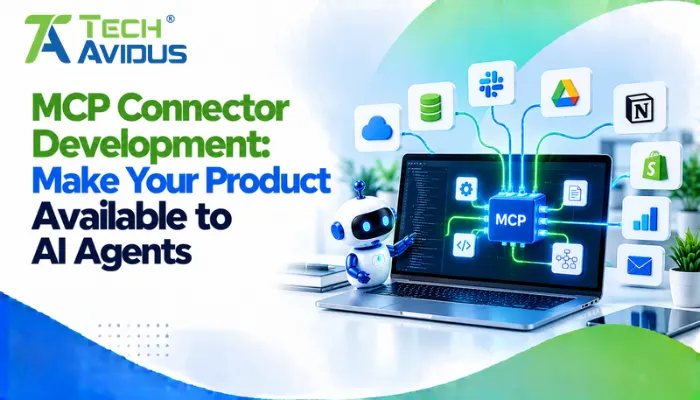
MCP connector development helps businesses make their products, data, and workflows accessible to compatible AI applications through the Model Context Protocol (MCP). Instead of building a separate integration for every AI workflow, companies can expose selected capabilities through a standardized interface.
For SaaS providers, B2B platforms, and software product teams, this creates a way for AI agents to interact with approved functionality while existing systems continue to manage business logic and data.
A successful connector requires more than technical connectivity. Teams must identify useful workflows, define clear capabilities, enforce permissions, test real interactions, and prepare the integration for ongoing maintenance.
What Is an MCP Connector?
An MCP connector is an integration layer that enables a compatible AI application to interact with selected capabilities of an external product or system through MCP. Depending on the architecture, it may include an MCP server, connections to existing APIs, and the logic needed to validate and process requests.
For example, a project management platform could expose approved functions for retrieving project status, searching tasks, or preparing a task summary. The connector defines how the AI application accesses these capabilities, while the underlying platform remains responsible for its business rules and permissions.
The official Model Context Protocol documentation explains the protocol’s architecture and provides a starting point for designing compatible integrations.

How Does MCP Connector Development Work?
Connector development typically moves from workflow discovery to capability design, implementation, testing, and deployment. Each stage should produce a working result that can be validated against the business requirements.
1. Identify the workflows AI agents should support
Start by identifying tasks users already perform inside your product and deciding which ones would benefit from AI access. Examples include retrieving account information, searching product documentation, summarizing reports, or preparing draft updates.
Prioritize workflows with clear inputs, expected outputs, and manageable risks. This helps prevent the connector from exposing unnecessary functionality before the use case has been validated.
2. Design the connector architecture
Determine how the connector will communicate with the product, which APIs it will use, and what information it can expose. The architecture should define the supported capabilities, authentication approach, error handling, and boundaries between the connector and existing services.
Teams should also evaluate how MCP tools resources and prompts fit the intended workflow. Tools perform defined actions, resources provide contextual information, and prompts offer reusable instructions for supported tasks.
3. Build and integrate the connector
Develop the MCP server or connector components and connect them to the relevant APIs or backend services. Reuse established business logic where practical so that AI requests follow the same validation and access rules as the main application.
For instance, a CRM connector could provide a tool for retrieving account details and another for preparing a follow-up note. Each operation should validate the user’s permissions and return only the information required for the task.
What Security Measures Should an MCP Connector Include?
A production-ready connector must enforce the same data-access rules and business constraints that apply to the underlying product. Connecting an AI application to a system should never automatically grant it unrestricted access.
Important safeguards include:
- Authentication and authorization: Verify identity where required and check permissions for every sensitive operation. Use appropriately scoped credentials and avoid relying on tool descriptions alone to enforce access.
- Input validation: Validate tool arguments, restrict supported operations, and handle malformed requests safely. Actions that change records or trigger external processes may require additional confirmation.
- Data protection: Apply tenant isolation, protect credentials, and avoid returning unnecessary personal or confidential information. Review how logs and error messages handle sensitive data.
- Monitoring and auditing: Record relevant requests, access decisions, failures, and outcomes without unnecessarily collecting sensitive content. Establish procedures for investigating errors and responding to security incidents.
Security requirements should be reviewed against the official MCP security best practices and the policies governing the connected product.
How Is an MCP Connector Different from a Traditional API Integration?
A traditional API integration connects systems through defined endpoints, while MCP provides a standardized way for compatible AI applications to discover and interact with supported capabilities. An MCP connector can use existing APIs behind the scenes rather than replacing them.
When evaluating MCP vs API, consider the intended experience. A fixed backend-to-backend workflow may need only an API integration, whereas an AI-facing product may benefit from MCP’s standardized interaction model.
The decision should reflect actual requirements, target clients, security constraints, and the complexity of maintaining another integration layer.
Advantages and Limitations of MCP Connectors
MCP connectors can make selected product capabilities accessible to compatible AI applications, but their value depends on implementation quality and the usefulness of the supported workflows.
Advantages
- Improved AI accessibility: Users can interact with supported product capabilities through compatible AI applications instead of manually navigating every interface. The usefulness depends on how well the connector maps to real tasks.
- Reuse of existing systems: Connectors can build on established APIs and business logic rather than requiring a complete product rebuild. This can help teams preserve existing investments while adding an AI-facing interface.
Limitations
- Additional engineering and maintenance: The connector needs testing, security reviews, monitoring, and updates. Changes to underlying APIs or client compatibility may require further work.
- Limited value without a clear use case: Exposing many tools does not automatically improve a product. Start with workflows that solve a defined user problem and expand based on evidence from testing and feedback.
Practical Example: Making a B2B SaaS Product AI-Ready
Consider a B2B analytics platform that wants customers to retrieve reports and summarize account performance through an AI assistant.
The team could start with a read-only connector that retrieves approved metrics from existing APIs. It would define the supported reporting tools, enforce account-level permissions, and test whether the assistant returns accurate information for different user roles.
After validating the initial workflow, the team could introduce additional capabilities, such as preparing draft reports. Each new action would receive its own permission checks and tests before release.
For MCP server for B2B companies, this incremental approach helps validate the integration without exposing unnecessary data or product functionality from the beginning.
Best Practices for Building a Reliable Connector
A reliable connector combines a clear use case, maintainable architecture, and structured validation.
- Start small: Select one valuable workflow and define measurable acceptance criteria. Validate it with representative user requests before adding more capabilities.
- Keep tools focused: Give each tool a clear purpose, specific inputs, and predictable outputs. Smaller, well-defined operations are easier to test and govern than broad tools with ambiguous behavior.
- Reuse existing APIs responsibly: Preserve established business rules and validation logic wherever possible. Avoid duplicating sensitive operations or creating inconsistent data-access paths.
- Test realistic scenarios: Check normal requests, invalid inputs, missing data, service failures, and unauthorized access. Verify compatibility with the specific AI clients the product intends to support.
- Plan for maintenance: Document the architecture, configuration, dependencies, deployment steps, and support responsibilities. Monitor errors and review compatibility when the underlying product changes.

Recap: How to Make Your Product Available to AI Agents
An MCP connector allows compatible AI applications to interact with selected capabilities of an existing product through a standardized interface. It can connect to existing APIs while preserving the product’s business logic and access controls.
A successful implementation starts with a useful workflow, defines limited and well-documented capabilities, and validates security and behavior before deployment. Ongoing monitoring and maintenance help keep the connector reliable as the product evolves.
If you want to make your product’s capabilities accessible to AI agents through secure, reliable integrations, explore our MCP Server Development service for a solution tailored to your product and business requirements.
Conclusion
Making your product available to AI agents begins with choosing the right workflow and designing a secure, maintainable integration around it. Start with a focused use case, validate it against real requirements, and expand only when the implementation meets your quality and security criteria.
Need help connecting your product to AI applications? Techavidus can help assess your requirements and plan a suitable integration.
.jpg "Savan Surani")
Savan Surani
Savan Surani is an expert in MCP (Model Context Protocol) Server Development, specializing in building secure, scalable, and efficient solutions that connect AI models with external tools, APIs, and data sources. He focuses on developing custom MCP servers, streamlining AI integrations, and enabling seamless communication between AI applications and business systems. With a strong focus on automation, system interoperability, and reliable architecture, Savan helps businesses build intelligent, connected, and scalable AI-powered solutions.