Key Takeaways
- 1. MCP can give compatible AI applications a standardized way to discover and use selected product capabilities.
- 2. B2B platforms can expose business data and actions without replacing their existing APIs or backend systems.
- 3. Authentication, authorization, tenant isolation, and audit logging are essential for enterprise readiness.
- 4. A focused pilot can help validate customer value before expanding to more workflows.
Introduction
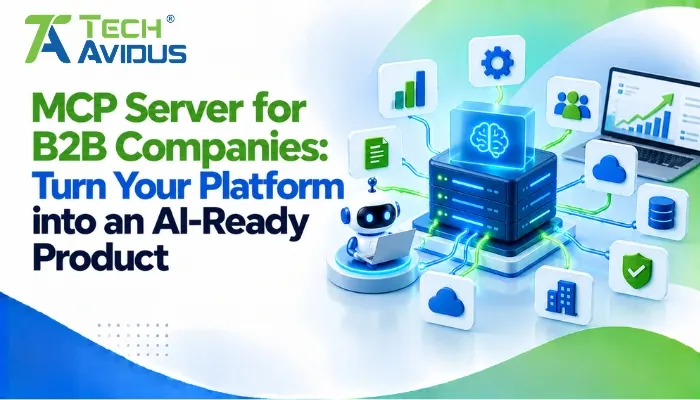
A well-designed MCP server for B2B companies can help turn an existing software platform into a product that AI assistants can interact with through defined tools, resources, and workflows. Instead of building a separate integration for every AI application, businesses can expose selected capabilities through the Model Context Protocol (MCP).
For SaaS providers, enterprise software vendors, and B2B platforms, this creates an opportunity to make products more accessible to AI-powered workflows. The key is to design integrations around real customer needs, existing system architecture, and appropriate security controls not simply add AI connectivity for its own sake.
What Does an MCP Server Do for a B2B Platform?
An MCP server acts as a bridge between a compatible AI application and the capabilities or information a business system chooses to expose. It defines what an AI client can discover and request, while the existing application remains responsible for business logic and data access.
For example, a project management platform could allow an authorized AI assistant to retrieve project status, summarize overdue tasks, or prepare a report using approved product functions. The server should not bypass the platform’s normal permissions or expose every internal operation by default.
The Model Context Protocol’s official server documentation describes tools, resources, and prompts as core server capabilities. Together, these can help make a product’s functionality available to supported AI clients in a consistent way.
How Can B2B Companies Make Their Products AI-Ready?
Making a platform AI-ready involves more than connecting a model to an API. Teams need to identify useful workflows, define safe access boundaries, and create clear interfaces that AI clients can understand.
1. Identify high-value customer workflows
Start with tasks customers repeatedly perform inside your platform, such as checking account status, retrieving analytics, preparing reports, or updating records. Prioritize workflows where conversational access could reduce friction without removing necessary human review.
- Read-only workflows: Let users ask questions about approved reports, orders, project data, or account activity.
- Action-based workflows: Allow authorized users to initiate specific actions, such as creating a draft task or updating a record, with confirmation where appropriate.
2. Connect existing APIs and business systems
An MCP server can sit above existing APIs and backend services, translating supported AI requests into controlled application operations. This means teams may be able to reuse established business logic rather than rebuild the entire product for AI access.
For a B2B platform that integrates with a CRM, billing system, or analytics service, the implementation should preserve existing validation rules, permissions, and error handling. Internal APIs should not become directly accessible merely because an MCP interface has been added.
3. Design clear, limited capabilities
The quality of the server depends partly on how well its capabilities are defined. Tools should have specific names, understandable descriptions, validated inputs, and predictable outputs so that AI applications can select and use them appropriately.
For instance, a broad tool such as manage_customer may be harder to govern than separate operations for retrieving a customer profile and updating an approved field. Narrower capabilities can simplify testing, permission checks, and auditing.
Which MCP Capabilities Matter Most for B2B Software?
The most useful capabilities depend on the product, but B2B implementations commonly benefit from a clear separation between actions, contextual information, and reusable instructions.
When planning MCP tools, resources, and prompts, consider how each capability serves a different purpose:
- Tools: Execute defined actions, such as generating a report or creating a support ticket. Validate every input and enforce permissions on the server side.
- Resources: Provide relevant context, such as product documentation or permitted account information. Avoid returning sensitive data that the current user is not authorized to view.
- Prompts: Offer reusable templates for tasks such as analyzing a report or preparing a customer update. Keep these templates aligned with business processes and expected outputs.
A well-scoped implementation gives AI clients useful capabilities without treating every product feature as something an AI should be able to control.
How Is an MCP Server Different from a Traditional API Integration?
An API exposes application functionality through defined endpoints, while MCP provides a standardized way for compatible AI applications to discover and interact with supported capabilities. MCP does not replace APIs; an MCP server can use existing APIs behind the scenes.
When evaluating mcp vs api, B2B product teams should consider the user experience they want to enable. A conventional API integration may be sufficient for a fixed workflow between two systems. MCP becomes worth evaluating when customers need AI applications to discover available capabilities and use them across different supported workflows.
The right choice depends on the product’s requirements, target AI clients, security model, and integration complexity. Some platforms will benefit from offering both conventional APIs and an MCP interface.
What Security Requirements Should Enterprise Teams Consider?
Enterprise readiness requires strong access controls, careful data handling, and operational oversight. An MCP connection should never grant an AI assistant broader access than the user or application is authorized to have.
Important safeguards include:
- Authentication and authorization: Verify client identity where applicable and enforce user-specific permissions on every sensitive operation. Use appropriately scoped credentials and follow the relevant protocol authorization requirements.
- Tenant isolation: Ensure one customer’s AI session cannot access another customer’s records. Apply tenant checks at the data and business-logic layers rather than relying only on tool descriptions.
- Input validation and approval: Validate arguments, limit available operations, and require confirmation for high-impact actions where appropriate. Treat retrieved content as potentially untrusted, especially when it could influence subsequent tool calls.
- Monitoring and audit trails: Record relevant tool calls, outcomes, and access decisions while minimizing the capture of sensitive information. Establish rate limits, error handling, and incident-response procedures.
The official MCP authorization guidance is a useful starting point for evaluating protocol-specific security considerations. Implementation teams should also review the current specification and their organization’s security requirements.
Advantages and Limitations of MCP for B2B Companies
MCP can make product capabilities easier for compatible AI applications to access, but its value depends on the use case and the quality of the implementation.
Advantages
- A more adaptable integration layer: A standardized interface can reduce the need to design a separate AI-facing integration for every supported client. Teams can still maintain their existing APIs for conventional integrations.
- More useful AI workflows: Customers may be able to retrieve business context and perform approved tasks through natural-language interactions. This can make complex product functionality more accessible to users.
Limitations
- Additional engineering and maintenance: Teams must build, test, secure, document, and monitor the server. They also need to account for protocol compatibility and changes in supported clients.
- Security and reliability responsibilities: Poorly scoped tools can expose sensitive data or trigger unintended actions. MCP itself does not guarantee accurate model responses, safe decisions, or correct business outcomes.
A Practical Example: Turning a B2B SaaS Platform into an AI-Ready Product
Consider a B2B analytics platform whose customers regularly request reports on revenue, customer activity, and campaign performance. Its product team wants authorized users to ask an AI assistant questions instead of manually navigating several dashboards.
A practical implementation could follow these steps:
1. Choose a narrow use case. Start by allowing users to retrieve approved performance metrics for their own accounts. Define the exact data fields and reporting periods that the workflow supports.
2. Expose a small set of capabilities. Create tools for retrieving reports and summarizing permitted metrics, backed by existing services. Keep sensitive operations separate and restrict access according to the user’s permissions.
3. Test real customer questions. Evaluate whether the assistant selects the correct tools, handles missing data, respects access restrictions, and communicates failures clearly. Include tests for cross-tenant access and invalid inputs.
4. Expand after validation. If the pilot meets the team’s reliability and security criteria, consider additional workflows such as report preparation or draft recommendations. Use customer feedback and operational logs to guide the next phase.
This approach helps teams validate the usefulness of an AI-facing interface before exposing a large part of the product surface.

Best Practices for Implementing MCP in B2B Products
A successful implementation begins with a clear product objective and a controlled technical scope. The following practices help teams make informed decisions.
- Start with customer problems, not protocol features. Interview users and identify repetitive tasks where AI access could improve the experience. Define measurable acceptance criteria before development begins.
- Reuse proven business logic. Where appropriate, connect tools to existing services rather than duplicating authorization, validation, or domain rules. This helps keep behavior consistent across the standard application and AI workflows.
- Design for least privilege. Expose only the tools and data needed for the selected use cases. Separate read-only capabilities from actions that modify records or trigger external processes.
- Plan for production operations. Include automated tests, structured logging, monitoring, version management, and clear error responses. Confirm that the server works with the specific clients and environments your customers use.
- Build incrementally. Release a small pilot, collect feedback, address failures, and expand only when the workflow demonstrates practical value.
Recap: Making a B2B Product AI-Ready
An MCP server allows compatible AI applications to discover and use selected capabilities of a B2B platform through a standardized interface. It can work alongside existing APIs, business logic, and data systems rather than replacing them.
The strongest implementations begin with specific customer workflows, enforce access controls, and validate reliability through a focused pilot. MCP should be adopted when it solves a real product or customer problem not simply because AI integration is becoming more common.
Conclusion
Making a B2B platform AI-ready starts with understanding how customers could benefit from interacting with its capabilities through AI applications. A carefully designed MCP server can provide that connection while preserving existing systems and enforcing appropriate controls.
Start with one valuable workflow, validate it with real users, and plan for security and maintenance from the beginning.
.jpg "Savan Surani")
Savan Surani
Savan Surani is an expert in MCP (Model Context Protocol) Server Development, specializing in building secure, scalable, and efficient solutions that connect AI models with external tools, APIs, and data sources. He focuses on developing custom MCP servers, streamlining AI integrations, and enabling seamless communication between AI applications and business systems. With a strong focus on automation, system interoperability, and reliable architecture, Savan helps businesses build intelligent, connected, and scalable AI-powered solutions.