Key Takeaways
- 1. MCP can connect compatible AI applications with existing business tools and information.
- 2. Small businesses can start with one repetitive workflow and expand after validating the results.
- 3. Useful applications include lead research, customer support, document retrieval, and project reporting.
- 4. Security, permissions, testing, and maintenance should be considered from the beginning.
- 5. MCP supports AI integration, but it does not guarantee savings or eliminate the need for human review.
Introduction
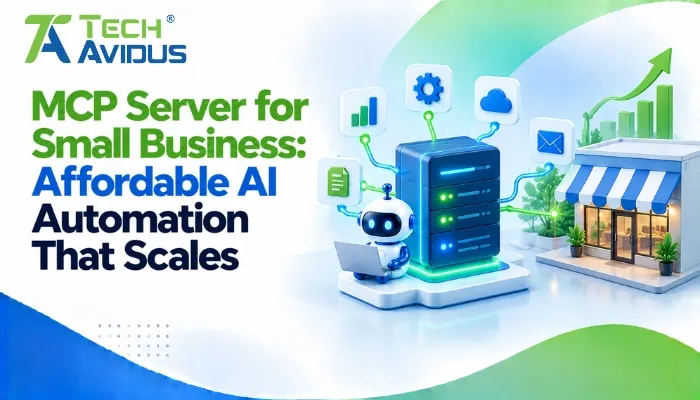
Small businesses often use several applications to manage sales, customer support, projects, documents, and daily operations. Moving information between these systems can consume valuable time. An MCP server for small business can help connect compatible AI applications with existing business tools, making it easier to retrieve information and support repetitive workflows without replacing the software a business already uses.
The Model Context Protocol (MCP) provides a standardized way for AI applications to discover and interact with capabilities exposed by connected servers. When implemented thoughtfully, it can support practical AI automation that grows alongside a business.
The goal is not to automate everything. It is to identify everyday tasks where connecting AI to existing systems can reduce manual work while preserving security, accuracy, and human oversight.
How to Choose the Right Automation for Your Business
The best implementation starts with a workflow that is repetitive, well understood, and relatively low risk.
Which tasks should you automate first?
Look for tasks where employees repeatedly collect information, organize it, or prepare drafts before making a decision.
- Lead management: Retrieve approved CRM information and prepare follow-up drafts for sales representatives to review. This reduces repetitive information gathering without handing full control of customer communication to an AI agent.
- Customer support: Search approved support documentation and retrieve relevant ticket details. Begin with information retrieval before allowing the assistant to make account changes or send responses automatically.
- Project reporting: Collect task updates and prepare a weekly progress summary. Have a team member verify important deadlines, blockers, and dependencies against the original project records.
How do MCP tools, resources, and prompts fit together?
MCP supports three useful capability types: tools for requesting actions, resources for providing contextual information, and prompts for reusable instructions. Together, they can help an AI assistant retrieve information and support a structured workflow.
For example, a small business could use a prompt to guide the preparation of a weekly sales report, a resource to supply approved sales documentation, and a tool to retrieve current lead information. The assistant can then prepare a draft for review.
The right combination depends on the task; a simple workflow may need only one or two of these capabilities. The official MCP server documentation explains how these features are exposed to compatible clients.
Advantages and Limitations
A well-scoped integration can make business workflows more connected, but it introduces responsibilities that should be understood before implementation.
Advantages
- Reuse existing software: An MCP server can expose selected functionality from tools a business already uses, helping preserve existing systems while enabling AI-assisted workflows.
- Start small and expand: Businesses can test one workflow, review its results, and add capabilities only when the initial implementation proves useful.
- Improve access to information: An assistant can retrieve authorized information from connected systems and organize it into summaries or drafts, reducing the need to switch between applications manually.
Limitations
- Integration work is still required: Existing software may need API connections, data mapping, authentication, and error handling before it can be accessed through MCP.
- AI output requires oversight: Incorrect records, ambiguous instructions, or tool-selection errors can affect results. Important information should be checked, and consequential actions should have appropriate approval controls.
- Ongoing maintenance matters: Software updates, permission changes, and server failures can disrupt a workflow. Assign responsibility for testing, monitoring, and keeping integrations up to date.
A Practical Example: A Small Business Sales Assistant
Imagine a small business that tracks lead in a CRM and stores proposals in a shared document system. Sales staff regularly search both systems before contacting prospects.
An AI assistant could retrieve an authorized lead record, locate the relevant proposal template, and prepare a personalized follow-up draft. An MCP server provides the interface to the required capabilities while the CRM and document system remain the sources of record.
The business should initially keep the workflow read-only wherever possible, verify the accuracy of retrieved information, and require a salesperson to approve the draft before sending it. After testing, the team can measure whether the process reduces manual effort and improves consistency.
This is an illustrative scenario rather than a measured case study. Actual results depend on the systems involved, data quality, and how employees use the assistant.

Best Practices for Affordable, Scalable AI Automation
Small businesses can keep implementation manageable by limiting the initial scope and expanding only when the evidence supports it.
- Define a clear business objective: Choose one workflow and document its current steps, common errors, and expected outcome. This gives you a baseline for deciding whether the integration is worthwhile.
- Reuse reliable APIs and connectors: Review the software you already use before building custom components. The distinction in an MCP vs API decision is that APIs provide system interfaces, while MCP can provide a standardized AI-facing interface to selected capabilities.
- Apply least-privilege access: Give the assistant only the permissions required for its task. Protect customer and financial data, validate tool inputs, and require approval for sensitive operations.
- Test before scaling: Check missing data, invalid requests, failed connections, and unexpected outputs. Compare results with the existing workflow before connecting additional systems.
- Plan for maintenance: Keep documentation for each integration, monitor failures, and review permissions as staff roles and software change. For more complex needs, explore
Recap: Is This the Right Approach for Your Business?
MCP can help small businesses connect compatible AI applications with existing software, business data, and approved operations. It is most useful when a clear workflow benefits from standardized access to multiple capabilities.
Start with a focused use case, apply appropriate security controls, and measure the results before expanding. A well-planned pilot can help determine whether additional automation is worth maintaining.
Conclusion
Small businesses do not need to automate everything at once to benefit from AI. The practical starting point is a workflow where connecting existing tools and information could reduce repetitive work or make important information easier to access.
Identify the task, assess your current systems, and test a focused integration with clear security boundaries. Expand only when the results justify the additional complexity.
Ready to explore AI automation for your business? Book a free consultation with Techavidus to discuss your requirements and the right implementation approach.
.jpg "Savan Surani")
Savan Surani
Savan Surani is an expert in MCP (Model Context Protocol) Server Development, specializing in building secure, scalable, and efficient solutions that connect AI models with external tools, APIs, and data sources. He focuses on developing custom MCP servers, streamlining AI integrations, and enabling seamless communication between AI applications and business systems. With a strong focus on automation, system interoperability, and reliable architecture, Savan helps businesses build intelligent, connected, and scalable AI-powered solutions.