Key Takeaways
- 1. MCP helps compatible AI applications connect with existing business tools and data.
- 2. AI agents can use approved capabilities to retrieve information and support multi-step workflows.
- 3. Businesses can start with a single repetitive task instead of rebuilding their entire software stack.
- 4. Security, permissions, testing, and human approval are essential when AI can access or change business data.
- 5. MCP provides an integration framework, not a guarantee of full automation or business results.
Introduction
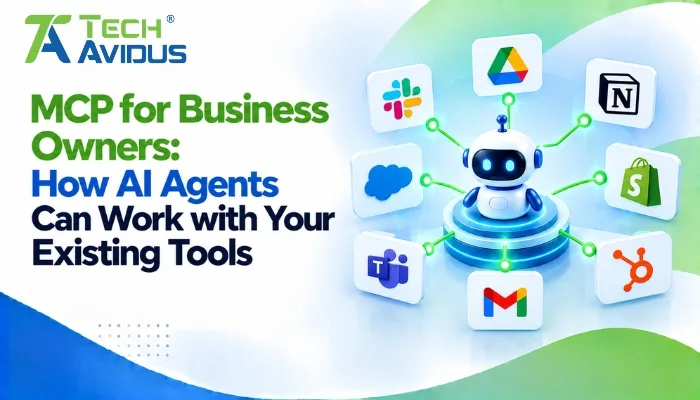
AI assistants can answer questions, summarize information, and draft content, but businesses often need them to do more: find customer records, check project status, retrieve documents, or interact with existing software. mcp for business owners offers a way to connect compatible AI applications with business tools and data through a standardized protocol.
The Model Context Protocol (MCP) does not require a business to replace its CRM, accounting platform, project management software, or internal systems. Instead, an MCP server can expose selected capabilities from those systems so an AI application can access them when needed.
For business owners, the goal is practical: make routine work easier while keeping people in control of important decisions, sensitive information, and business operations.
How Does MCP Help Business Owners Use AI Agents?
MCP gives compatible AI applications a standardized way to discover and use capabilities exposed by connected systems. This can help businesses move from isolated AI conversations toward workflows that use relevant business information and approved operations.
1. Connect AI to Existing Business Software
An MCP server can expose selected functionality from systems such as customer relationship management (CRM) software, project management tools, document repositories, and internal databases.
- Reuse existing systems: A business can keep its current software and expose selected operations through an MCP server. For example, an assistant could retrieve a lead's status from a CRM without requiring employees to search multiple screens manually.
- Reduce disconnected workflows: When compatible systems expose the right capabilities, an AI application can gather information from more than one source. Teams still need to configure access, map data correctly, and test how the systems behave together.
2. Automate Repetitive Business Tasks
AI agents can use connected tools to support multi-step workflows, while MCP provides a standardized interface for accessing those tools.
- Sales and customer support: An assistant could look up a customer record, retrieve relevant support documentation, and prepare a response for an employee to review. Sending a message or changing a record should require the appropriate authorization.
- Operations and reporting: An assistant could retrieve project updates, summarize outstanding tasks, and draft a status report. The usefulness of the result depends on data quality, tool descriptions, and whether the connected systems return current information.
3. Make Business Information Easier to Access
MCP servers can expose resources that provide contextual information to AI applications, helping employees find relevant content without manually navigating every source.
- Internal knowledge access: Employees could ask questions about company procedures, product documentation, or project files. The assistant can use available resources to ground its response in connected information, subject to access restrictions.
- More informed decisions: An assistant might summarize sales activity or highlight overdue tasks using authorized records. Business owners should verify important findings against source systems rather than treating AI-generated summaries as definitive.
The official Model Context Protocol documentation explains the host-client-server architecture and how servers expose tools, resources, and prompts.
Which Business Processes Are Good Candidates for MCP?
The strongest starting points are workflows where employees repeatedly need information from connected systems or perform clearly defined actions.
- Sales and lead management: An AI assistant can retrieve lead details, summarize previous interactions, or prepare follow-up drafts. Any changes to customer records should be restricted to authorized users and validated before execution.
- Customer support: An assistant can consult approved help documentation and retrieve relevant ticket details. Support teams should test whether it selects the correct records and escalates sensitive or uncertain cases.
- Project coordination: An assistant can collect task updates from connected project tools and prepare a weekly summary. A human should review important deadlines, dependencies, and status changes before the summary is shared.
- Finance and administration: An assistant might retrieve approved invoice or expense information to help employees answer routine questions. Payments, financial approvals, and other high-impact operations need stronger controls and should not be delegated without an appropriate approval process.
Not every task needs MCP. If a workflow already operates reliably through a direct software integration, adding an MCP layer is worthwhile only when it provides a clear benefit for AI access, reuse, or maintainability.
Advantages and Limitations for Business Owners
MCP can make AI integrations more structured, but its value depends on the business problem and implementation.
Advantages
- Build on existing software: Businesses can expose selected functions from established systems rather than replacing them. This helps preserve existing workflows while exploring AI-assisted operations.
- Create reusable integrations: A well-designed MCP server can provide capabilities to multiple compatible AI applications. Reuse depends on client compatibility, configuration, and the permissions granted to each application.
- Support gradual adoption: A business can start with one narrowly defined workflow, evaluate its usefulness, and expand only after testing. This approach helps limit disruption while the team learns what works.
Limitations
- Setup and maintenance are still required: Existing systems may need custom connectors, data mapping, authentication, and error handling. MCP does not automatically connect every application or eliminate ongoing maintenance.
- AI can make mistakes: An agent may misunderstand a request, choose an inappropriate tool, or produce an incorrect summary. Validation, monitoring, and human review are especially important for sensitive business decisions.
- Security risks need active management: A connected tool may expose customer records or modify business data if configured too broadly. Use least-privilege access, strong authentication, clear authorization rules, and approval for high-impact actions.
Amazon Web Services' MCP implementation and governance guidance also highlights the importance of tool design, server hosting, security, and operational governance.
Real-World Example: A Small Business Connects Its Sales Workflow
Imagine a growing service business using a CRM for leads, a shared document system for proposals, and a project management tool for delivery updates. Employees spend time switching between platforms to prepare for sales calls and follow up with prospects.
An AI assistant connected through MCP could support this workflow:
- Retrieve lead information: The assistant requests an approved tool to look up a lead's recent activity and current status.
- Find relevant documents: It accesses authorized proposal templates or service information through a connected resource.
- Prepare a follow-up: The assistant combines the available context into a draft email tailored to the lead's needs.
- Request human review: A sales representative checks the details and approves the message before it is sent.
In practice, the first implementation should focus on read-only retrieval and draft preparation. Once the workflow is reliable, the business can assess whether additional actions are appropriate and what approvals they require.
This is an illustrative scenario, not a measured case study. Its actual value depends on the accuracy of connected data, the quality of the workflow, and employee adoption.

Best Practices Before Introducing MCP into Your Business
A successful implementation starts with a clear business objective, not with connecting every available tool.
- Choose one repetitive workflow: Identify a task that requires employees to gather information from multiple systems or repeat the same steps. Define what a useful result looks like before building the integration.
- Connect only the systems you need: Start with the smallest set of tools and data sources required for the workflow. This makes testing easier and reduces unnecessary exposure of business information.
- Set permissions and approval rules: Give the assistant access only to the operations required for its task. Require human confirmation for sensitive changes, financial actions, external communications, or other consequential operations.
- Test realistic scenarios: Check how the system handles missing data, expired credentials, incorrect requests, and unavailable services. Verify results against the source applications before relying on the workflow.
- Measure business value: Track practical indicators such as task completion, time spent on manual steps, error rates, and employee feedback. Expand only when the results justify the additional complexity.
Recap: What Should Business Owners Know About MCP?
MCP gives compatible AI applications a standardized way to access approved tools and contextual information from connected business systems.
Businesses can use it to support workflows such as customer support, lead research, document retrieval, and project reporting without automatically replacing their existing software.
The most effective approach is to start with one well-defined task, protect sensitive data, verify the results, and expand gradually based on measurable business needs.
Conclusion
AI agents become more useful when they can work with the systems a business already depends on. MCP provides a standardized approach to connecting compatible AI applications with selected tools and information, creating opportunities to simplify everyday workflows.
Start small: identify a repetitive task, determine which systems it requires, and define the safeguards needed to complete it reliably.
Want to explore AI integrations for your business? Book a free consultation with Techavidus to discuss your requirements and the right implementation approach
.jpg "Savan Surani")
Savan Surani
Savan Surani is an expert in MCP (Model Context Protocol) Server Development, specializing in building secure, scalable, and efficient solutions that connect AI models with external tools, APIs, and data sources. He focuses on developing custom MCP servers, streamlining AI integrations, and enabling seamless communication between AI applications and business systems. With a strong focus on automation, system interoperability, and reliable architecture, Savan helps businesses build intelligent, connected, and scalable AI-powered solutions.