Key Takeaways
- 1. AI-generated applications can often be repaired without rebuilding the entire project from scratch.
- 2. A structured assessment should come before major code changes or rewrites.
- 3. Testing, dependency review, security checks, and architecture analysis are important parts of AI-assisted debugging.
- 4. The safest approach is to fix root causes while protecting working functionality.
- 5. Human engineering review remains important when AI-generated code becomes difficult to maintain or scale.
Introduction
AI coding tools can turn an idea into a working application remarkably quickly, but fast generation does not always mean reliable software. When bugs, inconsistent logic, dependency conflicts, security issues, or deployment failures appear, starting the entire project again is rarely the best first move.
Debug AI-Generated Code effectively by first understanding what already works, identifying the real source of failures, and improving the existing codebase systematically. A structured debugging process can often preserve useful application logic while replacing unstable sections instead of forcing a complete rebuild.
For startups especially, the goal should not simply be to remove visible errors. The bigger objective is to understand the application's architecture, restore stability, improve maintainability, and create a reliable foundation for future development.
Why Does AI-Generated Code Become Difficult to Debug?
AI-generated code can become difficult to maintain when multiple generated components are added without a consistent architecture or development strategy.
A common scenario is a startup creating an MVP with AI coding assistance. The application may successfully demonstrate the intended concept, but problems emerge when developers add authentication, third-party APIs, payment functionality, database operations, background processes, or deployment configurations.
Typical warning signs include:
- Repeated bugs: Fixing one problem causes another because multiple components depend on the same unstable logic.
- Inconsistent architecture: Different parts of the application may follow different coding patterns or frameworks.
- Dependency conflicts: Libraries can become outdated, incompatible, or unnecessarily duplicated.
- Missing tests: Functionality may work under basic conditions but fail when edge cases appear.
- Security gaps: Authentication, authorization, input validation, secrets management, or API handling may not have been properly reviewed.
- Deployment problems: Code that works locally may fail because environment variables, build configurations, database settings, or server dependencies differ in production.
The important distinction is between symptoms and root causes. Fixing an error message without understanding the underlying architecture can create more technical debt.
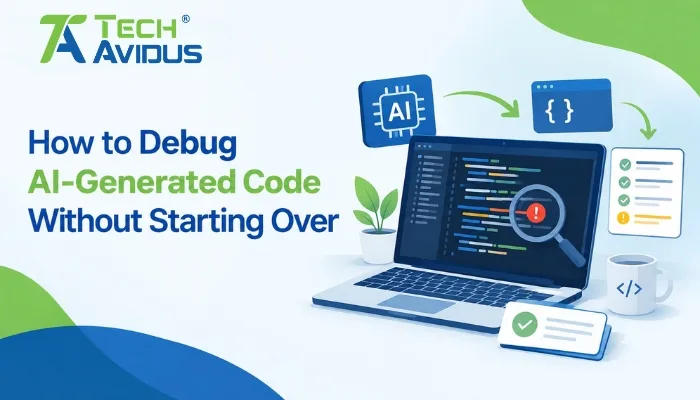
How to Debug AI-Generated Code Without Starting Over
The most effective approach is to assess the existing application, isolate the highest-impact problems, and repair the code incrementally rather than immediately replacing everything.
1. Create a Safe Baseline
Before making significant changes, create a stable version of the existing application.
Use version control, document the current environment, record known errors, and identify which features currently work. This gives the development team a reference point if a repair introduces an unexpected regression.
For a startup application, this baseline should also identify critical user journeys such as registration, login, payments, dashboard access, data creation, and API interactions.
2. Map the Existing Architecture
Next, determine how the application actually works.
Review the frontend, backend, database, APIs, authentication flow, third-party services, deployment configuration, and major dependencies. AI-generated applications can contain technically functional components that are poorly connected, so understanding those relationships is essential before changing them.
This is also where teams can begin to stabilize AI-generated codebase problems by separating critical functionality from experimental or unnecessary components.
3. Reproduce the Problems
Do not attempt to fix every warning at once.
Create reproducible scenarios for the most important failures. Record what action triggers the issue, what the application does, what should happen instead, and whether the problem occurs consistently.
Reproduction turns a vague complaint such as "the app keeps breaking" into a specific engineering problem that can be investigated and tested.
4. Review the Code and Dependencies
A technical review should examine both the generated logic and the environment around it.
This includes identifying duplicated code, unnecessary dependencies, outdated packages, hard-coded configuration, weak error handling, inefficient database queries, and unclear separation between application components.
A useful question for founders is what does a code audit check? A meaningful audit can examine architecture, maintainability, security, dependencies, testing practices, performance risks, configuration, and deployment readiness—not just whether the application currently runs.
NIST's Secure Software Development Framework recommends appropriate code review and/or code analysis, with discovered issues recorded, triaged, and addressed through the development workflow.
5. Fix Root Causes Before Symptoms
Suppose a dashboard crashes because an API returns unexpected data. Adding a quick conditional may hide the immediate error, but the stronger solution may involve validating the API response, improving error handling, and defining the expected data structure.
This approach prevents the same problem from appearing in another part of the application.
Security should also be considered during remediation. OWASP's 2025 Top 10 highlights risks including broken access control, security misconfiguration, software supply-chain failures, injection, insecure design, and authentication failures.
6. Test Every Meaningful Repair
After fixing an issue, verify both the repaired feature and the surrounding functionality.
Unit tests, integration tests, API tests, browser testing, and regression testing can be used according to the application's architecture. The goal is to make sure a fix does not silently break something that previously worked.
For startups, this can become part of an app readiness checklist for startups, covering core workflows, authentication, APIs, database behavior, security, error handling, deployment, monitoring, and user-facing functionality.
Who Should Repair a Broken AI-Generated Application?
The right developer should understand both conventional software engineering and AI-assisted development workflows.
When considering how to choose a developer to fix AI-generated code, look beyond someone's ability to generate new code quickly. Ask whether they can read an unfamiliar codebase, trace dependencies, identify architectural problems, write tests, review security, and explain why a particular repair is necessary.
A strong developer should also be comfortable saying when a component should be retained, refactored, replaced, or completely redesigned.
This distinction matters because who fixes broken AI-generated code for startups is not simply a question of finding someone who knows an AI coding tool. It is about finding an engineer capable of taking ownership of the application's technical health.
When Should You Repair and When Should You Rewrite?
Repairing existing code is generally preferable when the application's architecture is understandable, core functionality works, and the major problems can be isolated.
A partial rewrite may make sense when a particular module is fundamentally flawed, excessively coupled, insecure, or impossible to maintain without disproportionate effort.
A full rebuild should be considered only when the existing foundation cannot reasonably support the product's requirements.
The decision should be evidence-based rather than emotional. A frustrating codebase does not automatically mean that every line needs to be replaced.
What Is the Vibe Coding Rescue Process?
A practical vibe coding rescue process starts with discovery rather than immediate rewriting.
First, the team inventories the application and identifies critical functionality. Next, it reproduces failures, reviews architecture and dependencies, prioritizes risks, repairs high-impact problems, and validates the application through testing.
The final stage should focus on maintainability. Documentation, coding standards, tests, deployment procedures, and ownership should be improved so that the application does not return to the same unstable state.
This process transforms an AI-built prototype from something that merely demonstrates an idea into software that a development team can responsibly continue improving.
Pros and Limitations of Repairing AI-Generated Code
Advantages
Preserves working functionality: Existing features that already satisfy business requirements do not need to be recreated unnecessarily.
Reduces disruption: Incremental repairs allow teams to focus on specific problems while keeping the rest of the application available for testing.
Improves understanding: A structured audit can reveal architectural and technical issues that are not visible from individual error messages.
Creates a stronger foundation: Refactoring and testing can make future development more predictable.
Limitations
The original architecture may be unclear: Generated code can contain inconsistent patterns that require additional investigation.
Some components may need replacement: Repair is not always practical when a module has fundamental design problems.
Testing may be limited: An application without existing tests can require additional effort before changes can be made confidently.
Security cannot be assumed: AI-generated code should not automatically be treated as production-ready simply because it compiles or passes basic tests.
Real-World Scenario: From AI MVP to Stable Application
Imagine a startup uses AI coding tools to create a SaaS MVP. The prototype has authentication, a dashboard, a database, and several API integrations.
After initial testing, users report intermittent login failures, missing dashboard data, and occasional deployment errors.
A complete rebuild would discard working functionality and restart product development. Instead, an engineering team can first establish a working baseline, inspect authentication and API flows, review database interactions, check dependencies, reproduce the deployment issue, and add regression tests.
The result is not simply a collection of bug fixes. The application becomes easier to understand, test, deploy, and extend.
How Much Does It Cost to Fix AI-Generated Code?
The cost to fix AI-generated code depends heavily on the condition and complexity of the application.
Factors include the size of the codebase, architecture quality, number of defects, technical debt, security requirements, integrations, test coverage, documentation, and deployment environment.
Instead of estimating from the number of files alone, teams should first assess the application's actual technical condition and prioritize the work based on business impact and risk.
Best Practices for AI-Assisted Code Repair
Start with diagnosis, not rewriting.
Understand the application before making major architectural decisions. Preserve working functionality wherever practical.
Use version control for every significant change.
Small, traceable commits make it easier to identify regressions and safely reverse problematic changes.
Prioritize business-critical workflows.
Authentication, payments, customer data, core transactions, and major integrations should receive attention before cosmetic improvements.
Combine automated tools with human review.
Static analysis and automated tests can identify useful signals, but human engineering judgment is still required to interpret findings and choose appropriate fixes. NIST specifically describes code review and code analysis as complementary approaches within secure development practices.
Document the repaired architecture.
Future developers should understand what the application does, why key decisions were made, and how important components interact.
Recap: Debugging AI Code Without Starting Over
AI-generated applications do not automatically require a complete rebuild when problems appear.
The safest path is to establish a baseline, understand the architecture, reproduce failures, identify root causes, repair high-impact issues, and validate every meaningful change.
A structured technical review can also expose security, dependency, testing, and maintainability problems that ordinary debugging may overlook.
The objective is not merely to make AI-generated code run again. The objective is to create a codebase that developers can confidently maintain and extend.
Conclusion
AI can accelerate software development, but the resulting code still needs engineering discipline. When an AI-generated application starts producing bugs, instability, or deployment problems, a complete restart should not be the automatic response.
Start by understanding what you already have. Establish a safe baseline, reproduce the failures, identify root causes, review security and dependencies, repair incrementally, and validate the result with meaningful tests.
If your startup has an AI-built application that has become difficult to maintain, TechAvidus can help assess the existing codebase and identify a practical path toward a more stable, maintainable application. Explore Vibe Codding Rescue Services Today.

Bhavesh Ladva
Bhavesh Ladva specializes in MCP (Model Context Protocol) Server Development, helping businesses connect AI applications with external tools, APIs, databases, and business systems. His work focuses on building custom MCP servers that enable smoother tool execution, structured data access, and reliable AI integrations. By simplifying connections between AI models and existing workflows, Bhavesh helps teams reduce manual steps, improve process efficiency, and develop more practical AI-powered solutions. He prioritizes secure integrations, maintainable architecture, and scalable implementations aligned with real business requirements.