Key Takeaways
- 1. A production-ready app needs more than attractive screens and successful demos.
- 2. Authentication, authorization, data protection, error handling, testing, monitoring, and deployment should be reviewed before launch.
- 3. AI-assisted development can accelerate delivery, but generated code still requires human review and validation.
- 4. Security should be treated as an ongoing development practice rather than a final launch task.
- 5. A controlled launch with monitoring can reveal issues without exposing the entire user base at once.
Building an app is only the beginning. The real test starts when people outside your development team begin using it. A product can look polished in a demo while still having weak authentication, unstable workflows, hidden bugs, poor error handling, or an architecture that becomes difficult to maintain.
For founders, the question is not simply whether the app works. It is whether the product is reliable, secure, understandable, scalable, and operationally prepared for real users.
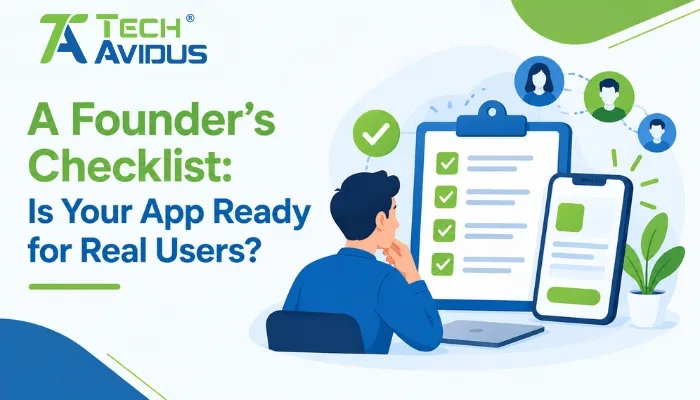
An app readiness checklist for startups helps founders evaluate those areas before opening the doors to customers.
What Does “Ready for Real Users” Actually Mean?
A production-ready application is one that can handle expected user activity while maintaining reliable functionality, appropriate security controls, understandable user experiences, and a maintainable technical foundation.
In practice, founders should evaluate the application from four perspectives: user experience, functionality, security, and operational readiness.
A useful starting point is to test the complete customer journey rather than individual features. Sign up, log in, complete the main action, receive notifications, recover an account, encounter an error, and log out. If any important journey breaks, the product may need more work before launch.
1. Can Users Complete the Main Workflow?
Your app should make its primary job obvious and dependable.
Ask whether a first-time user can understand what to do without developer assistance. Test forms, navigation, onboarding, search, payments, uploads, notifications, and other workflows that directly support the product's purpose.
Also test unusual but realistic situations. What happens when a user enters invalid information? What if an API is temporarily unavailable? What if an upload fails halfway through? Good products provide useful feedback instead of leaving users staring at a broken screen.
2. Is Your AI-Generated App Secure?
If AI tools were involved in development, security review becomes especially important. Generated code can accelerate implementation, but it does not automatically establish secure authentication, authorization, validation, dependency management, or safe configuration.
This is where founders should ask, is my AI-generated app secure, rather than assuming that successful testing means the application is secure.
OWASP's 2025 Top 10 identifies issues including broken access control, security misconfiguration, software supply-chain failures, cryptographic failures, injection, insecure design, and authentication failures among major web application security risks.
Review:
- Authentication and password handling
- Authorization for every sensitive action
- API access controls
- Input validation and injection protection
- Secrets and environment variables
- Database permissions
- Third-party dependencies
- Error messages and sensitive information exposure
- Logging and security monitoring
For a deeper technical review, founders can reference the OWASP Top 10:2025 as a practical security-awareness baseline.
3. Are There Signs Your Codebase Needs a Review?
A working application can still contain structural problems that become expensive later.
Common signs your AI app needs a code audit include duplicated logic, inconsistent coding patterns, unexplained dependencies, excessive hard-coded values, missing tests, difficult-to-understand components, and features that break when an apparently unrelated change is made.
Another warning sign is when nobody on the team can confidently explain how critical parts of the application work.
AI-assisted development can produce technical debt from AI coding when speed becomes more important than architecture, documentation, testing, and maintainability. The issue is not that AI-generated code is inherently poor; the issue is that code still needs engineering review.
4. Can You Stabilize the AI-Generated Codebase?
Before adding another round of features, identify the parts of the application that require stabilization.
Start with the highest-risk workflows. Reproduce bugs, review logs, inspect API behavior, examine dependencies, remove unnecessary complexity, and add tests around critical functionality.
The goal is not automatically to rewrite everything. A practical approach is to stabilize AI-generated codebase components selectively, keeping working functionality while improving areas that create reliability or security risks.
NIST's Secure Software Development Framework recommends integrating secure development practices into the software development lifecycle and emphasizes producing well-secured software, protecting software components, and responding to vulnerabilities.
5. Has the App Been Tested Beyond the Happy Path?
A successful demo usually represents the happy path. Real users rarely behave that predictably.
Test:
- Invalid and incomplete inputs
- Slow or interrupted network connections
- Multiple users performing actions simultaneously
- Expired sessions
- Duplicate submissions
- Browser and device differences
- Failed third-party integrations
- Unexpected API responses
Each test should have a clear expected result. If the application fails, the failure should be graceful, logged appropriately, and recoverable wherever possible.
6. Can You Monitor the Product After Launch?
Launching without observability makes troubleshooting much harder.
At minimum, founders should know whether the application is available, whether important APIs are failing, whether error rates are increasing, and whether critical user journeys are experiencing problems.
Application logs, error tracking, uptime monitoring, analytics, and meaningful alerts can help the team identify problems after deployment.
A production launch should never be considered the end of testing. It is the beginning of operating the product with real-world conditions.
Advantages and Limitations of a Launch Readiness Review
Advantages
A structured review can expose hidden reliability and security issues before they affect a large number of customers. It also gives founders a clearer understanding of what should be fixed immediately and what can reasonably be addressed after launch.
It can also create better communication between product owners, developers, designers, and security teams because everyone is evaluating the same release criteria.
Limitations
A checklist cannot guarantee that an application contains no bugs or security vulnerabilities. Software risk changes as dependencies, infrastructure, features, and user behavior change.
A review can also identify technical problems without automatically solving them. Founders still need to prioritize remediation according to business impact, technical risk, and available resources.
A Real-World Founder Scenario
Imagine a startup that has built an AI-assisted SaaS application. The main dashboard works, users can register, and the team has successfully demonstrated the product to early investors.
Before launch, the team performs a deeper review.
They discover that one API does not properly enforce authorization, several components contain duplicated logic, error messages expose implementation details, and there are no automated tests around a critical billing workflow.
Instead of immediately adding new features, the team fixes the authorization issue, improves error handling, adds tests, cleans up duplicated logic, and introduces monitoring.
The product may look almost identical to users afterward, but its technical foundation is considerably easier to operate and maintain.
Best Practices Before Opening the App to Users
Test the complete user journey.
Do not evaluate features only in isolation. Walk through the application as a new customer and test the workflows that matter most to the business.
Review AI-generated code manually.
Treat generated code as implementation material that requires engineering validation, particularly around authentication, authorization, data handling, dependencies, and error handling.
Prioritize risk instead of rewriting everything.
Fix vulnerabilities and reliability problems that could materially affect users first. Not every imperfect component requires immediate replacement.
Create a rollback strategy.
Know how you will recover if a deployment introduces a serious problem. Backups, version control, deployment procedures, and rollback plans should be established before launch.
Monitor after deployment.
Track application errors, important workflows, infrastructure health, and user behavior so the team can respond when real-world issues appear.
Recap: Is Your App Ready?
A real-user-ready application is more than a functional prototype. It should provide dependable core workflows, appropriate security controls, maintainable code, useful monitoring, and a practical recovery process.
AI-assisted development can shorten implementation time, but production readiness still depends on testing, engineering review, security validation, and operational discipline.
The simplest launch question is: Could our team confidently support this application if hundreds of unfamiliar users started using it tomorrow?
If the answer is uncertain, perform a structured readiness review before expanding the audience.
Conclusion
Getting an app into users' hands is an important milestone, but responsible launch preparation goes beyond making the interface look finished.
Review the core workflows, test failure scenarios, examine security controls, audit unfamiliar code, address technical debt, and establish monitoring before scaling the product to a wider audience.
If your application was developed quickly with AI-assisted tools and you are unsure whether the codebase is ready for production, TechAvidus can help review, stabilize, secure, and improve the application before your next growth stage.
Speak with the TechAvidus team for a free consultation and discuss your application's production-readiness requirements.

Bhavesh Ladva
Bhavesh Ladva is an AI Developer and rapid product development expert with over 10 years of experience in AI, machine learning, deep learning, and NLP. He specializes in turning ideas into functional, scalable products using modern AI-powered development tools such as Lovable, Bolt, Claude, and other emerging AI platforms. His experience spans AI integrations, APIs, automation, cloud platforms, and intelligent workflows, enabling him to take products from concept to production efficiently.