Key Takeaways
- 1. Verify the exact DNS records shown in your Lovable project settings before changing your domain provider's configuration.
- 2. Wait for DNS verification and SSL certificate provisioning to finish before treating the domain as broken.
- 3. Check for conflicting DNS records, including outdated records from previous hosting providers.
- 4. Test HTTPS, www and root-domain behavior, and application authentication after launch.
- 5. Avoid repeatedly disconnecting and reconnecting a domain before identifying the underlying issue.
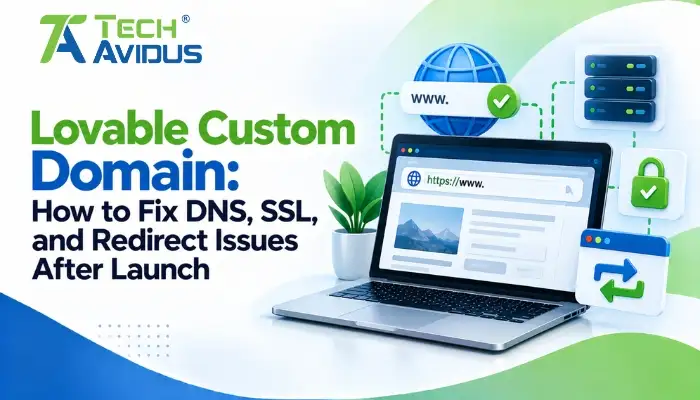
Connecting a custom domain is an important step when launching an application built with Lovable. However, incorrect DNS records, pending SSL certificates, or redirect misconfigurations can prevent visitors from reaching the live application. A practical approach to Lovable custom domain fixing starts with checking the domain status, verifying DNS records, and confirming that HTTPS and redirects work correctly.
The key is to identify which layer is failing before changing settings. DNS determines where your domain points, SSL/TLS secures the connection, and redirect rules determine where visitors are sent.
Why Is Your Custom Domain Not Working?
A custom domain may fail because the project is unpublished, DNS records are incorrect, ownership verification is incomplete, or SSL setup has not finished.
Start with Project → Settings → Domains in Lovable and check the status displayed beside your domain. The status helps narrow down the cause before you change DNS settings.
Common issues include:
- Domain not verified: The required DNS records may be missing, incorrect, or still propagating. Compare the values at your DNS provider with the exact records Lovable displays.
- Old website still appears: DNS records from a previous hosting provider may still direct visitors to the old site. Check for outdated A, AAAA, or CNAME records before removing anything.
- Domain points to the wrong project: Confirm that the hostname is connected to the intended Lovable project and that the project is published.
- Domain works intermittently: Different DNS resolvers may temporarily return different results while changes propagate. Check the records from multiple locations before making additional changes.
How to Fix DNS Records for a Lovable Custom Domain
DNS configuration tells browsers where to find your application. Incorrect or conflicting records can prevent your domain from resolving to the correct destination.
For a domain managed by an external registrar, follow these steps:
Step 1: Confirm the Required Records
Open the domain settings in Lovable and copy the DNS records provided for your specific connection.
Lovable's current documentation specifies an A record and a verification TXT record for a standard external-domain setup. The A record points to Lovable's edge IP, while the TXT record verifies domain ownership. The exact instructions in your project settings should take precedence over older tutorials.
Step 2: Remove Conflicting Records Carefully
Check for old records pointing to a previous host or another application.
Lovable's documentation notes that AAAA records can interfere with domain setup. If your configuration contains an unexpected IPv6 record, investigate it before removing it. Also check for duplicate or outdated A records.
Important: Do not delete MX records or unrelated TXT records without checking their purpose. They may be required for business email or third-party verification.
Step 3: Allow DNS Propagation
After saving the correct records, give DNS changes time to propagate.
Lovable notes that propagation can take up to 72 hours, although many changes become visible much sooner. Use the domain status check in Lovable rather than repeatedly editing records while the update is still progressing.
How to Fix SSL Certificate and HTTPS Errors
SSL/TLS errors occur when the browser cannot establish a trusted secure connection to your domain.
Lovable automatically provisions an SSL certificate for a supported custom domain once the necessary setup conditions are met. You generally do not need to upload a separate certificate to Lovable hosting.
If your browser displays a certificate warning, check these items:
- Domain status: If Lovable Shows Setting up, the certificate may still be issuing. Wait until the domain becomes Live before treating the warning as a persistent failure.
- DNS configuration: Confirm that the domain resolves to the expected destination. Incorrect records can prevent certificate validation.
- CAA records: If your DNS has Certificate Authority Authorization records, verify that they permit a certificate authority supported by Lovable to issue the certificate.
- CDN or proxy configuration: If you use Cloudflare or another proxy, confirm that the configuration matches Lovable's supported setup. Avoid changing proxy and SSL modes randomly because that can introduce additional connection problems.
If the domain remains stalled or failed, follow Lovable's official custom-domain troubleshooting instructions and use the retry option where available. Contact support if the certificate still cannot be issued after the documented checks.
How to Fix Redirect Issues After Launch
Redirect problems occur when the root domain, www version, or application URLs do not lead visitors to the expected destination.
For example, example.com might load correctly while www.example.com displays an error or reaches an old website.
Check the following:
- Choose one primary domain: Decide whether visitors should use the root domain or the www version. Configure the connected domains and primary-domain behavior accordingly.
- Check HTTP-to-HTTPS behavior: Test both the HTTP and HTTPS versions of your domain. Confirm that visitors reach the secure version without entering a redirect loop.
- Remove obsolete redirects: Look for old forwarding rules at the registrar, CDN, or previous hosting provider. Conflicting rules can send users to an outdated URL.
- Test application routes: Open important pages directly, not just the homepage. Refresh protected pages and test links to confirm that routing works on the live domain.
Lovable documents how connected domains behave relative to the primary domain, including its use of temporary redirects between connected project domains. If you need a permanent redirect for a migration, verify the hosting platform's supported behavior rather than assuming every redirect is permanent.
What If the Domain Works but the Application Does Not?
Sometimes the domain resolves correctly, HTTPS works, and the homepage loads—but authentication, API calls, or other application features fail.
This indicates that the problem may be inside the application rather than in DNS itself.
For example, Lovable authentication errors may occur after a domain change if authentication settings still reference the previous hostname. Check your authentication provider's Site URL, allowed redirect URLs, OAuth callback configuration, and any relevant CORS settings.
Also inspect the browser console and network requests for failed API calls or runtime errors. If the domain is configured correctly but the application remains unavailable, investigate whether you are dealing with a separate Lovable App Not Deploying or runtime issue.
A structured review can help Fix Lovable App Not Working when the problem extends beyond domain configuration.
Advantages and Limitations of a Custom Domain
Advantages
- Professional brand identity: A domain that matches your business is easier to recognize and share. It also gives visitors a consistent destination for your application.
- Greater control over the public URL: You can choose a root domain or subdomain that fits your product, such as app.example.com. This helps separate your application from marketing pages or other services.
- A more consistent user experience: A correctly configured HTTPS domain gives users a secure connection and predictable navigation across the application.
Limitations
- DNS changes require care: Incorrect records can interrupt website access or affect other services using the same domain. Always identify what a record supports before editing it.
- Certificate provisioning takes time: SSL may remain pending while verification and DNS changes complete. Repeatedly changing records can make diagnosis harder.
- External services need updating: Authentication providers, OAuth integrations, API allowlists, and other services may still use the previous hostname. A successful domain connection does not automatically guarantee that every integration is configured for the new domain.
Real-World Example: A Domain Shows a Security Warning After Launch
Imagine a team publishes its Lovable application and connects app.example.com. The domain appears in the browser, but visitors see a certificate warning.
A practical investigation would:
- Confirm that the project is published.
- Check the domain status in Lovable.
- Compare the DNS records against the values provided during setup.
- Check for conflicting A or AAAA records.
- Review CAA records if certificate issuance remains unsuccessful.
- Wait for the documented verification and certificate-provisioning process.
- Test the HTTPS URL after Lovable reports the domain as live.
If the domain becomes secure but login fails, investigate authentication redirects separately rather than changing DNS again.
For more complex launch issues, see Lovable App Rescue Services for support with application debugging and stabilization.
Best Practices for Preventing Domain Issues
- Save the original DNS configuration: Record the existing entries before making changes. This gives you a reference if you need to investigate an unexpected outage.
- Make one change at a time: Change the specific record or setting associated with the problem, then verify the result. Avoid changing DNS, SSL, and redirect settings simultaneously.
- Test both domain versions: Check the root domain, www version if connected, HTTPS, and important application routes. Confirm that users consistently reach the intended destination.
- Review integrations after launch: Test authentication, forms, APIs, and other external services using the new domain. Update redirect URLs and allowed origins where required.
- Verify the live site's SEO settings: Once the domain is live, review canonical URLs, indexing settings, sitemap configuration, and Google Search Console. Lovable recommends reviewing the live site after connecting a custom domain.
Recap: What Should You Check First?
DNS records determine where a custom domain points, while SSL/TLS enables a secure HTTPS connection.
A domain that remains in verification or setup may need correct DNS records and additional time before becoming live.
Conflicting records from previous hosting providers can direct visitors to the wrong website.
Redirect loops and authentication failures should be investigated separately from basic DNS resolution.
Always verify the live application after the domain becomes active, including HTTPS, redirects, login, and important user workflows. If these issues persist or require deeper technical troubleshooting, Lovable App Rescue can help diagnose and stabilize the application.
Conclusion
A custom domain launch depends on several connected layers: DNS resolution, domain verification, SSL certificate provisioning, redirects, and application configuration.
Start with the status shown in Lovable, verify the exact DNS records, and wait for the certificate to become active before making additional changes. Once the domain is live, test the entire application not just the homepage.
Need help resolving domain, deployment, or application issues? Contact Techavidus for a free consultation.

Bhavesh Ladva
Bhavesh Ladva specializes in MCP (Model Context Protocol) Server Development, helping businesses connect AI applications with external tools, APIs, databases, and business systems. His work focuses on building custom MCP servers that enable smoother tool execution, structured data access, and reliable AI integrations. By simplifying connections between AI models and existing workflows, Bhavesh helps teams reduce manual steps, improve process efficiency, and develop more practical AI-powered solutions. He prioritizes secure integrations, maintainable architecture, and scalable implementations aligned with real business requirements.