Key Takeaways
- 1. Deployment failures can originate from application code, build errors, configuration, integrations, or hosting infrastructure.
- 2. A project that works in preview can still fail during production deployment because production introduces different configuration and hosting conditions.
- 3. Custom domains should be investigated separately from the application's underlying deployment.
- 4. Checking Lovable's official status information can help distinguish a project-specific problem from a platform-wide incident.
- 5. When a deployment fails after a recent change, investigating that change first is usually more productive than rebuilding the application.
LSI & Semantic Keyword Variations Used
The article naturally incorporates topic-specific variations such as Lovable deployment errors, Lovable publishing issues, deployment failure, Lovable build errors, production deployment, published application, custom domain issues, hosting problems, preview errors, deployment troubleshooting, production configuration, and Lovable publishing problems.
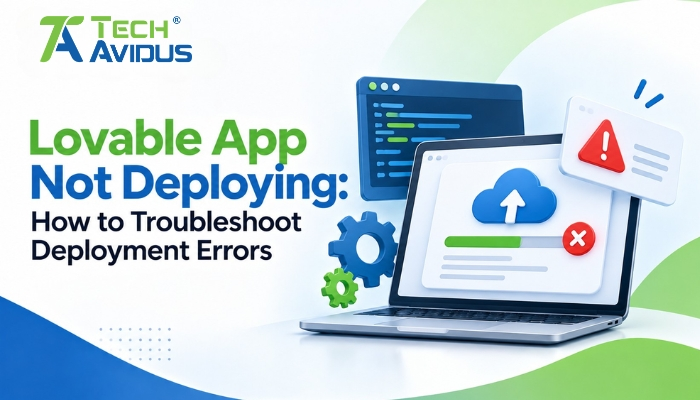
Deploying an AI-built application should be straightforward, but deployment can fail for several reasons. Fix Lovable App Not Deploying issues by first identifying whether the failure comes from the build, project configuration, integrations, hosting, custom domain, or the Lovable platform itself.
The key is to avoid repeatedly changing application code without knowing where the deployment process is failing. A structured diagnosis can help isolate the problem much faster.
Why Is My Lovable App Not Deploying?
A Lovable application may fail to deploy because the project cannot complete its build, an integration is misconfigured, a deployment service is experiencing an issue, or the production environment differs from preview.
The first step is to identify where the deployment process stops.
A useful troubleshooting sequence is:
Code → Build → Deployment → Hosting → Domain → Application
If the build itself fails, investigate the application and dependencies. If the build succeeds but the published application is unavailable, investigate hosting or deployment. If the application works on its Lovable URL but not on a custom domain, focus on domain configuration rather than application code.
Common Reasons a Lovable App Won't Deploy
1. Build Errors Prevent the Deployment
A deployment normally depends on a successful application build. Syntax errors, missing imports, dependency problems, invalid configuration, or incompatible code can prevent the build from completing.
Look at the latest build error and identify the component, file, package, or configuration mentioned. Avoid changing unrelated parts of the application until you understand that error.
2. A Recent Code Change Broke the Build
If deployment worked earlier and stopped immediately after a modification, the latest change deserves attention first.
This is particularly important with AI-assisted development because one generated change can modify multiple connected components. In practice, isolating the newest change often gives a much clearer debugging path than asking the application to regenerate large sections of code.
3. Environment or Configuration Problems
Applications can depend on configuration values that are available during development but are missing, incorrect, or different in the production environment.
Potential areas to investigate include:
- Environment variables
- API configuration
- Authentication settings
- Database connections
- Application URLs
- Third-party service configuration
A deployment problem caused by configuration should be fixed at the configuration layer rather than by rewriting frontend components.
4. API or Backend Dependencies Are Failing
A successful frontend build does not guarantee that the deployed application will function correctly.
For example, an application may deploy successfully but fail when users log in, submit a form, retrieve database records, or call an external API.
This creates an important distinction:
Deployment failure: the application cannot be published successfully.
Post-deployment failure: the application publishes successfully but a feature does not work.
Treat these as separate problems.
5. Custom Domain Problems
A custom domain introduces another layer between the deployed application and the person accessing it.
If the default published URL works but the custom domain does not, investigate:
- Domain configuration
- DNS records
- Domain activation
- SSL/certificate status
- Recent domain changes
Lovable has documented incidents involving custom-domain publishing and certificate activation, including cases where a published site was live even though its URL was not displaying correctly in the publish/share interface.
How to Troubleshoot Lovable App Not Deploying
Step 1: Determine Whether the Build Succeeds
Start by checking whether the project reaches the build stage successfully.
If the build fails, focus on code, dependencies, and configuration before investigating domains or hosting.
Step 2: Read the Exact Deployment Error
Don't rely only on a generic message such as "deployment failed."
Look for the specific error and determine whether it references:
- A source file
- A package
- A build command
- A configuration value
- An integration
- Hosting infrastructure
The exact error often tells you which layer requires attention.
Step 3: Test the Preview
Check whether the latest version works correctly in preview.
If preview itself fails, investigate the application or build first.
If preview works but publishing fails, the troubleshooting path should move toward deployment, hosting, configuration, or platform status.
Step 4: Test the Published URL
If publishing appears successful, open the published URL in a private browser window.
This helps distinguish an actual deployment problem from browser cache, session, or local-environment issues.
Step 5: Test Without the Custom Domain
If you have configured a custom domain, test the default published URL as well.
If the default URL works and the custom domain doesn't, the application itself may not be the problem.
Step 6: Check Lovable's Status
Platform incidents can produce symptoms that look like project-specific deployment errors.
Lovable's status history documents several 2026 incidents involving publishing, builds, previews, hosting, and deployed applications. For example, Lovable reported publishing failures in June 2026 and an incident involving deployed applications with custom domains.
Lovable also reported an August 2026 incident in which some users could not publish projects or see preview updates.
What If Lovable Deployment Works but the App Is Broken?
A successful deployment only confirms that the application was published; it does not prove that every feature works correctly.
For example, consider an ecommerce application that successfully deploys but displays an empty product catalog.
The deployment itself may be functioning correctly. The underlying problem could instead involve:
- Database access
- Authentication
- API requests
- Permissions
- Production configuration
- Data retrieval logic
In practice, testing the application feature by feature after deployment is important, particularly for applications with authentication, databases, payments, or external APIs.
Advantages and Limitations of AI-Assisted Deployment
Advantages
Fast iteration can make deployment troubleshooting more accessible.
Developers and product teams can describe errors, make focused changes, and test the application without manually rebuilding every component.
Visual development can shorten the feedback loop.
Teams can move quickly between application changes, preview testing, and deployment validation.
Limitations
AI-generated changes can introduce unexpected dependencies.
A seemingly simple request may affect multiple components, which means deployment errors should still be investigated systematically.
Production environments require more than a successful build.
Authentication, databases, APIs, domains, certificates, and external services can all affect the final application.
Platform-side incidents cannot be fixed through application code.
If Lovable's publishing or hosting infrastructure is experiencing an incident, modifying the project may not resolve the problem.
Real-World Example: Deployment Fails After a New Feature
Imagine a company has a working Lovable application and adds a new customer dashboard.
The preview initially appears correct, but the next production deployment fails.
A practical investigation would be:
- Identify the latest deployment error.
- Compare the project with the version that previously deployed successfully.
- Inspect the new dashboard components and dependencies.
- Check whether the new feature introduced a configuration requirement.
- Test the build again after the smallest necessary correction.
- Verify the complete application after deployment.
This approach creates a controlled troubleshooting process instead of repeatedly changing unrelated parts of the application.
Best Practices to Prevent Deployment Problems
Keep Production Changes Controlled
Make one meaningful change at a time whenever possible.
This makes it easier to determine which modification caused a deployment regression and reduces unnecessary debugging.
Test Critical Features Before Publishing
Don't limit testing to whether the homepage loads.
Test important workflows such as login, form submission, database operations, payments, API requests, and navigation before treating a deployment as complete.
Separate Application Errors From Platform Errors
If multiple unrelated projects suddenly experience publishing problems, check platform status before making major application changes.
Lovable's 2026 status history shows that publishing and build problems can sometimes originate from upstream infrastructure rather than individual projects.
Keep a Known-Good Version
When making substantial changes, retain a clear reference point for the last working version.
This makes it easier to determine whether a deployment regression came from a recent change.
Treat Domains as a Separate Troubleshooting Layer
If the application works on its published URL but not through a custom domain, investigate DNS, domain activation, and certificate configuration before modifying application code.
Recap: What Should You Check First?
A Lovable deployment error should first be classified as a build, configuration, integration, hosting, or domain problem.
If the build fails, investigate the application code and dependencies. If the build succeeds but publishing fails, investigate deployment and platform conditions. If you need expert help identifying and fixing these issues, explore our Lovable App Rescue service.
If the published URL works but a custom domain doesn't, investigate domain configuration separately.
Checking Lovable's official status information is also important because documented incidents have affected builds, previews, publishing, and deployed applications during 2026.
Conclusion
Deployment problems become much easier to handle when you troubleshoot them layer by layer.
Start with the build, inspect the exact error, test preview, verify production configuration, check integrations, and investigate the custom domain separately when applicable. If the same problem appears across multiple projects, check the platform status before making significant code changes.
If your application is stuck in deployment, repeatedly failing to publish, or breaking after deployment, Techavidus can help diagnose the issue and get your Lovable project back on track.

Bhavesh Ladva
Bhavesh Ladva is an AI Developer and rapid product development expert with over 10 years of experience in AI, machine learning, deep learning, and NLP. He specializes in turning ideas into functional, scalable products using modern AI-powered development tools such as Lovable, Bolt, Claude, and other emerging AI platforms. His experience spans AI integrations, APIs, automation, cloud platforms, and intelligent workflows, enabling him to take products from concept to production efficiently.