Key Takeaways
- 1. Application rescue starts with diagnosis, not immediate code changes
- 2. Developers should separate frontend, backend, database, authentication, integration, and deployment problems before fixing them.
- 3. Stabilization requires controlled fixes, regression testing, and validation of critical user workflows.
- 4. AI-generated code can accelerate development, but recurring bugs may indicate deeper architectural or dependency issues.
- 5. A successful rescue should leave the application easier to maintain, test, and extend.
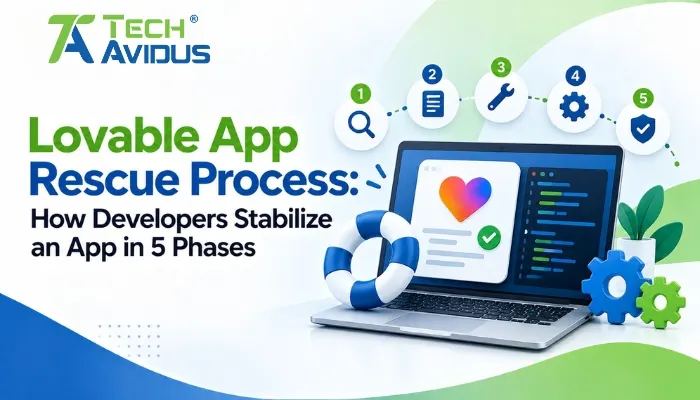
Lovable App Rescue Process: How Developers Stabilize an App in 5 Phases
When an AI-built application starts producing recurring bugs, broken workflows, inconsistent data, or unstable releases, fixing individual errors may not be enough. A structured Lovable app rescue process helps developers move from symptom-fixing to root-cause analysis, stabilization, testing, and controlled improvement.
The goal of an app rescue is not simply to make one screen work again. It is to understand what is failing, protect functionality that already works, remove technical instability, and create a reliable foundation for future development.
What Is an App Rescue Process?
An app rescue process is a structured technical workflow used to diagnose, stabilize, repair, test, and improve an application that has become unreliable or difficult to maintain.
For a Lovable-built application, the work can involve frontend components, JavaScript or TypeScript logic, API integrations, databases, authentication, environment configuration, third-party services, and deployment behavior.
The important distinction is between fixing a bug and stabilizing an application.
A single bug may require one code correction. An unstable application may require investigation across several connected layers.
The 5 Phases of the Lovable App Rescue Process
Phase 1: Audit and Diagnose the Application
The first phase is to understand the application's current condition before making major changes.
Developers typically begin by reviewing:
- Application structure
- Main user journeys
- Recent changes
- Console errors
- Network requests
- API integrations
- Authentication
- Database behavior
- Dependencies
- Deployment configuration
The objective is to create a technical baseline.
Instead of asking, "What should we change?", the better question is, "What is currently failing, and where does that failure originate?"
What Does the Initial Audit Look Like?
A practical audit might begin with a simple user journey:
Open application → sign in → reach dashboard → create record → save → refresh → retrieve record
Each step is tested independently.
If the login works but the dashboard fails, the investigation moves toward routing, state, API, or data-loading logic rather than authentication.
Browser Developer Tools are particularly useful during this phase. MDN documents how the browser console, debugger, breakpoints, and related tools can help identify JavaScript errors and inspect application behavior.
.webp)
Phase 2: Identify Root Causes
Once the application's problems have been documented, the next phase is separating symptoms from root causes.
A blank dashboard, for example, does not automatically mean the dashboard component is broken.
The underlying cause could be:
- A failed API request
- Missing authentication
- Incorrect database permissions
- Unexpected response data
- Broken state management
- A configuration problem
This is why developers should trace the complete request path rather than immediately rewriting the visible component.
Common Root-Cause Categories
Frontend: Broken components, routing, state, event handlers, or rendering logic.
Backend: API failures, server-side logic, validation, or incorrect responses.
Database: Missing records, incorrect queries, permissions, or data-structure mismatches.
Authentication: Expired sessions, incorrect authorization, or access-control problems.
Integration: External APIs, payment systems, email services, AI services, or other dependencies.
Infrastructure: Hosting, environment variables, domains, or deployment configuration.
MDN also recommends using tools such as linting and browser debugging to identify errors before attempting deeper fixes.
Phase 3: Repair and Stabilize the Application
Once root causes have been identified, developers can begin applying targeted fixes.
The key principle is controlled change.
Instead of changing multiple components simultaneously, repair one problem or logical area at a time and verify the result.
Why Controlled Fixes Matter
AI-assisted development can make large changes very quickly.
That speed is useful, but it can also make debugging harder if several files, dependencies, or workflows change simultaneously.
A safer approach is:
Identify → Change → Test → Validate → Continue
This creates a clear relationship between a fix and its outcome.
Stabilization Goes Beyond Bug Fixes
During this phase, developers may also:
- Remove duplicated logic
- Correct broken dependencies
- Improve error handling
- Simplify overly complex components
- Validate API responses
- Clean up inconsistent state handling
- Strengthen authentication flows
- Remove unnecessary debugging code
The purpose is not to rewrite everything. It is to remove the technical conditions that make the application repeatedly unstable.
Phase 4: Test Critical Workflows
An application should not be considered stable simply because the original error message has disappeared.
The fourth phase focuses on regression testing.
Developers test important workflows from beginning to end.
For example:
User registration → login → profile creation → data submission → confirmation → logout → login again
Each workflow should be tested under normal conditions as well as realistic failure conditions.
What Should Be Tested?
Core functionality: Confirm that primary features work as expected after the fix.
Authentication: Test login, logout, sessions, permissions, and protected pages.
Data operations: Test creating, updating, retrieving, and deleting records where applicable.
API communication: Verify successful requests as well as failed or unexpected responses.
Responsive behavior: Check important screens across relevant device sizes.
Error handling: Confirm that users receive useful feedback instead of broken interfaces or unexplained failures.
MDN's debugging guidance emphasizes inspecting errors, using debugging tools, and testing code behavior rather than relying only on visual symptoms.
Phase 5: Production Validation and Handover
The final phase is making sure the repaired application behaves correctly in its real operating environment.
A project may work correctly during development but behave differently after publishing because production configuration, domains, APIs, authentication, or environment settings can differ.
Production Validation Checklist
Before considering the rescue complete, developers should verify:
- Published application loads correctly.
- Main user journeys work.
- Authentication behaves correctly.
- APIs return expected responses.
- Database operations work.
- Important integrations function correctly.
- Error handling is appropriate.
- No critical console errors remain.
- Recent changes have been documented.
Lovable has also documented platform-side incidents affecting previews and publishing, including an August 2026 incident where some users could not publish projects or see updated previews. This is why production validation should distinguish application-specific issues from platform-level problems.
Why Does an AI-Built App Need Stabilization?
AI-assisted development can accelerate application creation, but fast development does not automatically produce a maintainable application.
An application can gradually accumulate:
- Duplicate components
- Inconsistent patterns
- Unused dependencies
- Fragile state management
- Temporary workarounds
- Poorly handled errors
- Integration dependencies that are difficult to trace
These issues may not become obvious when the application is small.
As more features are added, however, a small architectural weakness can create problems across several workflows.
A rescue process therefore focuses on stability and maintainability, not just immediate functionality.
Advantages and Limitations of an App Rescue Approach
Advantages
Root-cause analysis reduces repeated patching.
Instead of repeatedly fixing visible symptoms, developers investigate the underlying technical dependency causing the problem.
Critical workflows receive focused attention.
Testing complete user journeys helps identify problems that isolated component testing may miss.
Existing functionality can be preserved.
Controlled changes reduce the risk of unnecessarily modifying features that already work.
Technical debt becomes easier to identify.
The rescue process can reveal duplicated logic, fragile integrations, configuration issues, and architectural weaknesses.
Limitations
Some problems require deeper redevelopment.
If the application's underlying architecture is fundamentally unsuitable, individual fixes may not be sufficient.
External dependencies remain outside the application.
An unavailable API, third-party service, or platform incident may require a workaround or waiting for the provider rather than a code-level fix.
Testing takes time.
A proper rescue requires more than correcting the visible error because important workflows need to be retested afterward.
Real-World Example: Stabilizing a Customer Dashboard
Imagine a company has built a customer management application using Lovable.
The dashboard initially works, but users begin reporting three issues:
- Some customer records don't appear.
- The dashboard occasionally shows an error after login.
- A form sometimes fails to save.
Instead of fixing these three symptoms independently, developers map the complete workflow.
They discover that authentication state is not consistently available when the dashboard requests data. That creates an API failure, which results in missing dashboard records. The form has a related state-management problem.
The rescue work therefore focuses on the shared underlying flow rather than simply redesigning the dashboard.
After the changes, developers test:
Login → dashboard → retrieve records → create record → refresh → retrieve again
This type of workflow-based testing is what turns a collection of bug fixes into application stabilization.
Best Practices for a Successful Rescue
Preserve a Known-Working Baseline
Before making significant changes, identify the last reasonably stable version of the application.
This gives developers a reference point if a new change creates unexpected behavior.
Document Every Critical Issue
Record the error, affected feature, reproduction steps, suspected cause, fix, and validation result.
This creates useful technical history and prevents the same issue from being rediscovered later.
Avoid Large Uncontrolled Changes
A request to "fix everything" can produce a large set of modifications that becomes difficult to validate.
Focused changes make both debugging and regression testing easier.
Test After Every Meaningful Fix
Don't wait until the end to discover that an earlier change broke another workflow.
Small testing cycles provide faster feedback and make regressions easier to trace.
Separate Platform Issues From Application Issues
If previews, publishing, or other platform functionality suddenly behaves unexpectedly across projects, check official platform status information before modifying application code.
Lovable has documented incidents affecting preview functionality, including a May 2026 preview issue that produced unauthorized errors for some users.
What Should a Developer Deliver After the Rescue?
A completed rescue should provide more than a working screen.
The final result should ideally include:
- A stabilized application
- Resolved critical bugs
- Tested core workflows
- Identified remaining technical risks
- Cleaner or more understandable code where appropriate
- Documented configuration and integrations
- A clear list of recommended next steps
This makes the application easier to maintain after the immediate rescue work is complete.
Recap: How Does the 5-Phase Rescue Process Work?
Application rescue begins with a technical audit rather than immediate code changes.
The five phases are diagnosis, root-cause analysis, repair and stabilization, regression testing, and production validation.
The objective is not simply to remove visible bugs but to make the application's important workflows reliable and easier to maintain. This structured approach is at the core of our Lovable App Rescue service.
Controlled changes, browser debugging tools, workflow testing, and clear documentation help reduce the risk of introducing new problems while fixing existing ones.
Conclusion
A reliable application rescue process is about more than fixing whatever error appears on the screen.
The strongest approach is to diagnose the application systematically, identify root causes, make controlled repairs, test complete workflows, and validate the final application in its production environment.
If your Lovable-built application has become unstable, difficult to debug, or risky to continue developing, Techavidus can help assess the underlying issues and stabilize the application.

Bhavesh Ladva
Bhavesh Ladva is an AI Developer and rapid product development expert with over 10 years of experience in AI, machine learning, deep learning, and NLP. He specializes in turning ideas into functional, scalable products using modern AI-powered development tools such as Lovable, Bolt, Claude, and other emerging AI platforms. His experience spans AI integrations, APIs, automation, cloud platforms, and intelligent workflows, enabling him to take products from concept to production efficiently.