Conversational AI Candidate Search integrated into a leadership development platform

A Live Real Estate CRM That Needed
AI Inside Its Own Screens

Real Estate Technology · USA

An Established Platform. A New AI Experience.

MyRealtyWorks is a US real estate CRM and marketing platform for agents. Agents use it daily to manage contacts, properties, activities and deals, and customers access it through subscription plans.

The company wanted AI in the product without changing how any existing module behaved. It brought the work to TechAvidus, the team that built the original MyRealtyWorks platform . The goal was AI that agents use where they already work, not a separate tool beside the CRM.

AI where agents already work Enhance the existing CRM experience without replacing its workflows.
The Existing CRM
Four everyday working areas
Contacts
Properties
Activities
Deals
Subscription-based access Customers access the platform through subscription plans.

Six CRM Modules, Six APIs, Nothing Pulling Them Together

BUSINESS CHALLENGE 01

Everyday CRM work meant jumping between screens.

Routine questions took several screens to answer. To see where an account stood, check a deal, find overdue follow-ups or write a personalized message, an agent moved between the calendar, the contact list, the property board and other CRM screens, then put the context together by hand. Whatever AI fixed that had to fit a product customers already paid for, without disrupting it.

Calendar Contacts Properties Deals
Engineering Complexity

Technical Challenge

01
The context was split six ways.

Contacts, Properties, Activities, Notes, Meetings and Deals each sat behind their own API, with no layer that combined them or reasoned over them.

02
Access had to hold.

Every AI request had to stay inside the requesting agent's existing permissions. An answer could never draw on records that agent couldn't open.

03
Answers had to stay grounded.

Output needed to come from the CRM data actually retrieved, with a safe response when that data was too thin to answer from.

04
Nothing existing could break.

Non-AI workflows had to keep working exactly as before.

From a Client Who Came Back

A returning client. Another successful collaboration.

CTO UAE logo

"The team understood our existing system well and integrated the new AI features without disrupting the core application."

Michael Inzerillo, · MyRealtyWorks

Three AI Features Added to MyRealtyWorks
by a Two-Person Team

What Was Delivered

TechAvidus added an AI layer to MyRealtyWorks' existing ASP.NET Core and Angular application, with GPT-5 Mini on Azure OpenAI generating the output. Before any build work, the team assessed the existing architecture, APIs and stored CRM data. That included the backward-compatibility risk and what the Azure OpenAI integration would depend on.

  • A retrieval and context layer over the existing CRM APIs
  • Azure OpenAI integration, with prompts, business rules and guardrails
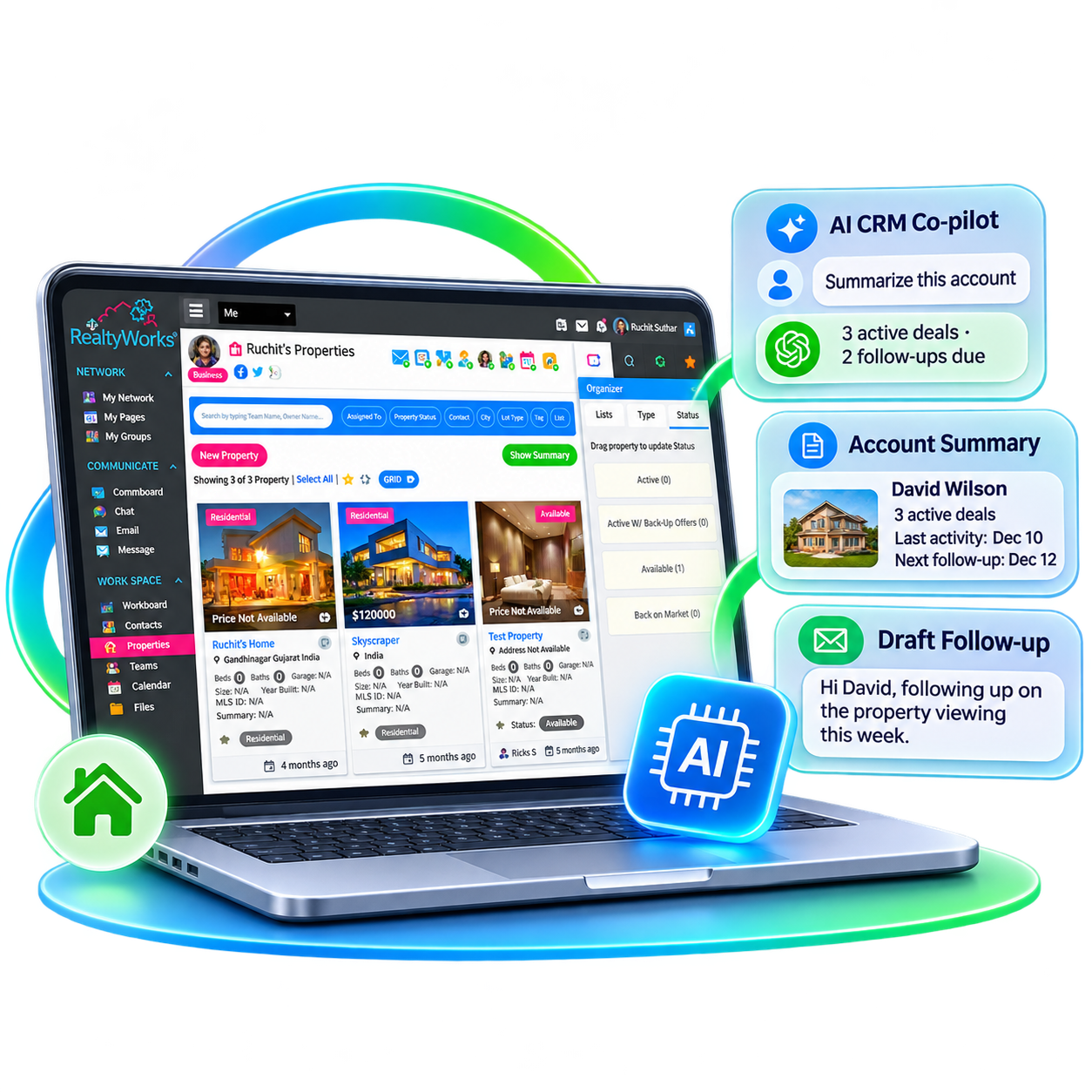
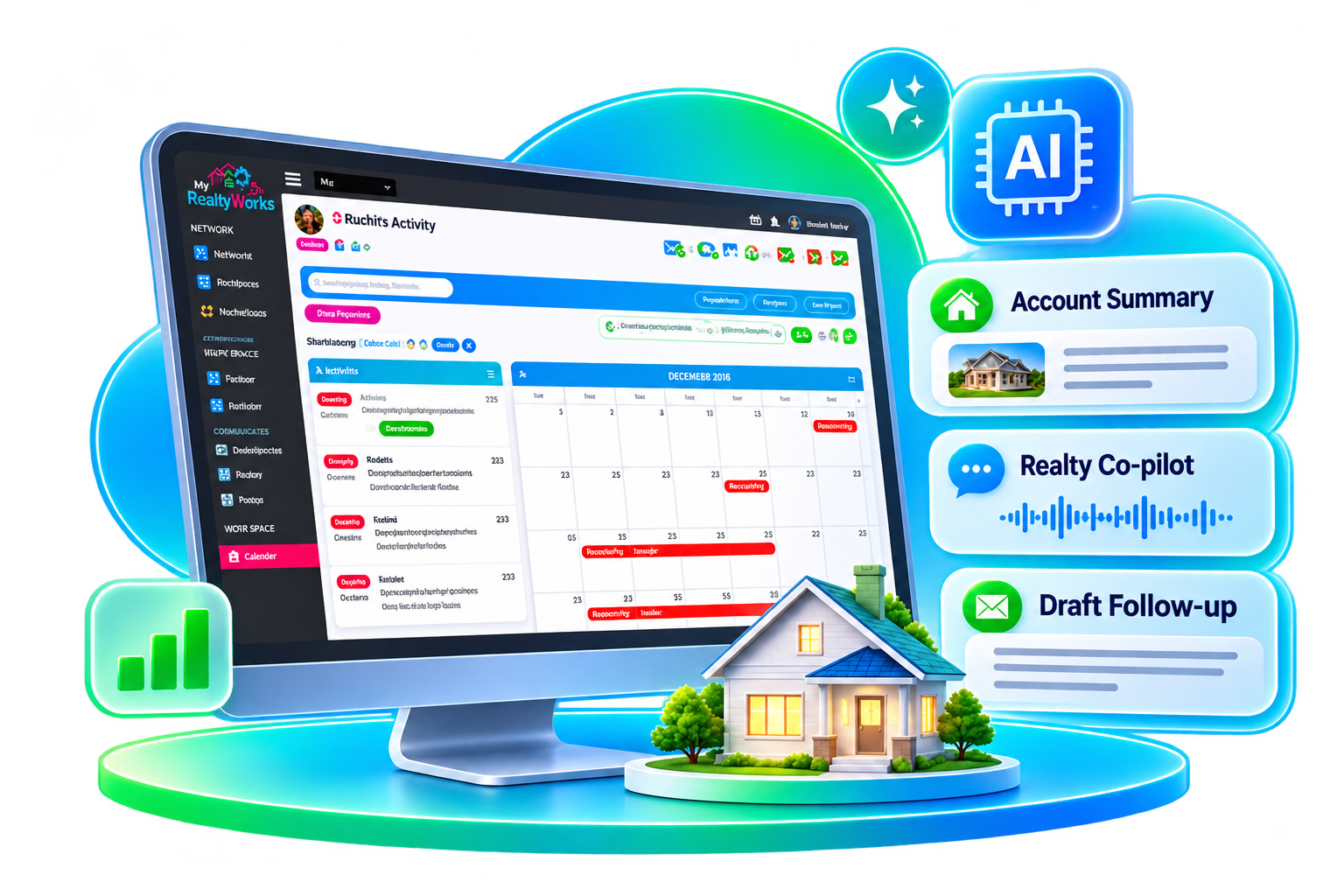
  • Three AI features inside existing CRM screens: Account Summary, Realty Co-pilot, and personalized email and message drafting
  • AI included in MyRealtyWorks' higher-tier plans
  • Test cases, UAT, prompt testing and production deployment
MyRealtyWorks AI integration
Team

One AI developer and one full-stack developer.

Timeline

A single multi-month engagement, ending in a release inside the live production platform.

Why the AI Reads Through Existing APIs
Instead of a Vector Store

The Client's Core Constraint

The client set one constraint at the start: existing modules had to behave exactly as before. Each architecture decision followed from it.

Build above the APIs, not inside the modules.

The AI runs as a separate layer that calls the CRM's existing modules instead of changing them. Every existing workflow kept working as it had, and the AI features sit on top.

01
Fetch data as the logged-in agent.

Each request calls the product's existing authenticated APIs on behalf of the agent who made it, rather than giving the AI service its own broad access to the data. The AI sees what that agent can already open, and one permission model covers both the CRM and the AI.

02
Assemble context per request, with no vector database.

These features ran on structured CRM records the APIs already exposed, so the layer builds context at request time instead of copying product data into a separate retrieval store. That keeps one source of truth and avoids a second data store to secure and keep in sync.

03
Keep the model to what was retrieved.

Agents act on what the AI tells them about their pipeline, so an invented detail does more harm than no answer. Prompts and business rules hold responses to the retrieved CRM data. When that data falls short, the system asks for clarification.

Model Choice

Model choice came out of the same discussion with the client: the team suggested options based on what fit the application, and the build runs on GPT-5 Mini through Azure OpenAI.

How a Request Travels From a CRM Screen
to GPT-5 Mini and Back

All three AI features share one request path, so they behave the same way and respect the same access rules.

01
CRM Screen

An agent acts in an existing CRM screen: opens an account summary, asks a question, or requests a draft.

02
ASP.NET Core Backend

The ASP.NET Core backend works out which CRM data the request needs.

03
Authenticated APIs

It calls the existing authenticated APIs for those modules, as that agent.

04
Context Layer

The context layer filters, ranks and normalizes the returned records into one context, with the latest interactions and outstanding items surfaced first.

05
GPT-5 Mini on Azure OpenAI

GPT-5 Mini on Azure OpenAI generates the summary, answer or draft from that context.

06
Response in the CRM

The response is checked against the business rules and shown in the same screen.

Five Components. One Connected AI Layer.

The AI connects the existing CRM modules, assembles relevant context, applies business rules and returns AI-generated results through the screens agents already use.

Existing CRM APIs
Data source

Connects to Contacts, Properties, Activities, Notes, Meetings and Deals through the CRM's existing APIs. These APIs remain the source of records used by the AI.

01
Context Layer
Context preparation

Retrieves the relevant records, filters and ranks them, normalizes the data and assembles request-specific context before it reaches the model.

02
Prompt, Business-Rule and Guardrail Layer
AI orchestration

Applies prompts, business rules and guardrails to guide each feature's workflow and keep generated responses grounded in the retrieved CRM data.

03
Azure OpenAI - GPT-5 Mini
AI generation

Receives the prepared context and instructions to generate account summaries, co-pilot answers and personalized communication drafts.

04
Existing Angular Screens and Workflows
User experience

Delivers AI responses within the existing Angular screens, communication workflow and subscription plan model, without replacing the CRM experience.

05
How the Components Connect

From CRM data to an in-product AI response

CRM APIs
Existing records
Context Layer
Relevant CRM context
Prompts & Guardrails
Rules and instructions
GPT-5 Mini
Azure OpenAI
Angular Screens
AI inside the CRM

Technology Behind the MyRealtyWorks AI Layer

AI Model and Hosting
Azure OpenAI, GPT-5 Mini
Backend (Existing)
ASP.NET Core Web API
Authentication (Existing)
JWT Authentication
Frontend (Existing)
Angular
Data (Existing)
SQL Server / Azure Database, Azure Blob Storage
Cloud
Microsoft Azure
AI Patterns
Request-time Context Assembly, Relevance Ranking, Prompt Guardrails, Human-in-the-Loop Drafting

What Agents Can Now Do Inside the Real Estate CRM

Feature 01
Account Summary

One click on a contact or account returns a short overview: profile, email, chat and SMS conversations, activities and overdue tasks, notes, meetings, and related leads, properties and deals.

What the summary brings together
Draws on all six CRM modules, ranked so the latest interactions and outstanding items lead.
Agents see where an account stands without opening several screens.
Feature 02
Realty Co-pilot

Agents type a plain-English question, such as which activities are overdue or where a deal stands, and get an answer from their own CRM data.

How agents get answers
Each question is mapped to the right modules at request time.
If the data can't support an answer, the co-pilot asks for clarification.
Agents get answers without navigating the CRM.
Feature 03
Personalized Email and Message Drafting

An agent picks a contact, gives an instruction, and gets a draft built from that contact's recent conversations, activities, notes and property or deal context.

Drafting with agent control
The draft is tied to the correct contact and its history.
The agent reviews and edits it, then saves or sends through the existing communication workflow. The AI never sends anything.
Feature 04
AI in Higher-Tier Plans

The AI features are included in MyRealtyWorks' higher-tier plans, so they become part of the plan rather than a separate add-on.

Tested on Prompts as Well as Code,
Then Released Into Production

The AI features were deployed into MyRealtyWorks' existing production platform in 2026, embedded in the app agents already use.

01
Application Validation
Functional Testing

Test cases and User Acceptance Testing (UAT) were completed before release.

Test cases and UAT completed
02
AI Response Validation
Prompt Testing

An AI-specific check of how the model responds was completed alongside functional testing.

Prompt testing completed
03
Live Deployment
Production Release

Deployed into the live platform, with all three AI features running inside existing CRM screens.

Released in 2026

What Shipped to MyRealtyWorks'S Agents

01 - Agent Experience
Product Capability

AI capabilities are available directly within the CRM screens agents already use.

One-click account overview

An account overview takes one click instead of a tour of several screens.

Plain-English answers

Agents get answers about overdue activities, recent interactions and deal status in the screen they're already in.

Personalized follow-up drafts

A personalized follow-up draft is ready to review, built from the contact's own history.

02 - System Behaviour
Technical Outcome

The AI layer works with existing CRM data and permissions, keeping responses grounded and workflows under agent control.

Unified context

Each request draws on six CRM modules, assembled into one ranked context.

Access-aware answers

Answers draw only on the records the requesting agent can already access.

Grounded responses

When CRM data is insufficient, the system asks for clarification rather than inventing details.

Human-controlled drafts

AI drafts, and a person reviews and sends through the existing workflow.

03 - Release Evidence
Delivery Evidence

All three AI features, plus plan-level availability, are live in production.

Existing non-AI workflows needed no changes.

Test cases, UAT and prompt testing were completed before release.

From the Founder

CTO UAE logo

"We worked with TechAvidus to add AI capabilities to our existing platform. The team understood our existing system well and integrated the new AI features without disrupting the core application. They were easy to work with, proactive in suggesting different AI models based on what made the most sense for our application, and responsive throughout the project to make sure we got things right."

Michael Inzerillo, Founder · MyRealtyWorks

Adding AI to a Product Your Customers Already Pay For

This Azure OpenAI integration case study shows three things you can expect if you need to add AI to an existing SaaS product.

01
Seamless Integration
AI That Lives Inside Your Product's Own Screens

All three features sit inside MyRealtyWorks' existing CRM screens and call its existing APIs, and no non-AI workflow had to change. If you're planning an AI assistant for an existing SaaS application, that's the starting point we work from.

Built around the existing product
02 Architecture Fit
Architecture Sized to Your Data

Structured, API-reachable records across six modules were enough for request-time context, so no retrieval store was built. The same question decides how to integrate AI into an existing real estate app, or any product with similar data.

03 Controlled Generation
Generation You Can Control

Answers come from retrieved records, thin data triggers a clarification request, and people send the messages.

The same team that built the original platform added its AI layer. See how we approach this in AI Integration Services.

Questions About Adding AI to an Existing SaaS Product

Find answers to common questions about integrating AI into an existing SaaS product, without rebuilding the application.

No. MyRealtyWorks kept its existing platform, and the AI was layered over the APIs and screens it already had. The AI features call the CRM's existing modules instead of changing them, so non-AI workflows needed no changes and agents didn't have to move to a new tool. What makes this possible is an API layer that already exposes the data the AI needs. If your product has one, adding AI is usually an extension of what exists rather than a migration.

The cost is set mainly by how much data the AI has to read and how much control its answers need. On a project like this one, the main factors are:
  • how many modules or data sources the AI must read
  • whether your existing APIs already expose that data with authentication
  • how complex your permission model is
  • how many AI features you need
  • whether the data is structured or document-heavy, which decides whether a retrieval store is needed
  • how much guardrail and prompt testing the use case calls for

No. It depends on the shape of your data. MyRealtyWorks' features ran on structured CRM records (contacts, properties, activities, notes, meetings and deals) that the product's APIs already exposed. Assembling and ranking that context per request was enough, so no separate vector store was built, secured or synced. A product built around large volumes of documents is a different case, and a retrieval store may be the right call there.

No. The AI only sees what the requesting user can already see. Each request calls the product's existing authenticated APIs on behalf of the logged-in agent, so the same access checks that govern the CRM screens govern the AI. There is no separate AI account with wider access to the data, and no second copy of the data with its own rules to maintain.

No. The AI drafts, and the agent decides. A draft built from the contact's recent conversations, activities, notes and deal context appears for the agent to review and edit. The agent then saves or sends it through the communication workflow MyRealtyWorks already had. Sending was deliberately kept outside the AI feature, so nothing reaches a client without a person approving it.

The system asks for clarification instead of inventing details. Prompts and business rules hold the model to the CRM records retrieved for that request. When those records can't support an answer, the response explains that and asks the agent for more context. For a tool agents use to decide who to follow up with, a clear "not enough information" is safer than a confident guess.

Yes, and teams asking this usually mean the OpenAI models behind ChatGPT rather than the ChatGPT product itself. MyRealtyWorks runs on OpenAI's GPT-5 Mini, hosted on Azure OpenAI and called from the product's existing backend. The model sits behind the product's own screens, APIs and access rules, so agents use AI as part of the CRM, not through a separate chat window. It's the same approach we'd take to add AI to a real estate app or any other existing product.

Related Work

AI Integration Services

How we add AI features to products that are already live.

Explore AI Integration Services
MyRealtyWorks: The Original Platform Build

The real estate CRM, sales and marketing platform this AI layer extends.

View Original Case Study
Naavik: Real Estate MCP Server for AI Agents

A related PropTech AI project connecting a platform's operational data to AI agents.

View Naavik Case Study
Real Estate Software Development

Our wider work on real estate software, including AI integration for real estate software products.

Explore Real Estate Development

More AI Integration Work

Explore how AI integration can extend your existing platform and add new capabilities to established workflows.

AI INTEGRATION & DEVELOPMENT

Want AI Agents Can Use Inside Your Existing Product?

Tell us what data your users need the AI to read and where in the product they'd use it. On the call, we start with your existing APIs, data and access rules before suggesting an architecture.