


Building a website is not just about making it look good; it is about ensuring that all the elements are working as expected. That’s why performing quality checks is considered a crucial part of the effective website development process.
These checks help developers identify issues that may affect website functionality, performance, security, and user experience.
In today’s blog post, we will take a close look at some of the most important checks that should be performed to avoid later frustrations and disappointments.
5 Essential Quality Checks for Better Website Development
Below, we have discussed some of the most essential quality checks that should be performed for effective website development.
Validate JavaScript Code
According to a statistic, 98% of websites use JavaScript as a client-side programming language. The primary reason is that this programming language empowers interactivity, logic, and dynamic behavior of the entire website.
This means a single error in JavaScript code can break an important website element or prevent specific features from working properly. For this reason, validating JavaScript code is a crucial quality check that developers should perform. Businesses can also Hire Dedicated Developer to identify JavaScript issues, improve code quality, and ensure website features work smoothly.
Validating JavaScript is a process of checking the code for:
- Syntax errors
- Other issues that may prevent the code from running correctly
The aim is to identify potential errors and fix them before they actually affect website functionality and performance. Although developers can manually validate the JS code, they often prefer using a JavaScript validator to save both time and effort.
The tool will automatically validate the given JavaScript code and highlight errors by specifying the exact line, column, source, and message.
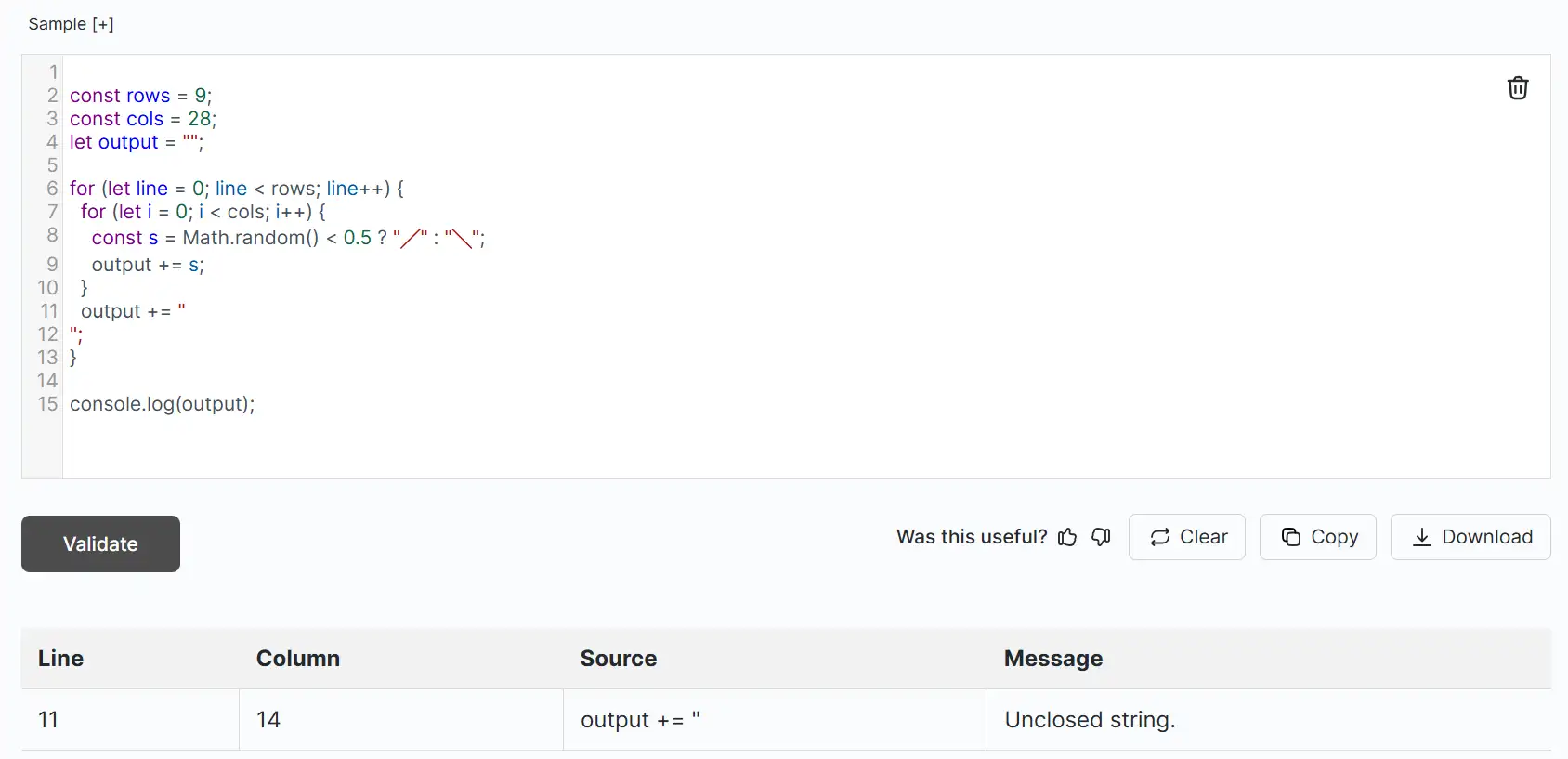
This way, developers can quickly spot and fix potential mistakes.
Test Website Responsiveness
The audience may access the website through different devices such as mobile phones, tablets, and laptops. This makes it important for developers to ensure their websites look perfect on different screens.
That’s why it is essential to test website responsiveness across different screen sizes and devices. During this process, developers should pay close attention to:
- Layouts
- Navigation menu
- Buttons
- Images
- Forms
- Other interactive elements
Now, the question is: how can responsiveness be tested? Well, there are multiple methods available. For instance, developers can open Chrome DevTools by selecting ‘Inspect’ and then use the Toggle device toolbar to test different screen sizes.
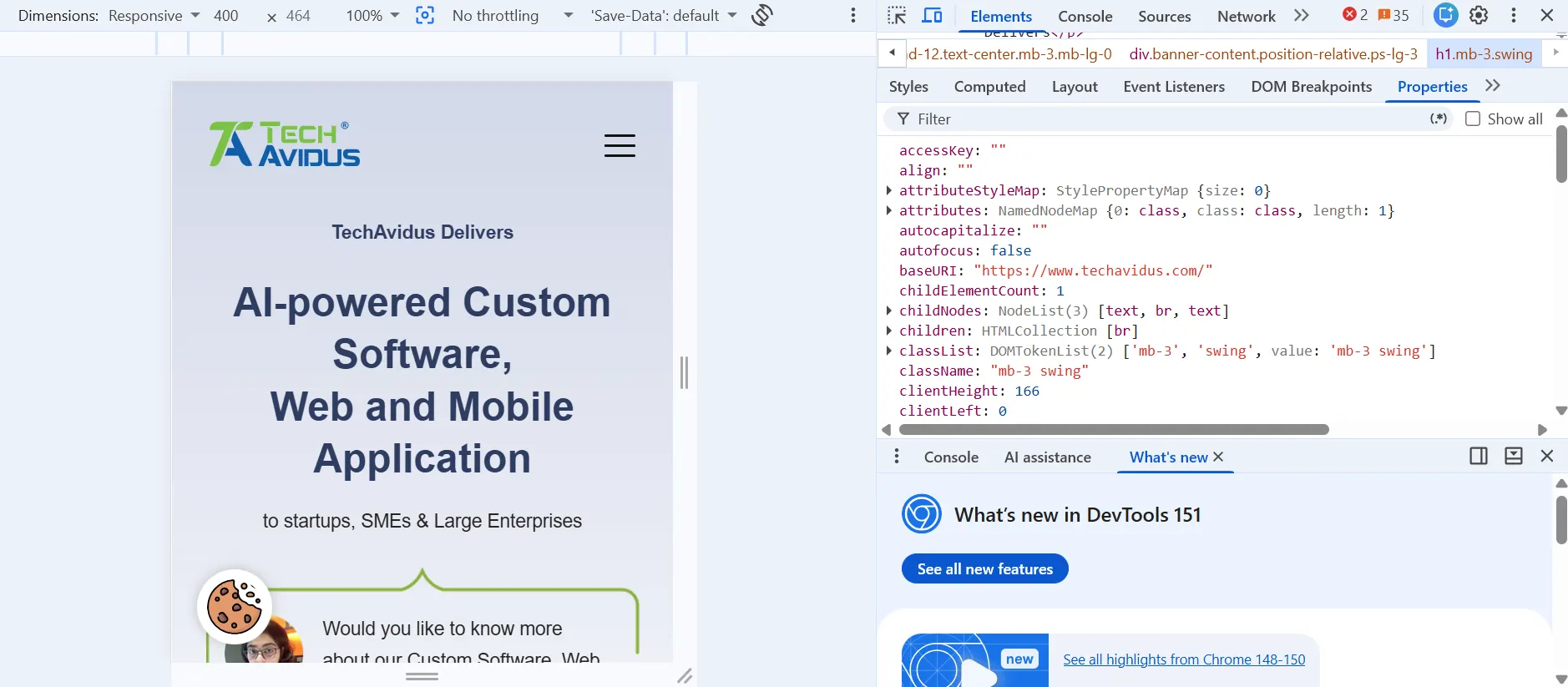
Besides this, developers can also consider utilizing specialized tools to get the job done.
Note: When testing responsiveness for mobile devices, it is essential to verify both portrait and landscape orientations to identify any potential issues.
Evaluate Loading Speed
No user likes waiting for a website to load. Plus, Google also considers page experience and performance signals when ranking pages, making loading performance an important consideration. It does not matter how attractive a website you have developed; if it loads slowly, this can discourage users from staying on the page.
So, as part of a quality check, developers should always evaluate the loading speed before making it accessible to visitors. For this, they prefer going with a popular tool offered by Google, known as PageSpeed Insights.
Simply paste a valid website URL and the tool will start analyzing the page from every aspect to ultimately generate a detailed report on both good and bad elements that impact overall speed. The tool even offers suggestions to fix the issues.
Now, what if you have not made your website live yet? Well, its loading speed can still be evaluated via Google Lighthouse. It can help you audit a locally running page for areas such as performance, accessibility, best practices and SEO.
If the website has loading speed issues, multiple steps can be taken, including:
- Minifying HTML, CSS, and JavaScript code
- Optimizing images to reduce their size
- Eliminating unused scripts and resources
- Utilizing suitable caching and content delivery techniques
Perform Cross-Browser Testing
As a developer, you may know that it is not necessary for a website to behave identically on every browser. The truth is, browsers operate on different rendering methods and features, increasing the chances of a website looking or functioning differently.
Therefore, developers should always perform cross-browser testing as a quality measurement. To do so, they can either go with a manual or automated approach. Many prefer automated cross-browser testing via Selenium WebDriver.
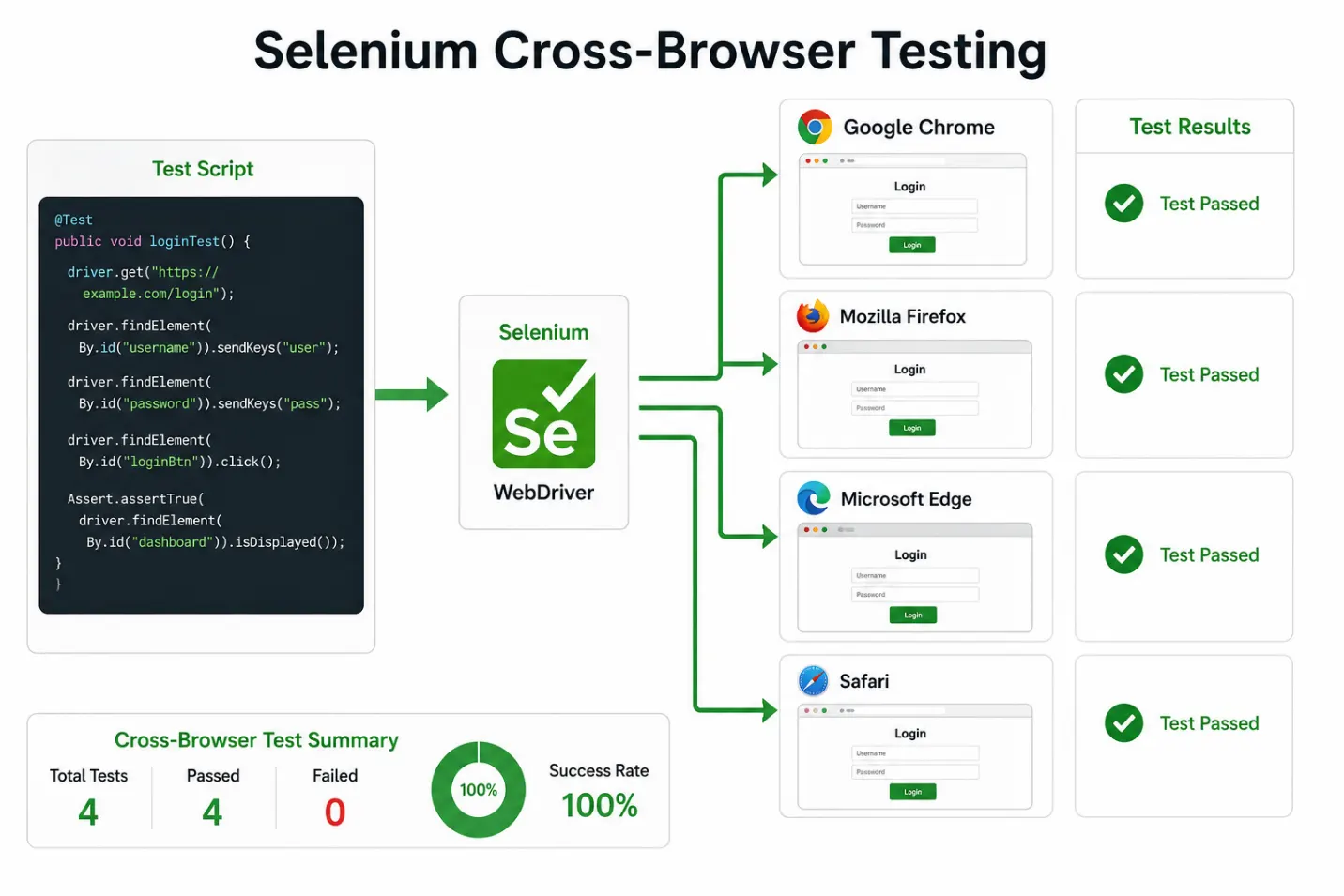
When testing, process key pages and features on commonly used browsers to identify compatibility issues. Also consider the following carefully:
- Does the website layout appear correctly?
- Do buttons, menus, forms, and other interactive elements function properly?
There may be instances where an issue will appear in one browser, but not in another one. In such a situation, developers should investigate the underlying cause and implement a compatible solution.
Review Website for Security

Website security is also considered an essential quality check for better development. This is because weak security can lead to a number of consequences. Some of the major ones include:
- Unauthorized access
- Data breaches
- Malicious inputs
- Other threats
So, it is essential to review the website for security. It is recommended to review security throughout the development process rather than waiting until the website is ready to launch. The checking should include verifying user inputs, submitted forms, authentication mechanisms, access controls, and third-party libraries.
Moreover, make sure the plugins, libraries, and other frameworks are updated. Apply HTTPS and follow other security practices to help protect data and reduce the risk of unauthorized access.
Bottom Line
Performing quality checks is extremely important for effective web development. The reason is that a website may look visually attractive and professional, but issues with code, responsiveness, and security can impact its functionality as well as performance at any time. That’s why developers should never overlook the importance of performing quality checks throughout the development process.

Bhavesh Ladva
Bhavesh Ladva is an AI Developer and rapid product development expert with over 10 years of experience in AI, machine learning, deep learning, and NLP. He specializes in turning ideas into functional, scalable products using modern AI-powered development tools such as Lovable, Bolt, Claude, and other emerging AI platforms. His experience spans AI integrations, APIs, automation, cloud platforms, and intelligent workflows, enabling him to take products from concept to production efficiently.